

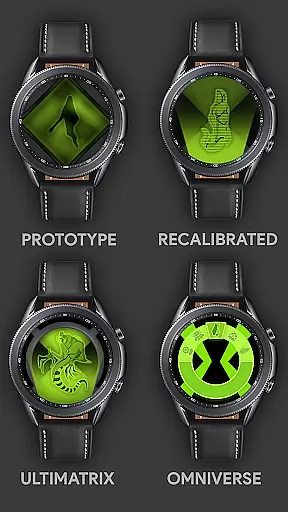











Alien Watch is a feature-rich simulation app that transforms your Wear OS smartwatch into the iconic Omnitrix from Ben 10. With multiple modes including Prototype, Recalibrated, and Omniverse, users can access authentic alien transformations, DNA scanning, and customizable features like color options and voice commands.
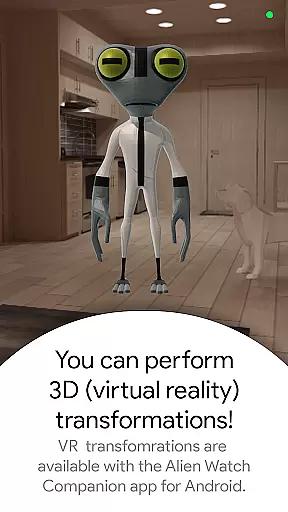
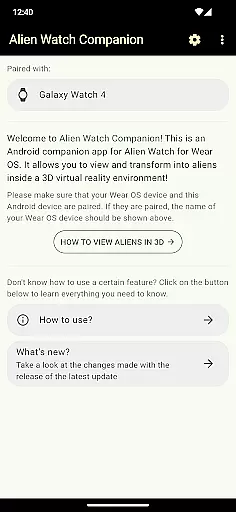
The app offers an immersive experience for Ben 10 fans, allowing them to relive childhood memories through their smartwatch. It supports advanced functionalities such as Fusion Transformations, Self Destruction mode, and Virtual Reality 3D transformations. The companion Android app expands these capabilities further, enabling full access to all advertised features.
Ideal for both casual users and dedicated fans, Alien Watch provides hours of entertainment while incorporating gamified elements like step goals and leaderboards. Its detailed design and regular updates ensure an evolving experience that keeps users engaged.
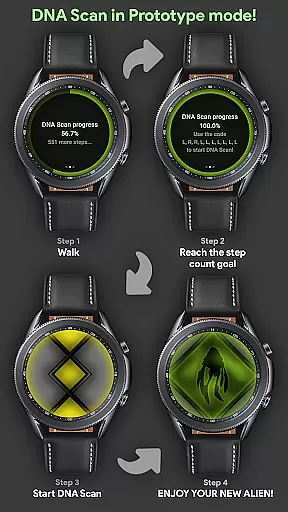
Alien Watch stands out with its diverse range of modes and sub-modes. The Prototype mode includes features like DNA Scan, Master Control, and Virtual Reality transformations, allowing users to unlock aliens by walking or using activation codes. This mode also incorporates Fusion Transformations for unique combinations.
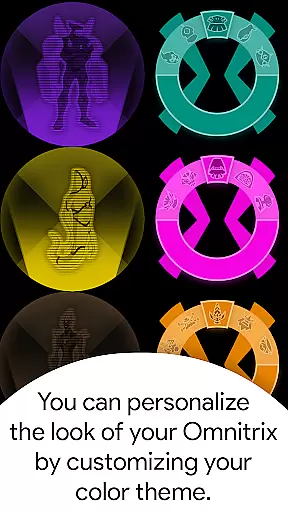
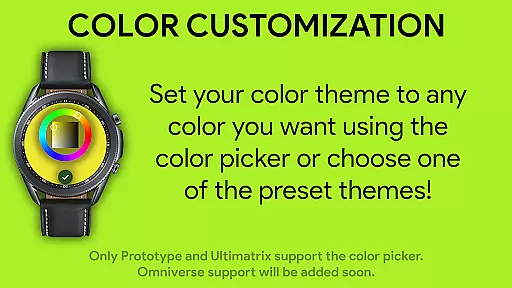
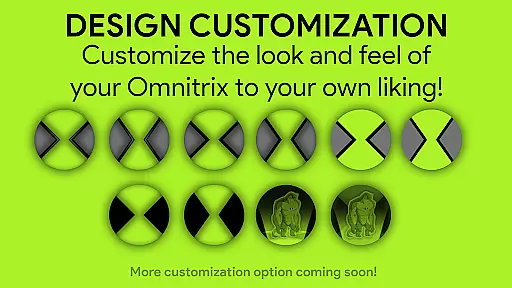
In Recalibrated mode, users can access Ultimatrix functionality with Ultimate Transformations, Azmuth Easter Eggs, and custom voice effects for each alien transformation. The mode supports 12 color options, including Albedo mode, providing extensive customization possibilities.
Omniverse mode introduces Randomizer functionality, giving users a new alien every 15 seconds. It maintains the same level of customization while adding exclusive features like Albedo mode. Additional conveniences include palm gesture controls for temporary watch faces and seamless integration with the Always On display setting.
In the realm of simulation apps, a profound economic system is pivotal for an immersive experience. Alien Watch offers an intricate economic model that mirrors real-world dynamics, allowing users to engage with its multifaceted features such as DNA Scan and Fusion Transformations. These elements are not merely add-ons but integral parts of a balanced ecosystem where each action can lead to a reaction, providing a realistic simulation environment.
The app's economic framework is designed to respond dynamically to user interactions. For instance, when employing the DNA Scan feature, players unlock additional aliens by achieving step count goals or utilizing activation codes. This dual-path approach ensures that the in-app economy remains engaging and challenging, adapting to different play styles and strategies while maintaining a sense of achievement and progression.
Players benefit from this sophisticated economic simulation by experiencing a sense of ownership and impact on the game world. The ability to influence outcomes through strategic decisionsu2014such as choosing between walking to unlock aliens naturally or using codesu2014adds layers of depth to the gameplay. This interaction fosters a more engaging and personalized journey, enhancing replay value and long-term interest.
Ultimately, Alien Watch's economic system stands out by offering a responsive and adaptive environment that rewards thoughtful play. Users find themselves not just passive participants but active drivers of their in-game destinies, making every choice significant and every outcome a reflection of their strategic acumen.
Effective resource management is crucial in simulation games, dictating the pace and success of a player's progress. In Alien Watch, resources are thoughtfully distributed across various modes like Prototype, Recalibrated, and Omniverse, ensuring that users must strategize their usage to maximize benefits. This balance prevents any single mode from becoming overwhelmingly dominant and encourages exploration of different gameplay aspects.
The app provides a variety of tools and features that require resource allocation, such as activating Master Control, initiating Self Destruction sequences, or unlocking Ultimate Transformations. Each action necessitates careful consideration, as resources are limited and must be judiciously managed to maintain an effective gameplay strategy. This design compels players to weigh their options and prioritize actions that align with their overall objectives.
By engaging with these resource management challenges, users gain a deeper understanding of strategic planning and decision-making. The necessity to balance short-term gains with long-term goals adds a layer of complexity that enriches the gaming experience. Players learn to adapt their strategies based on current resource availability, leading to a more dynamic and interactive simulation.
Alien Watch excels in creating a balanced resource management system that enhances user engagement and satisfaction. By requiring players to manage their assets wisely, the app fosters a rewarding environment where strategic thinking and adaptability are key to success, ultimately delivering a richer and more fulfilling simulation experience.
User-friendly interface
Regular feature updates
Immersive VR transformations
Extensive customization options
Engaging gamification elements
Requires Wear OS device
Companion app necessary for full functionality
Some features need activation codes
Complex setup process
Battery consumption may increase

 3.50
3.50
Drone racing simulator with class leading aerodynamics
3.30
Build rockets, airplanes, and more and explore highly detailed 3D planets.
4.30
Build your base, fight zombies, and survive the post-apocalyptic war!
4.20
Family, house & life simulator - build your dream home in a virtual world!
4.50
Prank and cause chaos in the house. But don’t get caught!
4.10
Grow your agricultural empire with 100+ authentic machines!
4.40
Build your lumber logging empire: harvest & manage idle wood tycoon simulation!
3.70
Dig deep into a huge collection of vehicles and driving situations
4.40
The most wanted app, based on your feedback, is now here!
4.90
Ready to be a billionaire and build your bank empire? Start your adventure now!
4.60
Design a subway map for a growing city.
4.60
Laugh, play, take care, learn and relax with the cutest virtual friend
4.50
Draw the image and color in the spaces to create the complete picture
4.50
The original idle game. Bake cookies to rule the universe!
4.50
Join storage auction! Manage your pawn shop! Become an auction tycoon!
4.40
Make 'em move!
4.30
Inspect papers, Prevent smuggling—keep border safe or profit from corruption.
4.30
A fun and challenging bridge builder puzzle game.
4.20


User Reviews