
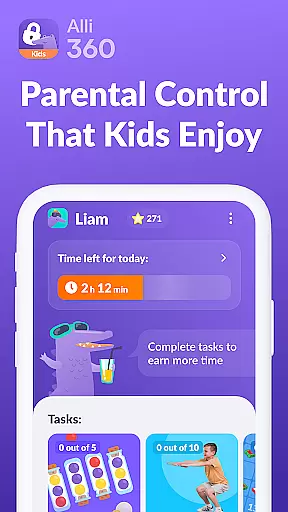




Alli360 by Kids360 is a parental control app designed to help parents manage their children's screen time effectively. The service allows setting specific time limits on entertainment apps and games, ensuring a healthy balance between digital engagement and other activities. Parents can create schedules for school hours and bedtime, making sure that certain apps are inaccessible during crucial times of the day.
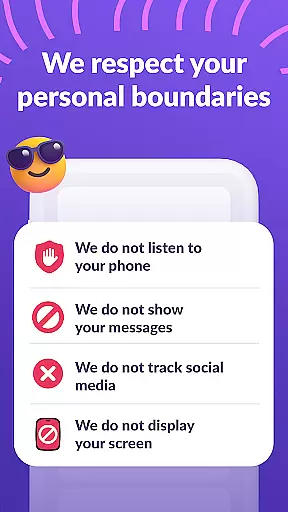
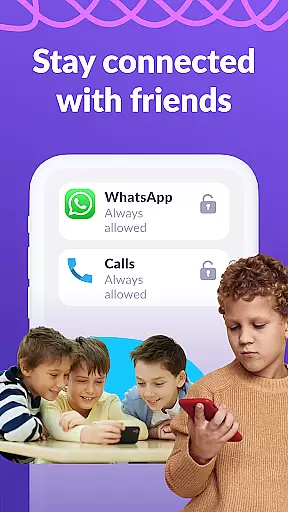
This app also provides detailed insights into how much time teens spend on their smartphones, highlighting the most frequently used applications. Non-entertainment apps such as calling, messaging, and taxi services remain accessible at all times, ensuring that essential communication is never disrupted. Alli360 operates transparently and requires explicit consent from the child, with personal data handled in strict compliance with GDPR policies.
Alli360 offers several key features that make it an indispensable tool for modern parenting. One of its standout capabilities is the ability to set precise time limits on specific apps and games, allowing parents to control overexposure to digital content. The scheduling feature lets parents block access during school hours or late at night, promoting better study habits and sleep routines.
The app includes a comprehensive list of applications that parents can either limit or block entirely, giving them granular control over their child's digital environment. Additionally, the 'Time Spent' feature provides valuable analytics about smartphone usage patterns, helping parents understand where their child’s time is being spent. With accessibility permissions, Alli360 ensures uninterrupted monitoring and management of screen time, safeguarding both productivity and leisure.
When it comes to parenting applications, the credibility of content and expert validation play a crucial role in ensuring that parents receive reliable guidance. Alli360 by Kids360 stands out in this aspect by providing features specifically designed and endorsed by child development specialists. The app's time management tools are crafted based on research-backed methodologies, ensuring that the recommendations provided for setting time limits on entertainment applications are both practical and beneficial for children's growth.
The application goes beyond simple screen time tracking by integrating expert-approved schedules and time limits. These features help parents establish healthy digital habits without compromising educational and social activities. By collaborating with professionals in child psychology and digital wellness, Alli360 ensures that its strategies align with current best practices in parenting. This expert validation gives parents peace of mind, knowing they are utilizing a scientifically supported tool to manage their children's device usage.
Furthermore, the app provides transparency about its methods and data sources, reinforcing trust in its functionality. Parents can access detailed explanations about how each feature contributes to their child's well-being, backed by expert insights. This level of detail not only enhances the app's reliability but also empowers parents to make informed decisions regarding their teen's digital environment.
Growth tracking accuracy is essential for any parenting app aiming to provide meaningful insights into a child's development. Alli360 excels in this area by offering precise monitoring of smartphone usage patterns, allowing parents to understand exactly how much time their teens spend on various applications. The app collects data through advanced usage access permissions, ensuring that the statistics presented are both comprehensive and accurate.
One of the standout features of Alli360 is its ability to categorize application usage, breaking down time spent on games, social networks, and educational apps. This granular approach enables parents to identify potential areas of concern while also recognizing positive digital behaviors. The app employs sophisticated algorithms to analyze usage trends over time, presenting this information in easy-to-understand charts and graphs that illustrate growth patterns in digital habits.
Moreover, Alli360 maintains high standards of data accuracy by regularly updating its tracking mechanisms to adapt to new applications and usage patterns. The app's commitment to precision is further demonstrated through its integration with accessibility services, which helps monitor active screen time more effectively. This dedication to accurate growth tracking empowers parents to implement targeted interventions when necessary, fostering healthier relationships with technology as their children grow.
Effective time management
Transparent data handling
Comprehensive app control
Real-time usage tracking
Essential apps always accessible
Requires explicit consent
Limited free features
Dependent on multiple permissions
Premium subscription needed
Trial period only for new users

Find unique + popular baby names for your little peanut.
 4.30
4.30
Parental Control including Screen time control, GPS tracking, App/Game blocker.
3.90
3D Baby size, Fruit comparisons, Smart Checklist, Trending Names & Training.
4.90
Kids story books for children. Baby reading books with audio for pre-k toddlers
4.70
Watching baby, helping parents
4.10
Track your labor contractions
4.90
Save money on diapers. Get the Pampers Rewards app.
3.90
Pregnancy+ App has helped 80m moms track their pregnancy with info & support!
4.80
All-In-One Pregnancy Tracker, Your Baby's Milestones, Growth Stages & Parenting.
4.90
Pinardin - Smart Parental Control, Online Safety & GPS Tracking!
4.80
Fun Ideas for Parents
4.70
GPS tracker app: Simple GPS phone tracker for fast family location tracking
4.60
All-in-one pregnancy app, contraction timer, kick counter & due date calculator
4.40
Speech Therapy Exercises For All!
4.40
Pregnancy and baby formula tips for moms, plus Enfamil coupons & cash back
4.10
Keep Your Family Safe with Pollog Family Assistants
4.10
Affirmations | Stories | Bible
4.10
SemLog aims to raise awareness among families and their children
3.40
Happiest Baby App replaces the SNOO App (the mobile companion to SNOO & SNOObie)
3.20


User Reviews