
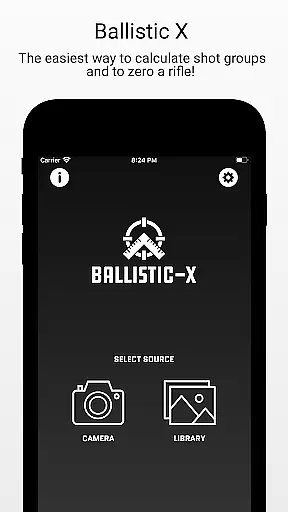
Ballistic X is a specialized mobile application designed for shooting enthusiasts who want to improve their precision and streamline their workflow. The app offers advanced tools for calculating shot groups, zeroing rifles, and analyzing ballistic data with remarkable accuracy.
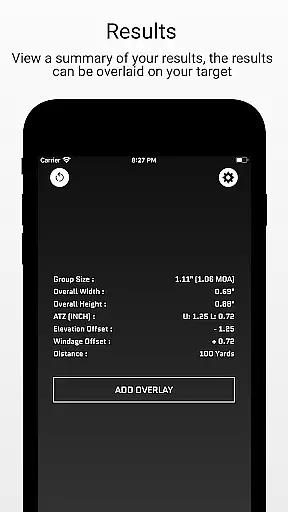
With its intuitive interface, users can easily capture target images, mark points of impact, and adjust settings such as distance, caliber, and reference size. Whether you're working with MOA/MIL or INCH/CM measurements, Ballistic X provides seamless compatibility with various targets, including steel. Its ATZ (Adjustment To Zero) feature dynamically assists in zeroing your rifle at any range, saving both time and ammunition.
The app also supports optional cloud syncing across devices and includes pro-level features like Mean Radius, Circular Error Probable (CEP), and Standard Deviation analysis through an Advanced Toolkit available via in-app purchase. Ballistic X is the ultimate companion for shooters looking to enhance their load development and overall shooting performance.
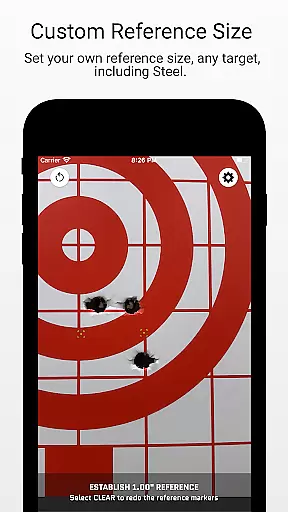
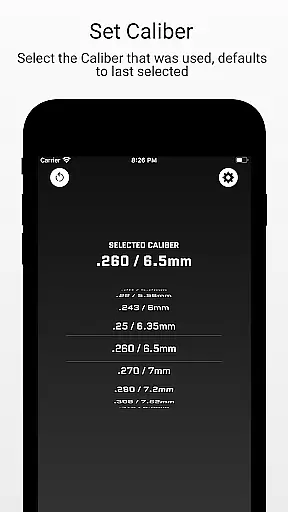
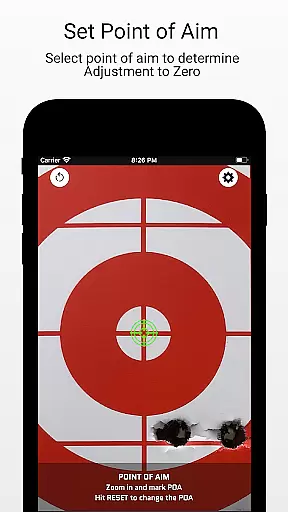
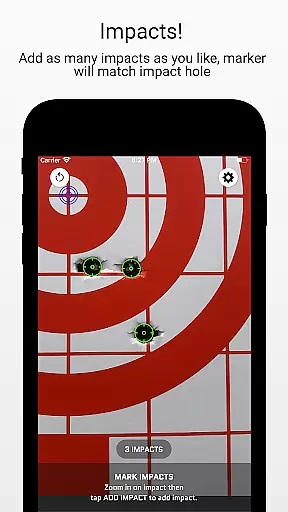
Ballistic X stands out with its robust set of features tailored specifically for the shooting community. One of its core strengths is the ability to take images of targets directly within the app or import them from your library. Users can designate reference sizes, mark points of aim and impacts, and input critical data such as distance and caliber for precise calculations.
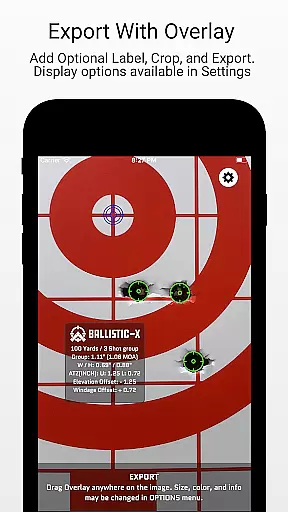
The app's ATZ (Adjustment To Zero) functionality is particularly innovative, allowing users to adjust their turrets accurately to achieve zero. This feature works dynamically at any range and supports all turret options, making it versatile for different shooting scenarios. Additionally, the Advanced Toolkit unlocks professional-grade overlay display options, including Mean Radius, Radial Standard Deviation, and Vertical/Horizontal SD, which are essential for detailed ballistic analysis.
Other notable features include customizable labeling, exporting data to CSV for further analysis, and sharing capabilities. Optional cloud syncing ensures that user preferences and settings remain consistent across multiple devices, enhancing convenience without compromising performance.
Ballistic X offers an unparalleled level of gameplay realism and physics accuracy, designed specifically for shooting enthusiasts. The app's core functionality allows users to calculate shot groups and zero their rifles with precision.
The ATZ feature dynamically adjusts at any range, supporting all turret options, which ensures that the physics behind each shot aligns with real-world conditions. This attention to detail enhances the authenticity of the shooting experience.
Users can take images of their targets, designate reference sizes, and mark points of aim and impacts. This meticulous process mirrors actual shooting practices, providing a realistic training tool.
With its advanced overlay display options, including Mean Radius and Circular Error Probable, Ballistic X provides shooters with accurate data to refine their skills, making every session a step towards mastery.
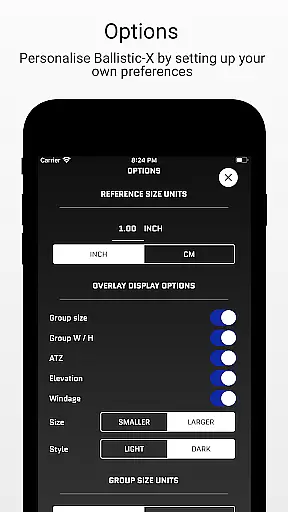
The control scheme of Ballistic X is crafted to be intuitive and user-friendly, ensuring seamless interaction for shooters of all levels. Designed by shooters for shooters, the interface accommodates preferences such as MOA/MIL or INCH/CM effortlessly.
By offering customization through the Options Menu, users can tailor their experience to match their workflow. Whether adjusting turrets via ATZ or marking targets, controls are straightforward and logical.
Syncing settings across multiple devices is optional yet straightforward, enhancing accessibility without complicating the primary functions. This simplicity keeps the focus on shooting rather than navigating the app.
Overall, Ballistic X's control scheme empowers users to concentrate on improving their shooting precision, supported by clear labeling options and an easy-to-follow workflow that simplifies complex tasks.
Intuitive interface
No subscription required
Dynamic ATZ feature
Advanced toolkit
Cloud syncing option
Premium toolkit cost
Limited free features
Device compatibility
Learning curve
Export limitations

8 Pool Master is an interesting billiard game
 4.70
4.70
The ultimate Golf game! Compete in 6 player real-time multiplayer golf battles!
4.70
Pixel Cup Soccer is a retro-style arcade game, just the fun part of soccer!
4.00
Mental skills exercise/training - improve your power of focus and concentration
4.0
Out of the Park Baseball Go is a strategy & sports gaming fan’s dream come true.
4.40
For Fans to Buy Tickets
4.80
Experience the thrill of NFL with the ultimate app for Football enthusiasts!
3.80
The NFHS Network delivers high school sporting events from across the country.
2.10
Mika Football App, Live scores, news, match insights & player info!
4.20
Real-time 1v1 basketball game! Dunk, shoot & win like MVP basketball superstars!
4.70
Basketball Team Management Sim Coach a custom team and dunk your way to glory!
4.70
Real boxing game with PvP fights, tournaments & epic knockouts
4.60
Coach a franchise of NFL PA licensed pro football players to gridiron glory
4.60
Play the World's Soccer Game Anywhere with Premier League, UCL & LALIGA stars.
4.60
Backflip Madness! Fast-paced, parkour-flavored extreme sports backflip game.
4.50
Build, manage & coach your NFL dream team in this American Football sports game!
4.40
Draft your NBA basketball game team. Authentic real-time online sports game.
4.20
Exploring Football from a Unique Perspective
4.10
Play eFootball™ with users around the world!
4.10


User Reviews