
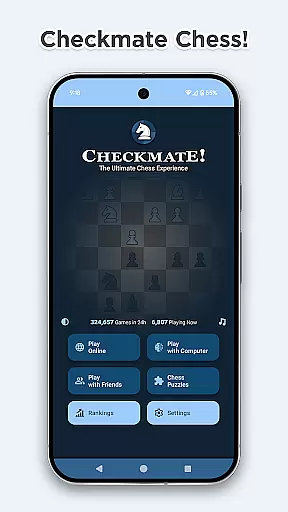
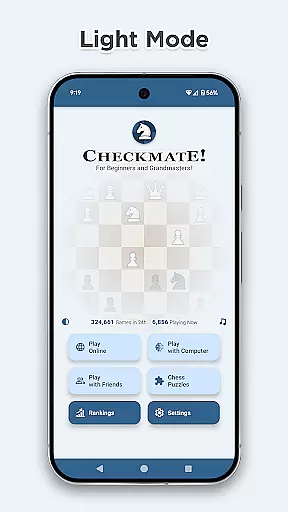
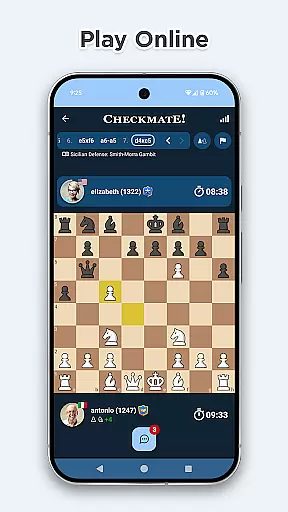
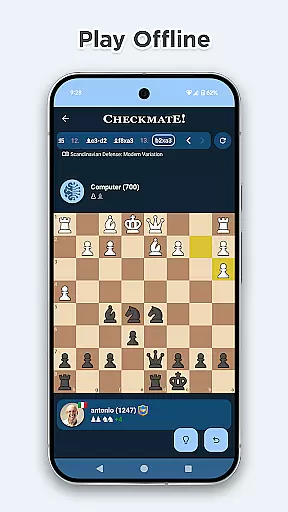
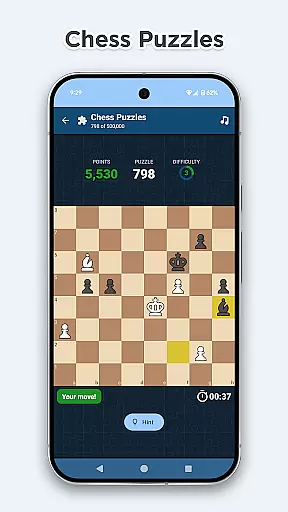


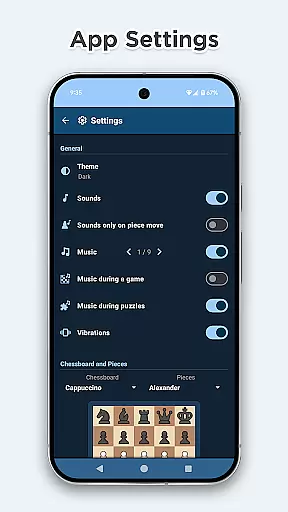
Chess Online & Offline is a feature-rich chess application that caters to both casual players and serious enthusiasts. The app allows users to engage in online matches with opponents worldwide, offering various time-limited game modes such as Classic, Blitz, and Bullet. For offline practice, it provides a strong computer opponent with adjustable difficulty levels ranging from beginner to expert.
Beyond standard gameplay, the app includes advanced features like helpful move markers, premove functionality, and an extensive library of over 3000 game openings with variations. Players can also solve more than 500,000 tactical puzzles to improve their skills while enjoying classical music and sound effects that enhance the overall experience.
This app is ideal for anyone looking to enjoy chess on the go, whether they're honing their skills through ranked matches or simply relaxing with a beautifully designed virtual board. Its combination of deep strategic elements and user-friendly features makes it a standout choice in the board game category.
The app boasts an impressive array of features designed to elevate the chess-playing experience. One of its core strengths is the ability to play both online and offline. In online mode, users can compete against others globally across different skill levels, while offline mode lets them practice against a sophisticated AI with 16 strength levels calibrated using the Arpad Elo formula.
Additional standout features include customizable chessboards and pieces, advanced haptics for tactile feedback, and helpful visual aids like legal move indicators and check warnings. The inclusion of over 500,000 tactical puzzles adds significant educational value, allowing players to sharpen their strategies and earn speed bonuses for quick solutions.
Furthermore, the app supports global and country-specific rankings based on ELO ratings, win counts, and puzzle-solving performance. With its sleek Material Design 3 interface, light/dark theme options, and reliable Firebase Firestore infrastructure, this app ensures a seamless and visually appealing experience for thousands of concurrent users.
Rule authenticity and flexibility are crucial elements in any board game app, ensuring that the gameplay adheres to official regulations while allowing for variations. Checkmate guarantees an authentic chess experience by strictly following the international chess rules, providing a seamless transition for players from physical boards to digital play. The app also supports multiple time controls such as Classic, Blitz, and Bullet modes, catering to different playing styles and preferences.
Checkmate's dedication to rule authenticity is evident in its implementation of over 3000 game openings with variations, including famous defenses and gambits like the Sicilian Defense and Queen's Gambit. This feature not only educates players on traditional opening strategies but also allows them to explore new tactics within well-established frameworks. By recognizing these openings during gameplay, users can deepen their understanding of chess theory and improve their skills accordingly.
Flexibility in Checkmate extends beyond just time controls and opening variations; it includes customizable chessboard styles and piece sets. With 21 unique board designs and 16 distinct piece collections, players can personalize their gaming environment without compromising the integrity of the game. This personalization enhances user engagement while maintaining strict adherence to chess principles, making every match both familiar and refreshingly unique.
The quality of AI opponents in chess applications significantly impacts the user experience, especially for those looking to practice offline or refine specific strategies against consistent competition. Checkmate offers a robust offline mode with a computer opponent whose strength spans 16 levels, ranging from beginner (600 ELO) to expert (2100 ELO). This wide range ensures that players of all skill levels can find suitable challenges tailored to their current abilities.
Utilizing the Arpad Elo formula, famously known as the ELO chess rating system, Checkmate accurately calculates the AI's strength, providing realistic and competitive matches. Whether you're just starting out or honing advanced techniques, the adaptive difficulty ensures steady progression without overwhelming frustration. Players receive detailed feedback after each game, helping them understand areas for improvement based on how they fared against the AI.
Beyond mere competitiveness, Checkmateu2019s AI enhances learning through interactive puzzles designed to sharpen tactical awareness. These puzzles cover various scenarios such as checkmates in one, two, or three moves, endgame strategies, forks, pins, skewers, and sacrifices. Solving these puzzles quickly earns users speed bonuses, encouraging rapid yet thoughtful decision-makingu2014a critical skill when facing human opponents online. Thus, whether practicing alone or competing globally, Checkmate equips players with tools necessary for success both on and off the virtual board.
User-friendly interface
Extensive puzzle library
Strong offline AI
Global ranking system
Customizable boards
Limited social features
No voice chat option
Premium content locked
Occasional bugs
Ads in free version

by IRON Games
 2.60
2.60
Shredder, the chess world champion. Play and learn chess.
4.50
Handcrafted Sudoku puzzles by the most popular Sudoku channel!
4.50
Celebrate Christmas joy with fun paint by number & happy holiday coloring book!
4.70
Enhance your brain with vibrant visuals, enjoy 20,000+ stunning pics & puzzles!
4.50
The official digital adaptation of Jamey Stegmaier’s board game - Charterstone!
3.40
The popular roll & write game by Paolo Mori
3.90
Plan, Build, Conserve
4.80
Color to relax with tons of zen coloring pages in Color Oasis coloring game.
4.80
Compete to create the most perfect ecosystem in the award-winning board game!
4.90
A Digital Board Game of Woodland Warfare
4.90
The official award-winning domino building strategy game comes to life!
4.80
Domino Frenzy - Tile board game.
4.70
Mahjong Slide: Zen, a Relaxing and Fun Matching Game!
4.70
Abstract Surreal coloring pages, color by number, relax coloring book, color app
4.70
Dominoes online! Classic board games - Fives, Threes, Block and Draw Dominos!
4.40
Challenge friends in offline 2 player games. Play boxing, fighting, chess, snake
4.00
Roast coffee beans and compose a delicious cup of coffee.
3.80
VENUS - the biggest DLC for Concorida has just been released!
3.80


User Reviews