
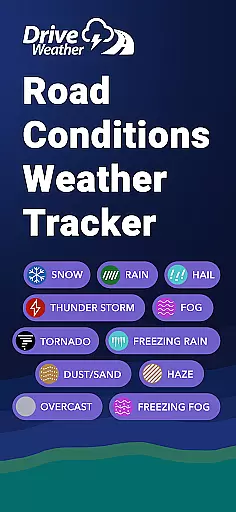
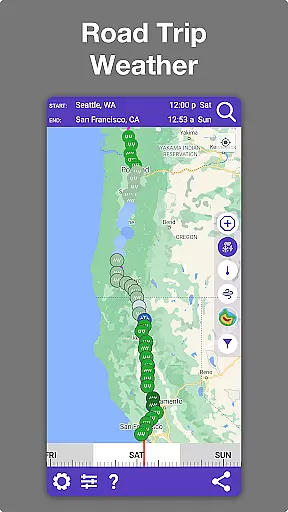
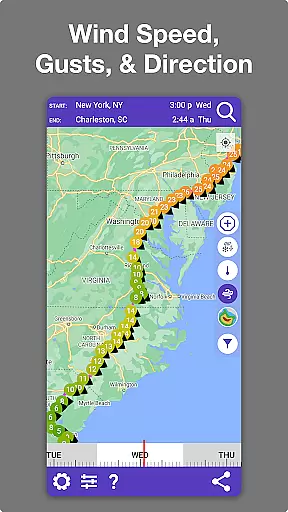
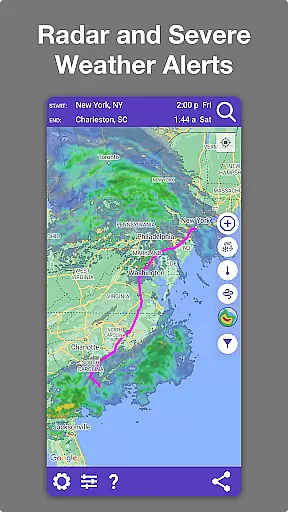
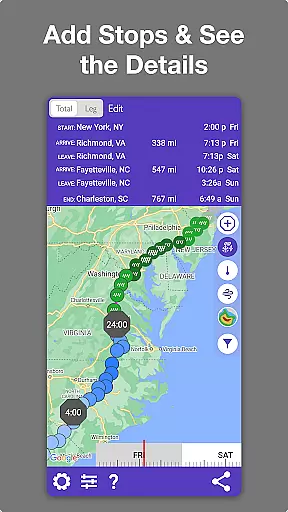
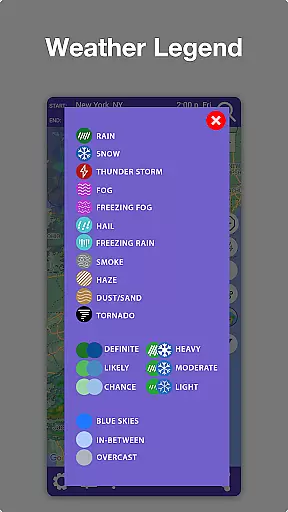
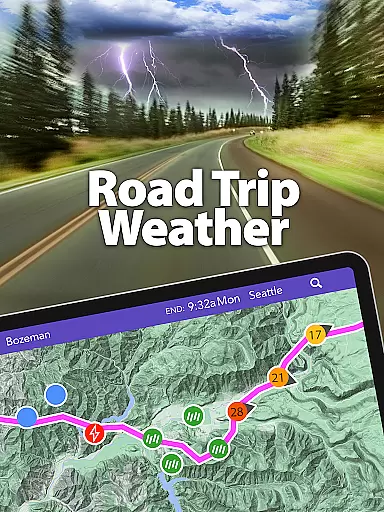
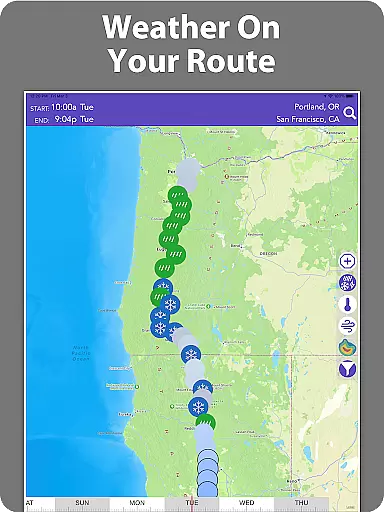
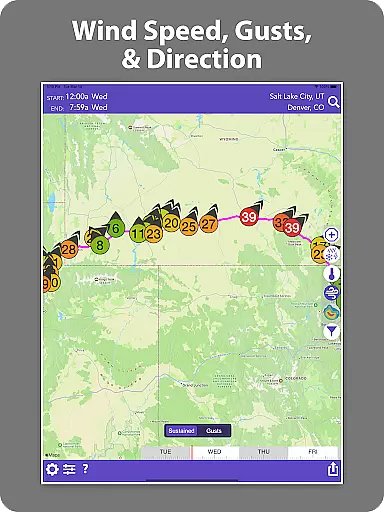
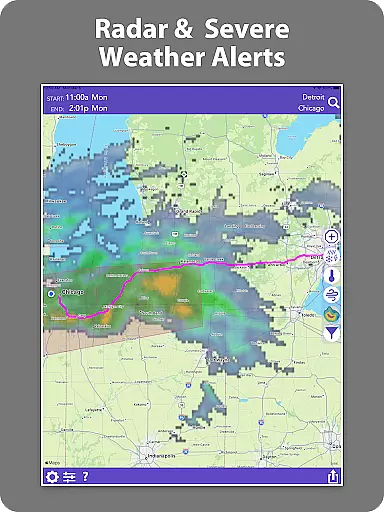
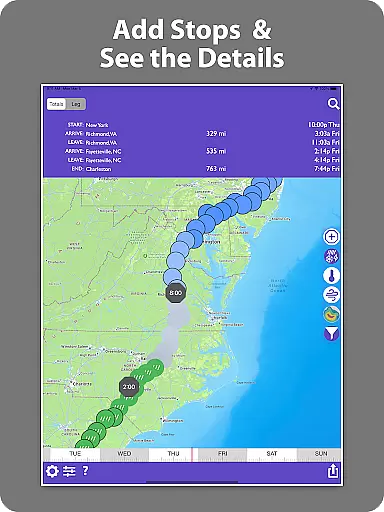
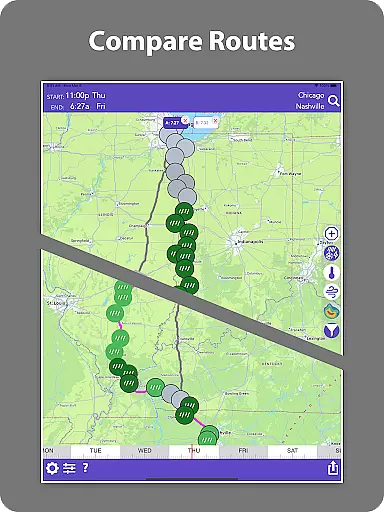
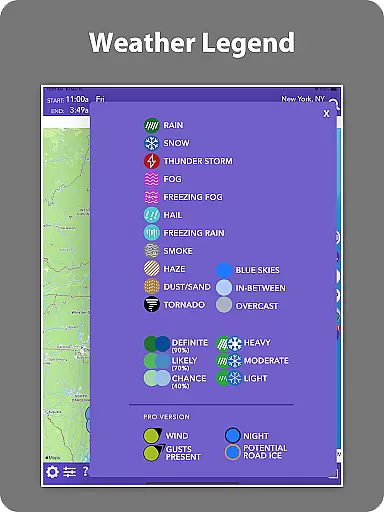
Drive Weather is a specialized weather application designed to provide real-time weather updates tailored specifically for drivers. The app's core functionality revolves around delivering accurate weather information along your driving route, ensuring safer and more informed travel decisions. Whether you're a truck driver navigating long hauls or a commuter planning daily trips, Drive Weather offers critical insights into road conditions, live radar, wind speeds, snowfall, rainfall, and storm alerts.
What sets Drive Weather apart is its ability to automatically adjust forecasts based on your travel speed and arrival time. This ensures that the weather data you receive is always relevant to your journey. Additionally, the app provides live weather radar directly on your route, allowing you to track storms, snowfall, wind gusts, and other weather hazards ahead of time. With features like visibility changes, icy road risks, and storm warnings, Drive Weather highlights areas of concern so you can prepare accordingly before embarking on your trip.
Drive Weather boasts an array of advanced features that cater to various types of drivers, from truckers and RV owners to daily commuters. One of its standout features is the ability to display weather along your specific driving route, including detailed information about temperature, precipitation, wind conditions, and severe weather impacts. This granular level of detail helps users avoid dangerous weather patterns and choose optimal departure times.
In addition to route-specific weather, Drive Weather provides live radar overlays for both your route and destination. This allows users to visualize approaching storms, snowfall, and other weather phenomena in real time. The app also includes highway-specific weather conditions, making it particularly useful for those traveling on major interstates such as I-80, I-95, I-70, and I-25. Furthermore, Drive Weather offers wind alerts and winter driving forecasts, which are crucial for vehicles like semis, RVs, and trailers. These features collectively enhance safety and convenience, enabling drivers to plan their trips with confidence.
Forecast accuracy and data credibility are crucial for any weather application, especially one designed for drivers. Drive Weather ensures that the weather information provided is not only timely but also reliable. The app uses advanced modeling techniques to predict weather conditions along your driving route with high precision.
The credibility of the data comes from multiple trusted sources, ensuring comprehensive coverage and reliability. This means that whether you are looking at temperature, precipitation, or wind conditions, you can trust that the information is accurate and up-to-date. For drivers, this level of accuracy is essential for making informed decisions about when and where to drive.
Drive Weather's commitment to data accuracy extends to its live radar feature, which overlays real-time weather data directly onto your route. This allows users to track storms, snowfall, and other weather hazards as they happen, providing an additional layer of safety and preparedness. By offering such detailed and credible forecasts, Drive Weather helps drivers avoid dangerous weather conditions and plan their trips more effectively.
Temporal and spatial forecast range is another critical aspect of a weather app tailored for drivers. Drive Weather excels in this area by providing extensive coverage both in terms of time and geographical span. Users can view weather forecasts that cover the entirety of their planned routes, from start to finish, ensuring they are aware of changing conditions throughout their journey.
The temporal aspect of the forecast is equally impressive. With the ability to adjust predictions based on travel speed and arrival times, Drive Weather offers dynamic updates that reflect real-world driving scenarios. This means that if your trip spans several hours or even days, the app will provide continuous updates, keeping you informed about evolving weather patterns.
Spatially, Drive Weather covers major interstates and highways, making it an invaluable tool for long-distance travelers. Whether you're navigating I-80, I-95, or any other significant roadway, the app provides localized weather information that is relevant to your specific location. This broad spatial coverage, combined with precise temporal forecasting, ensures that drivers have the most comprehensive and actionable weather data available, enhancing safety and convenience on the road.
User-friendly interface
Real-time weather updates
Route-specific forecasting
Live radar integration
Customizable alerts
Premium features locked
Occasional inaccuracies
Limited free version
High data usage
Subscription fees apply

An unofficial app version of the National Weather Service (Weather.gov)
 3.90
3.90
Weather - Local weather forecast, weather daily & hourly, weather radar
4.80
Powerful US and worldwide earthquake feed with earthquake alerts and maps.
4.60
Local Weather provides accurate and current hourly and daily forecasts.
4.80
Accurate Weather App: various widgets, real-time storm radar, hurricane tracker.
4.50
Accurate Local Weather Forecast, let you easily understand the nearby weather!
4.20
Local weather forecast app, your personal 7*24 local weather forecast assistant.
4.90
A powerful weather forecast to get real-time weather information
3.60
Stay Ahead Of Changing Weather Conditions
4.00
Live Weather Forecast app with acu weather radar, weather alert & weather widget
4.80
Weather radar, satellite, wind, waves, ocean and hurricane forecasts.
4.70
Check room temperature with this indoor thermometer. thermostat & hydrometer
4.70
My Aurora Forecast is the app for Northern Lights and Aurora Borealis alerts.
4.60
Accurate Thermometer: indoor & outdoor temperature, humidity, pressure, and wind
4.50
Live NOAA weather app to track storm, rain, wind, lightning & real local updates
4.20
Check forecasts, watch live news & track storms with FOX Weather.
3.80
Advanced weather toolkit, providing detailed weather information for any season!
3.50
Get instant weather & temperature predictions right on your Wear OS smartwatch!
4.1
Quickly check the Hanalei river gauge height during heavy rains on Kaua'i.
4.5


User Reviews