
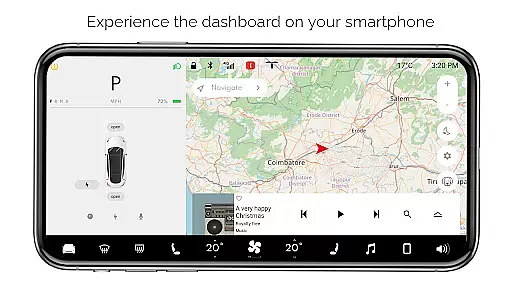
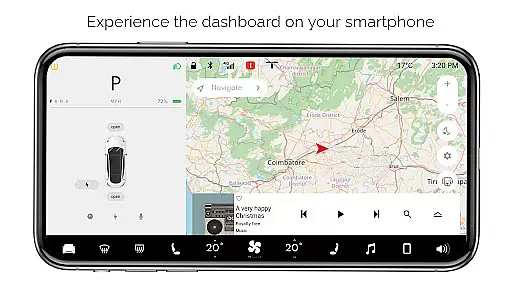
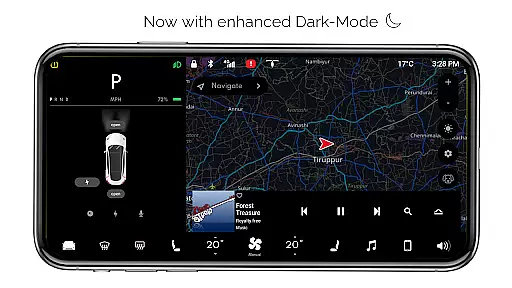
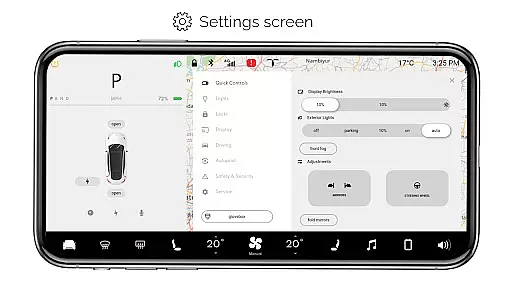
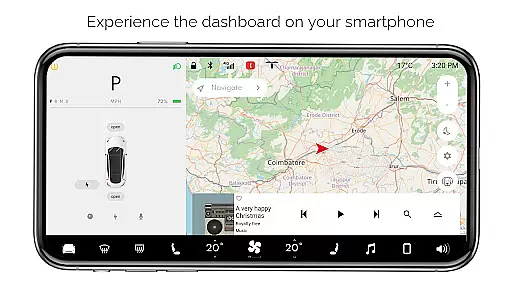
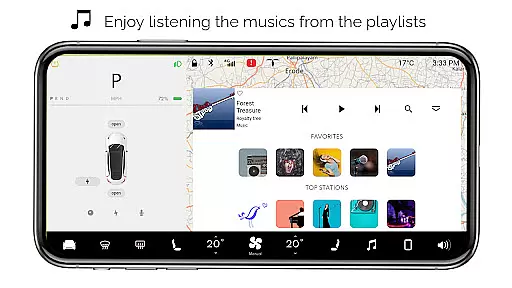
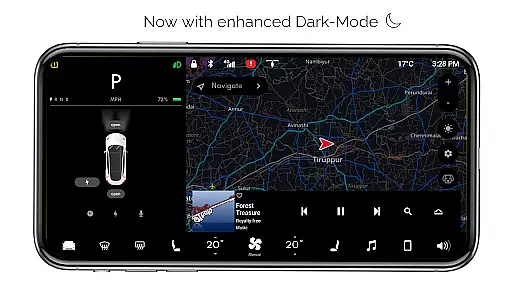
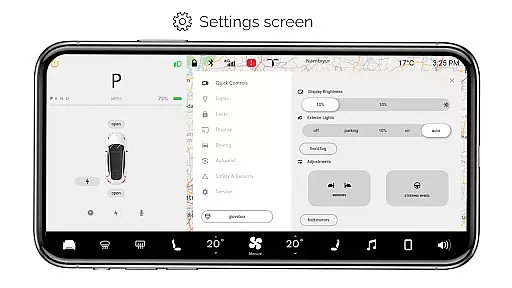
For Tesla is a premium simulator app designed for Tesla enthusiasts who want to experience the native dashboard interface on their smartphones. The app meticulously recreates the Tesla touchscreen system, offering users an interactive platform to explore various features without needing an actual car.
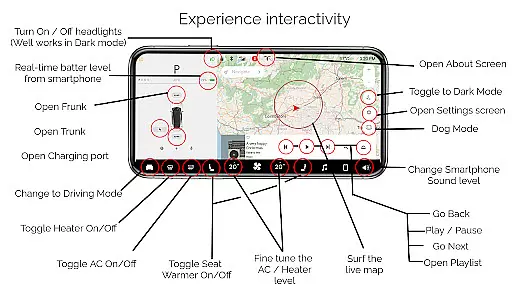
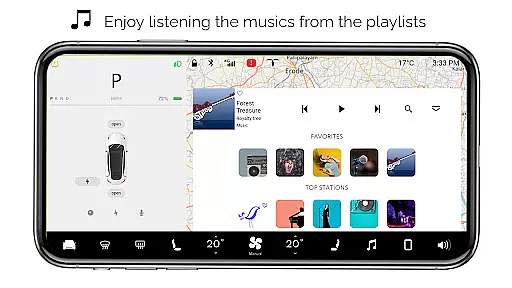
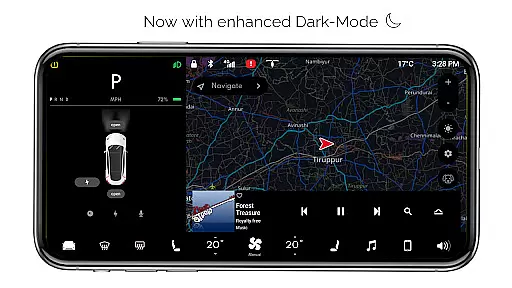
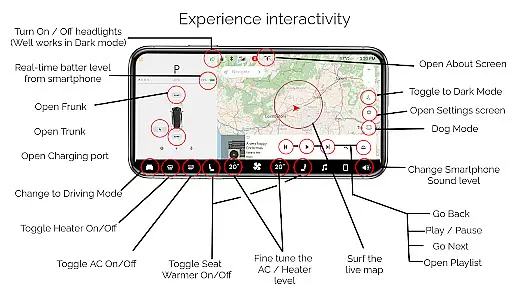
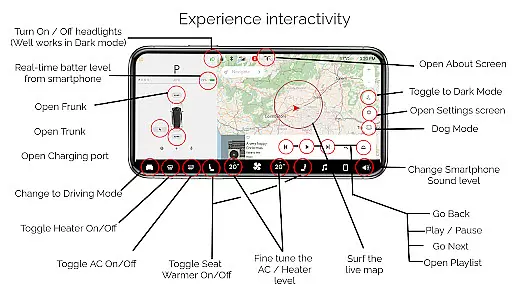
Key highlights include interactive maps with live location tracking, simulated controls for headlights, temperature adjustments, and trunk/frunk/charging port operations. Users can also access driving mode, dark mode, dog mode, and an interactive music player with playlists. While all features are simulated and not compatible with real Tesla systems, this fan-made app provides an engaging way to appreciate Tesla's innovative design.
Ideal for Tesla fans, the app serves both entertainment and educational purposes, allowing users to better understand the Tesla dashboard layout and functionality in a fun, risk-free environment.
For Tesla stands out with its comprehensive feature set that simulates the Tesla dashboard experience. The app includes interactive maps showing live location tracking, providing users with a realistic navigation simulation. Lighting controls allow users to turn headlights ON/OFF, working seamlessly in dark mode.
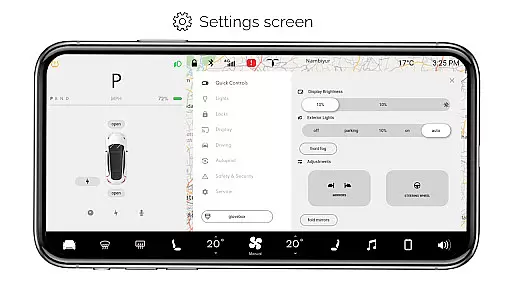
Temperature controls enable fine-tuning of climate settings, while a battery level indicator mirrors real-time smartphone battery status. The app simulates opening and closing of trunk, frunk, and charging ports through simple touch commands. Driving mode offers a snapshot of the Tesla driving screen, while the settings screen provides access to various customizable options.
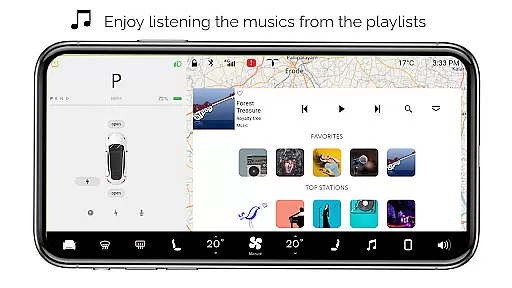
Additional features include dark mode optimization, dog mode for pet safety simulations, and an about screen detailing model information. The interactive music player supports playlists, enhancing the overall entertainment value. Although not connected to actual Tesla systems, these features collectively create an immersive Tesla-like experience.
For Tesla offers a diverse range of simulated features that mimic the native user experience of a Tesla dashboard on your smartphone. This includes interactive maps, real-time battery level tracking, and fine-tuning of temperature settings.
The app provides an engaging driving mode, interactive music player with playlists, and various vehicle controls such as turning headlights on or off, all contributing to its content variety. These features are designed to give Tesla enthusiasts a comprehensive outlook of the car's system without needing access to an actual vehicle.
While all functionalities are simulated and not compatible with a real Tesla system, continuous updates ensure the app remains fresh and exciting. Users can explore new aspects of the Tesla experience through regular enhancements and newly added features, keeping the content dynamic and up-to-date.
For Tesla captivates users with its immersive simulation of the Tesla dashboard, encouraging longer engagement durations as they explore different features like Dog Mode, Dark Mode, and the Settings Screen. The interactive nature of these elements keeps users engaged in understanding how each feature works within the actual Tesla environment.
Retention is further enhanced by the appu2019s dedication to quality and authenticity, despite being fan-made. By closely replicating the native user experience, it fosters a sense of familiarity and satisfaction among Tesla fans who wish to engage with the brand beyond their vehicles.
Moreover, frequent updates and new feature introductions maintain user interest over time. This ongoing development strategy ensures that users have reasons to return, thereby improving overall retention rates for the For Tesla app.
User-friendly interface
Comprehensive feature set
Realistic simulation
Interactive elements
Educational value
Limited real-world use
No car integration
Some features inactive
Purely entertainment
Fan-made limitations

Heroclix search units with multi filter , team builder, collection manager.
 4.40
4.40
Best of icon for christmas
4.30
Collaboration with popular VTubers
4.0
Watch everything you want.
2.90
Himnario LLDM - Fast and Easy to read , updated Hymnal 2019 Edition Official
4.20
Start EVP/Spirit Box tonight: real EMF, offline, recording. One-time purchase.
4.10
Catch the latest episodes of The Voice or live stream NFL games with The NBC App
4.20
Create your Songs. Cover Maker with any Voice, Song Generator
3.30
Stream, Watch, Chat. Live.
4.00
The OFFICIAL PeeWee Purpdrank Soundboard!
4.80
Fun brain twisting challenge with trending Whirlpool Filter.
4.70
Unleash Your AI Imagination
4.60
Everything FOX in one place. Watch FOX News, NFL, MLB, TV shows and more.
4.50
Practice and master your ESP and intuition with five mode trainer.
4.20
A companion app for the game Elite Dangerous
4.10
Browse popular images and videos from Reddit on Android TV!
3.90
Fool your friends & Family with Fake ultrasound test report
3.60
Air Horn - Siren Sounds Prank, Fun way to wake up your Friends and Family
4.2
A wonderful collection of the most beautiful sounds of animals and birds
4.4


User Reviews