
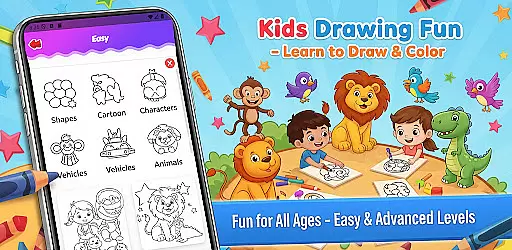
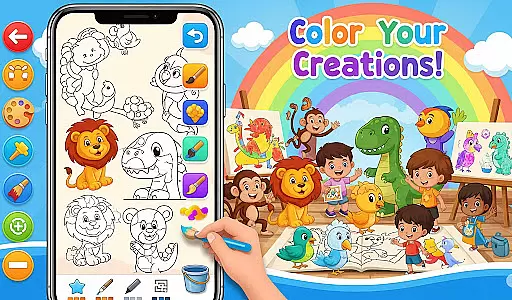
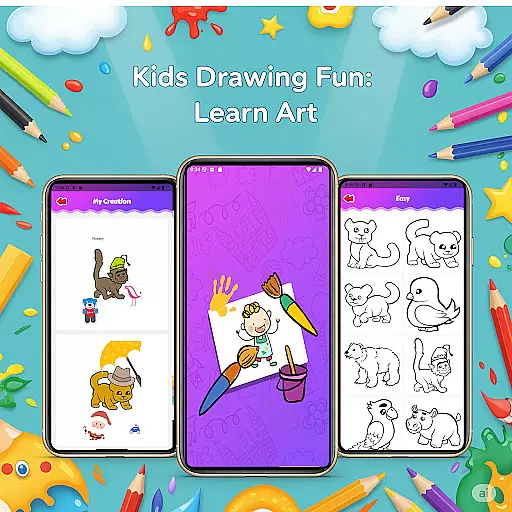
Fun Drawing & Color: Learn Art is an innovative educational app designed to make drawing and coloring both fun and instructional. This app caters to users of all ages, from beginners learning the basics to experienced artists looking to refine their skills. With its ad-free interface, users can enjoy a seamless creative experience without interruptions.
The app offers step-by-step drawing guides that break down complex images into simple shapes, making it easy for anyone to follow along. Additionally, it provides a variety of creative tools such as stickers, text options with multiple fonts, and different brush types. These features ensure every piece of art created is unique and vibrant. The inclusion of a color palette tool and fill option allows for effortless coloring of large areas, enhancing the overall user experience.
Whether you're using a smartphone or tablet, Fun Drawing & Color: Learn Art delivers a smooth performance across all Android devices. Its comprehensive approach to teaching art ensures that users can grow their skills progressively, making it an ideal choice for educational purposes and creative expression.
Fun Drawing & Color: Learn Art stands out with its rich set of features tailored to enhance the drawing and learning experience. One of the key highlights is the step-by-step drawing guides which simplify the process of drawing various subjects like animals, vehicles, and characters. These guides are perfect for users who are new to drawing or those who want to improve their technique systematically.
In addition to the drawing guides, the app offers a plethora of customization options. Users can add playful stickers to their artwork, incorporate text with a variety of font styles, colors, and sizes, and choose from different brush types including pencil, brush, and magic brush. These tools provide endless possibilities for creativity and personalization. The app also includes essential editing functions such as erase, undo, and redo, allowing users to correct mistakes and experiment freely without the fear of starting over.
Another significant feature is the personal gallery where all drawings are automatically saved. This allows users to revisit their creations anytime and continue working on them. With support for multiple skill levels and compatibility across various Android devices, Fun Drawing & Color: Learn Art ensures a versatile and enriching experience for everyone interested in art.
In the realm of educational drawing apps, content authority and curriculum alignment are crucial for ensuring that learning is both credible and structured. Fun Drawing & Color: Learn Art positions itself as not just a creative outlet but also an authoritative source for art education.
The app offers step-by-step drawing guides that teach users to draw various subjects using simple shapes. This method aligns with foundational art curricula, which often emphasize basic shapes as building blocks for complex drawings. By providing lessons on animals, vehicles, objects, food, and characters, the app covers a broad spectrum of themes that are typically included in art education programs.
Furthermore, the availability of multiple skill levelsu2014from beginner to advancedu2014ensures that the content caters to different stages of learning, much like a well-structured curriculum would. Users can progress at their own pace, mastering basic skills before moving on to more complex techniques.
This strategic alignment with educational standards, combined with the app's comprehensive feature set, makes Fun Drawing & Color: Learn Art a valuable tool for users seeking both recreation and structured learning in art.
Gamification in learning has proven to be an effective way to engage users, making educational content more interactive and enjoyable. Fun Drawing & Color: Learn Art incorporates gamification elements seamlessly into its platform, enhancing the overall learning experience.
One of the key gamification features is the use of playful stickers and fun fonts, which add an element of enjoyment and personalization to each drawing. These features motivate users to complete their artwork and experiment with different styles, effectively turning learning into a game-like experience.
Additionally, the app includes a personal gallery where all drawings are saved. This feature acts as a reward system, allowing users to revisit their creations, track their progress over time, and gain a sense of accomplishment. The ability to view and edit past work encourages continuous engagement and improvement.
By integrating these gamified elements with robust educational tools, Fun Drawing & Color: Learn Art successfully merges entertainment with pedagogy, offering a dynamic platform that appeals to learners of all ages.
User-friendly interface
Wide range of tools
Step-by-step tutorials
No ads or subscriptions
Suitable for all ages
Limited advanced features
Not available on iOS
Premium version only
Requires Android device
Basic color options

Explore the world of reading and writing with Booker!
 4.0
4.0
Puzzles, Cats and Programming
4.80
Woof! The very first official Hey Duggee app for CBeebies' new favourite show.
3.70
Enjoy the fun kid's hospital play game with Cocobi, the little dinosaurs!
4.00
Cure the patients to create your hospital story!
3.90
Epic battles, interactive quests and exotic pets. Learn math with Prodigy today!
4.70
Have fun learning Alef Beit
4.0
Master your phonics letters and sounds with the Alphablocks!
3.80
Help your child improve their number literacy with Numberblocks: Card Fun!
2.60
Fun phonics & alphabet tracing game for toddlers, preschool & kindergarten kids!
4.60
Kids coloring games for boys! Fun drawing, painting & learning book for kids.
4.60
A fan of cute games? Try animal games & take care of fluffy virtual pets!
4.20
Games, music, crafts and coloring with cats
4.10
The kids phonics and reading app that's helped millions of kids learn to read
4.00
A world to build at the tip of your fingers!
3.80
Spark your little ones’ imagination!
3.80
Create, Style, Repeat!
3.70
A logic puzzle game for 1 - 3 players
4.1
Creating emotional connections
4.5


User Reviews