
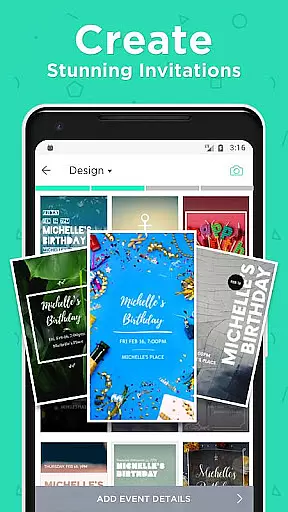

Hobnob is a premier invitation card maker app that allows users to create stunning, personalized invitations in seconds for various events. Whether you're planning a birthday party, wedding, baby shower, or corporate event, Hobnob offers professionally designed templates that can be customized with unique background images, videos, fonts, and colors.
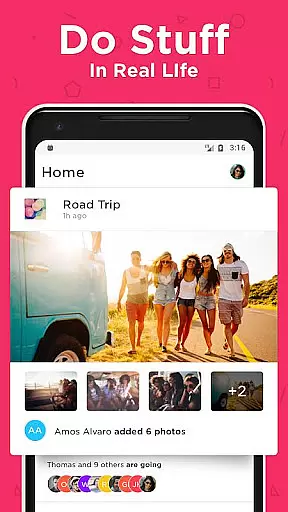
One of the standout features of Hobnob is its user-friendly interface which requires no design skills, yet produces invitations that look like they were crafted by a professional designer. The app also streamlines the process of hosting an event by handling guest RSVPs, sending reminders, and providing directions, all through a custom website created for each event.
This app is perfect for anyone looking to save time while ensuring their invitations stand out. With digital delivery options via text, email, or social media, Hobnob maximizes event attendance and simplifies the entire invitation process.
Hobnob stands out due to its comprehensive set of features tailored to make event planning seamless. Firstly, it provides a vast array of professionally designed templates suitable for any occasion, from birthdays to weddings and corporate events. These templates are fully customizable, allowing users to add personal touches such as background images, videos, and unique text elements.
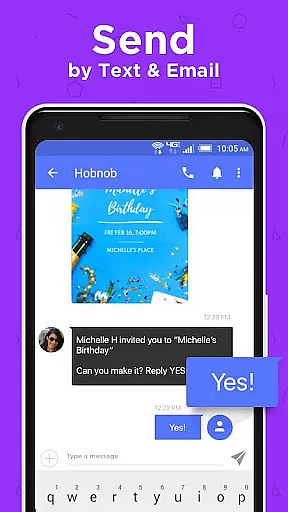
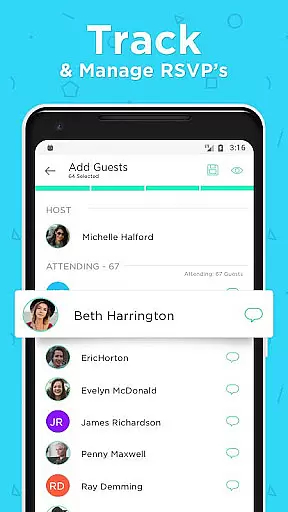
Another key feature is the app's ability to handle all aspects of event management. Once an invitation is created, Hobnob sends it digitally to guests via text or email and tracks RSVP responses. It automatically sends reminders to guests who haven't responded and provides event directions a day before the occasion. This ensures maximum attendance and reduces the workload on the host.
Additionally, Hobnob supports sharing via multiple platforms including text messages, emails, and social media channels. This versatility makes it easy to reach all your guests regardless of their preferred communication method. Overall, Hobnob combines ease of use with powerful functionality to deliver an exceptional event planning experience.
Task creation and detail customization are essential features for any event planning application. Hobnob excels in this area by providing users with professionally designed templates that require no design skills to customize. The app allows you to create unique invitations tailored to your event within seconds, using custom background images and videos, fonts, colors, and text element positioning that automatically adjust to your event details.
Hobnob's customization options save users a significant amount of time while ensuring the invitations look professional. Whether it's a birthday party, wedding, or corporate event, Hobnob offers a template that fits. This level of personalization ensures that each invitation is not only visually appealing but also resonates with the theme and tone of the event, enhancing the overall guest experience.
The value of Hobnob's customization feature lies in its ability to make every user feel like a professional designer. Guests receiving these invitations will be impressed by the quality and attention to detail, which reflects positively on the event host. By empowering users to create stunning invitations quickly and easily, Hobnob transforms the often tedious task of invitation creation into an enjoyable and creative process.
Reminder settings play a crucial role in ensuring maximum attendance at any event. Hobnob takes care of this by offering automatic RSVP reminders that prompt guests to respond to invitations. This feature helps maintain high engagement levels and reduces the likelihood of guests forgetting to RSVP, which can be critical for event planning and logistics.
In addition to RSVP reminders, Hobnob sends out a reminder a day before the event with directions to the venue. This ensures that guests are well-prepared and know exactly where to go, reducing last-minute confusion and increasing punctuality. These timely reminders contribute significantly to a smooth event experience for both hosts and attendees.
By automating reminder settings, Hobnob alleviates the burden of manual follow-ups from event hosts, allowing them to focus on other aspects of event preparation. This automation not only enhances the efficiency of event management but also improves guest satisfaction by keeping everyone informed and engaged throughout the process.
User-friendly interface
Professional designs
Comprehensive event management
Customizable templates
Multiple sharing options
Limited advanced design tools
No offline functionality
Premium features require subscription
Occasional bugs reported
Dependent on internet connection

An App for Bhutanese
 4.1
4.1
The Official App
4.4
Browse events, find transportation, keep up with the latest news from your team
4.0
Create invitation cards for birthdays, weddings, Christmas and more.
4.80
The world's largest selection of tickets is now at your fingertips
3.90
Invitation Card Maker, Design & share wedding, birthday & party invites fast
4.40
Octrober 2025: We've updated the MyGenMobile App with a new look and feel!
4.40
TodayTix is the easiest way to get tickets to the best shows in your city.
4.90
Buy and sell tickets to sports, concerts, theater, festivals, and comedy events
4.10
Fantasy of Lights Event App
5.00
Find EDM shows near you! See your favorite artists live, and discover new music.
4.90
Plan your wedding for free on the go: vendors, budget, website and checklists!
4.80
Find Live Event Ticket Deals to Sports, Concerts, Festivals, & Comedy For Less!
4.80
Discover events, experiences, and things to do near you - Anytime, Anywhere!
4.70
Fast Scans. Happy Fans. For Every Hometown!
4.60
Greeting card maker with photos best app| Birthday cards| All wishes eCards FREE
4.50
Microsoft Build is an annual developer conference hosted by Microsoft
4.20
Introducing the official Magic: The Gathering app for mobile.
4.20
Community for Mods, Addons, Melsaves, Melmods for Melon Playground
4.0


User Reviews