

Instagram is a leading social media platform that allows users to share their life moments, connect with friends, and explore personalized content. The app offers multiple ways to engage with others through Stories, Reels, and Feed posts, making it easy to stay updated with close friends and family.
One of Instagram's standout features is its ability to let users express themselves creatively using filters, music, stickers, and exclusive templates. Whether you're sharing a quick story that disappears after 24 hours or creating engaging short videos with Reels, the platform ensures your content stands out while fostering meaningful connections.
For those interested in discovering new trends, Instagram provides a highly-tailored Explore page where users can find creators, brands, and small businesses aligned with their personal interests. This makes it not only a space for connection but also an avenue for inspiration and shopping.
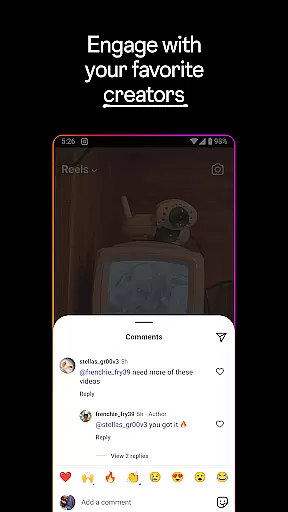
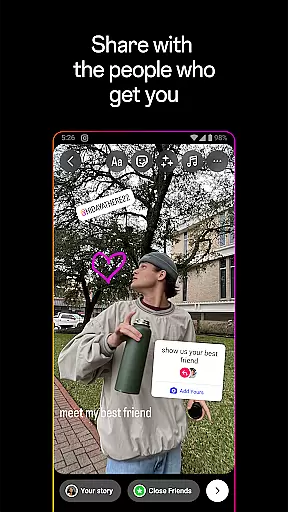
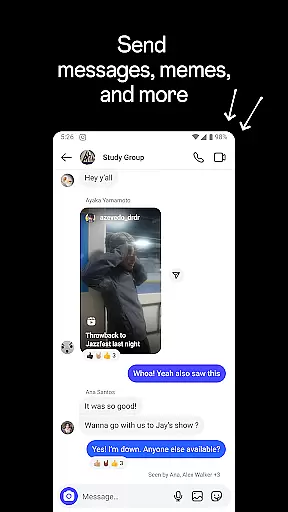
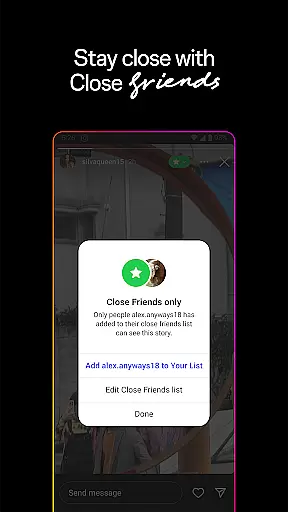
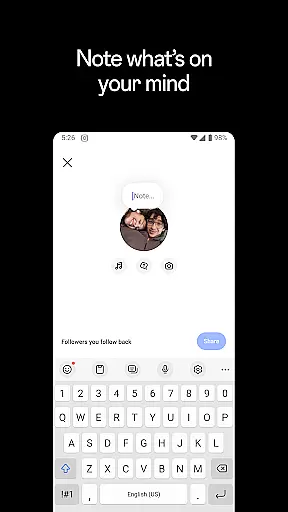
Instagram boasts a variety of innovative features designed to enhance user experience. From disappearing Stories and Notes to permanent posts on Feed, the app caters to different sharing preferences. Users can also engage in group chats, send private messages, and even create curated lists of Close Friends for more intimate sharing.
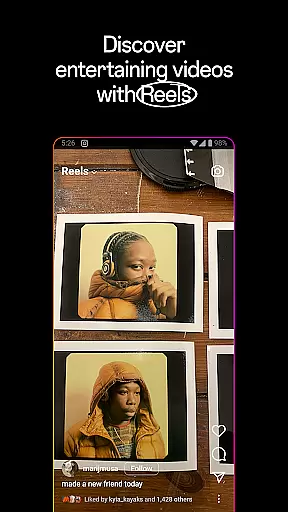
The introduction of Reels has revolutionized how users consume short-form video content. With access to creative tools like AR effects, audio tracks, and editing options, anyone can turn everyday moments into cinematic masterpieces. Additionally, Instagram’s shopping feature allows users to browse products from brands they love directly within the app.
Another key aspect is its Explore page, which uses advanced algorithms to recommend relevant photos, videos, and accounts based on individual interests. This ensures users are constantly exposed to fresh and inspiring content tailored just for them.
In the realm of social networking, Instagram offers a robust platform for User profile customization & authenticity verification. This feature is pivotal as it allows users to express their individuality and ensures the credibility of interactions within the community.
Instagram provides an array of options for personalizing user profiles. Members can embellish their pages with profile pictures, bios, and links that reflect their personality or brand identity. The platform also supports showcasing recent posts, Reels, and Stories, giving users control over how they present themselves online.
Authenticity verification on Instagram is marked by blue ticks next to verified accounts' names. This process involves confirming the identity of celebrities, brands, and influencers, thus maintaining trustworthiness across the network. Verified status helps in distinguishing genuine profiles from potential impersonators.
For users, these features translate into a trustworthy environment where they can confidently connect with others. Customizable profiles enable authentic self-expression while verification processes assure them that they are interacting with real entities, enhancing overall engagement quality on the platform.
Connection discovery on Instagram is a powerful mechanism that facilitates the expansion of one's social network by suggesting relevant profiles based on shared interests, mutual connections, and engagement patterns. This functionality is crucial for fostering meaningful relationships within the app's ecosystem.
The platform employs sophisticated algorithms to recommend new accounts to follow. These suggestions stem from various factors including who you already follow, your interactions such as likes and comments, and trending topics among similar users. By analyzing this data, Instagram curates personalized recommendations tailored specifically for each user.
Moreover, Instagram's Explore page serves as a hub for connection discovery. Here, users encounter content from creators they do not yet follow but might find interesting due to its alignment with their preferences. This exposure not only broadens horizons but also encourages interaction with diverse communities.
Ultimately, Connection discovery enriches user experience by continuously introducing fresh perspectives and potential friendships. It keeps the platform dynamic and engaging, ensuring that members always have opportunities to grow their networks authentically through shared passions and experiences.
User-friendly interface
Variety of creative tools
Strong community engagement
Personalized content discovery
Integrated shopping experience
Privacy concerns over data use
Features vary by region
Heavy battery consumption
Algorithm changes affect visibility
Can be addictive for some users

This is to support the developer of Infinity for Reddit. No exclusive features.
 4.1
4.1
Second phone number for phone calls & texts. Text & SMS me now with a 2nd number
4.20
Get your NGL Link
4.60
Follow the Truth! Join America's leading free-speech social platform.
3.10
Raise cute Pengus with friends
4.70
Chat and make new friends around the world!
3.90
Message and video call your family and friends!
2.60
SuperLive is a super popular video-streaming social network
4.60
A warm, simple dating app for adults seeking real connection.
4.20
Get notifications of FREE Stuff for Nextdoor, Letgo, offerup & TrashNothing
4.70
Live video chat to connect with people around the world. Video chatting on Olive
4.40
Online group games like Mafia, Word War, Scattergories, Ludo, Uno, and many more
4.30
Free texting (SMS) to US, Canada & more. Free new number. Call free & Text free.
4.30
Dating for singles. Meet lonely people nearby online. Find your match here!
4.20
Create your personal AI chatbot: talk, roleplay, and connect with characters!
4.10
Watch, Edit, Upload and Share Gaming Clips
4.00
Instant video chat with cool people. Live video call & make friends with Monkey!
3.80
Go Live, Chat & Meet New People! Friends. And more than friends.
3.80
Resonate & Date with New Match
3.70


User Reviews