
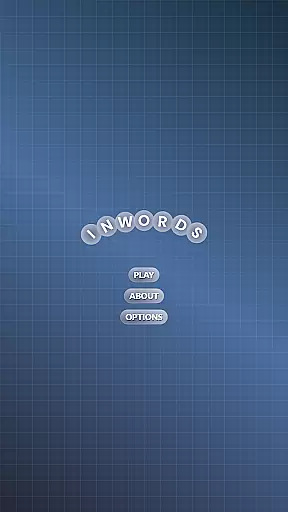

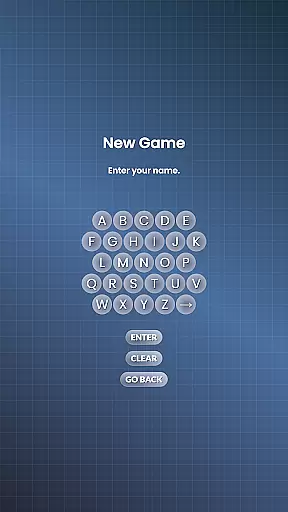
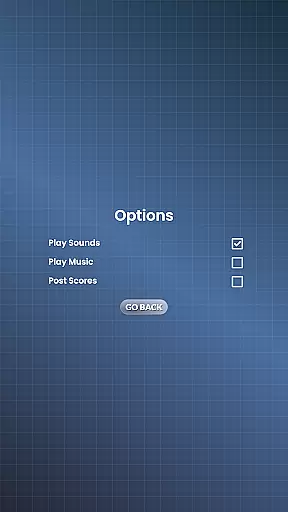
InWords is an engaging word puzzle game designed to challenge and expand your vocabulary. The primary objective is to form as many words as possible from a given set of letters within a time limit. Each letter carries a specific point value based on its rarity, with less common letters like Z earning more points than common ones like T. Quick thinking is rewarded, as faster word selections yield higher scores.
The game features multiple rounds where players aim to surpass a 1000-point threshold to save their score. Successfully utilizing all provided letters in a single word grants a substantial 1500-point bonus, while discovering every possible word combination adds another 1000 points. Word lengths vary from three to twelve letters, ensuring diverse challenges. This structure not only tests your lexical knowledge but also strategic thinking as you balance speed with accuracy.
Perfect for word enthusiasts, InWords offers a competitive yet educational experience. By saving found words between rounds, it prevents repetition and encourages players to continually seek new combinations. Whether you're looking to enhance your vocabulary or simply enjoy a stimulating pastime, InWords provides a compelling platform to achieve these goals.
InWords boasts several distinctive features that set it apart in the realm of word games. One standout aspect is its dynamic scoring system, which assigns varying values to letters based on their frequency in the English language. For instance, uncommon letters such as Q and X offer higher points compared to vowels like A and E. This mechanic adds depth to the gameplay by encouraging strategic word formation.
Another notable feature is the timed rounds, creating a sense of urgency and excitement. Players must think quickly to maximize their scores before the clock runs out. Additionally, the inclusion of bonus points for using all available letters or finding every possible word combination incentivizes thorough exploration of each letter pool. These elements combine to create a multifaceted gaming experience that rewards both speed and comprehensiveness.
Furthermore, InWords tracks previously discovered words across rounds, preventing reuse and pushing players to continually innovate. This feature ensures sustained engagement and promotes vocabulary growth over time. With its blend of competitive scoring, time pressure, and innovative tracking, InWords delivers a rich and rewarding experience for word game aficionados.
In a word puzzle game like InWords, the quality and clarity of clues are crucial for an engaging experience. Although InWords presents players with a pool of letters instead of traditional clues, the challenge lies in understanding how these letters can form meaningful words. This setup tests not only your vocabulary but also your ability to recognize potential word combinations quickly.
The game ensures clarity by providing a straightforward objective: create as many words as possible from the given letters before time expires. Each letter's point value is clearly indicated, reflecting its rarity and difficulty to use, which adds another layer of strategy. Players must balance speed with accuracy, as faster selections yield higher scores, pushing them to think quickly without sacrificing precision.
Players benefit from this clear structure by enjoying a fair and competitive gameplay environment. The absence of ambiguous clues means that success hinges on skill and quick thinking rather than deciphering complex hints. This approach enhances player satisfaction, as every achievement feels genuinely earned through effort and ability.
InWords offers a rich variety of puzzles that cater to different skill levels and preferences. With word sizes ranging from three letters up to twelve, the game provides diverse challenges that keep players engaged over time. This variety ensures that both casual gamers looking for quick entertainment and hardcore word enthusiasts seeking a brain-teasing challenge will find something to enjoy.
Each round introduces a new set of letters, encouraging players to adapt their strategies continuously. Some rounds may feature common letters that allow for numerous combinations, while others might include rare characters like Z or Q, requiring more creativity and linguistic dexterity. Furthermore, knowing that at least one word uses all provided letters adds excitement and anticipation, motivating players to strive for high-scoring solutions.
This diversity in puzzle design contributes significantly to replayability. Since previously found words cannot be reused, players must constantly expand their vocabulary and explore new linguistic possibilities. As a result, InWords delivers a dynamic and ever-evolving experience that keeps users coming back for more intellectual stimulation and fun.
User-friendly interface
Challenging gameplay
Educational value
Engaging puzzles
Tracks progress
Repetitive rounds
Limited social features
No offline mode
Ads between games
Steep learning curve

The highly addictive fun word game.
 4.70
4.70
Who's the impostor? Give clues, bluff your way through - the perfect party game
4.90
Get the Party Started with the Ultimate Charades Game! Give Hints, Make Guesses.
3.90
Find words from the same topic, group them by association, win the word puzzle!
4.50
Enhance your mind and unwind with word puzzles and solitaire. Play now!
4.80
Using letters and numbers, decode hidden words in this сryptogram game!
4.40
Mind-challenging word game — form words with letters and beat your opponent!
4.50
A smart word game that's challenging your mind with more than 1000 levels
4.80
Zen Word - where challengers relax, solve word games, and train their minds!
4.80
Challenge your brain with online learning and solve word puzzles!
4.90
101 offline games: words, puzzles, quizzes! Play, learn and compete!
4.70
Unleash your inner codebreaker! Solve challenging cryptograms & word puzzles.
4.70
Play this fun word connect game to calm and train your brain.
4.60
The classic word game with advanced AI and built-in definitions
4.60
Daily logic and word puzzles: Sudoku, Bonza, Jigsaw, Keysmash & more.
4.60
Word Sort meets Solitaire!
4.50
Relax your brain with this fun word puzzle game and beautiful landscapes!
4.50
260 professional cryptic crosswords to keep you pondering.
4.40
Word Solitaire: sort words by category in a relaxing word puzzle game!
4.40


User Reviews