
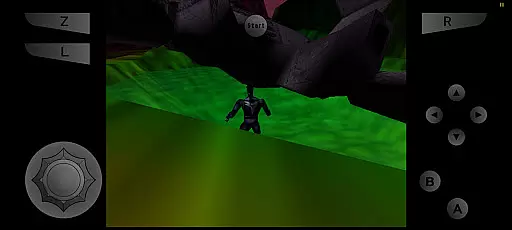
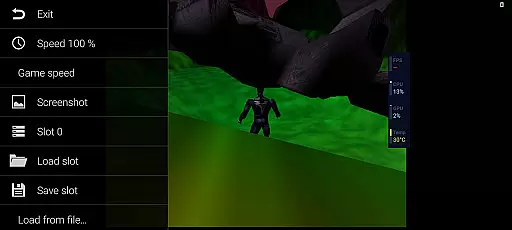
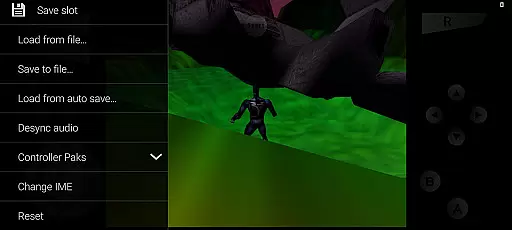
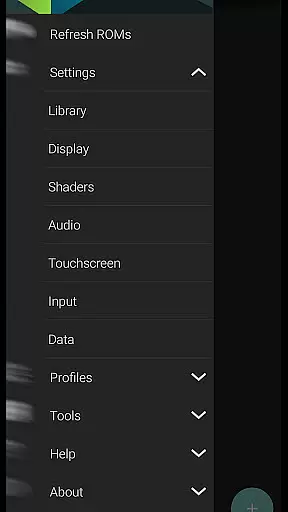
M64Plus FZ Pro Emulator is a top-tier arcade gaming emulator designed for Android devices. This pro version enhances the emulation experience by offering online cloud backup, netplay capabilities, and an ad-free interface. It includes all necessary cores and plugins for seamless gameplay but comes with some limitations such as device-specific issues and incomplete translations. Despite these caveats, it provides a robust platform for playing most games with optimal settings.
The emulator supports networked gameplay through its dedicated server, allowing users to engage in multiplayer sessions over the internet or locally within the same WiFi network. With comprehensive support resources available on platforms like Reddit and detailed guides provided by the developers, M64Plus FZ Pro ensures that users can maximize their gaming experience while navigating any potential challenges effectively.
M64Plus FZ Pro Emulator stands out due to its advanced features tailored for avid gamers. The inclusion of online cloud backup allows users to save their progress securely, ensuring they never lose their game state. Additionally, the netplay feature facilitates multiplayer gaming sessions, both online and offline, enhancing social interaction among players. These functionalities are further complemented by the absence of ads, providing an uninterrupted gaming session.
Despite its strengths, users should be aware of certain considerations. Not all games are compatible, and those that are might require experimenting with different video plugins to achieve optimal performance. Moreover, not all video plugins work seamlessly across devices, potentially leading to graphical glitches. However, sticking to English might mitigate translation-related issues, making the overall experience smoother and more enjoyable.
M64Plus FZ Pro Emulator brings the authentic arcade experience to your fingertips. This emulator is designed for enthusiasts who seek the nostalgia of classic games while enjoying the convenience of modern technology.
The pro version includes support for a wide range of Nintendo 64 titles, ensuring that most games not only run but do so with the original feel intact. Although there may be issues with specific games or devices, the emulator provides options to try different video plugins to achieve the best compatibility and performance.
With the added benefit of online cloud backup, users can save their game progress securely and access it from different devices. This feature enhances the nostalgic journey by allowing seamless transitions between gaming sessions, just like the old days but with contemporary convenience.
Control responsiveness in M64Plus FZ Pro Emulator is crucial for an immersive gaming experience. The emulator ensures that user inputs are accurately and swiftly translated into in-game actions, maintaining the fast-paced nature of arcade games.
Despite potential glitches with certain video plugins and device combinations, the emulator offers multiple plugin options to optimize control settings. Users can experiment with these settings to find the perfect balance between performance and visual fidelity, which is essential for maintaining the tight feedback loop arcade games are known for.
Additionally, the pro version supports netplay, enabling responsive controls during online multiplayer sessions. Whether playing locally on the same wifi network or over the internet with UPnP-supported routers, gamers can enjoy lag-free interactions that capture the true essence of arcade gaming.
Online cloud backup
No intrusive ads
Netplay functionality
Included essential cores
Active community support
Device-specific issues
Limited game compatibility
Potential plugin glitches
Incomplete translations
Requires UPnP for netplay

Monster Run its a game for relax.
 4.1
4.1
Neogeo MVS/AES Emulator
3.30
Enter Double Dragon Trilogy, a compilation of the beloved arcade series
4.10
Frenetic party game, pass the bomb to the other players!
3.80
Catch ghosts, shoot monsters and defeat bosses in this RPG idle shooting game.
4.70
Motorcycle racing games! Prove your paperboy can win in the bike race 3D!
4.50
Play, Craft and Share your Endless Runner Levels on Kooply Run: Subway Craft
4.50
Fruit is waiting to be sliced, ninja. Play the hit mobile game !
4.50
Running game: dance in a twerk battle and become the twerk hero in our fun race!
4.30
Amid the vastness of the universe, you are a Black Hole about to be swallowed!
5.00
Punch your way through the Streets of Rage once again!
4.80
Jump and fly your way through danger in this rythm-based action platformer!
4.70
Cool car builder & racing simulator: make a car to win the obstacle course race!
4.60
Nostalgia.GBC is a high quality GBC emulator.
4.50
Payback 2 includes everything from tank battles to high speed helicopter races!
4.50
Nostalgia.GBA Pro is a high quality GBA emulator.
4.40
Millions of crafters have smashed billions of blocks! Now you can join the fun!
4.40
NEOGEO's masterpiece game is now available in the app!
4.10
Machine Gun Fire Rumbles in the Jungle
4.2


User Reviews