









Macy's app is your ultimate shopping companion, offering a seamless blend of online and in-store experiences. With features like Macy's Wallet, users can store all their offers, gift cards, and coupons in one place, ensuring they never miss a deal. The app provides access to exclusive discounts, seasonal rewards, and personalized offers, making every purchase more rewarding.
Designed for convenience, Macy's app allows you to shop online or in-store with ease. You can check local store inventory, scan barcodes for prices, and explore product reviews, colors, and sizes. For faster checkout, Macy's Pay uses a single QR code to load your offers and discounts. Whether you're looking for fashion, beauty, home goods, or jewelry, the Macy's app brings smart savings and exclusive deals right to your fingertips.
The Macy's app stands out with its comprehensive set of features tailored for an optimal shopping experience. Macy's Wallet consolidates all your rewards, offers, gift cards, and coupons, providing reminders before they expire. This ensures you maximize your savings without missing out on any deals.
For those who prefer shopping from home or on-the-go, the app offers robust online shopping capabilities. You can browse top deals, access free store pickup options, and enjoy free shipping for orders over $99. Additionally, Macy's Pay revolutionizes the checkout process by speeding it up with a single QR code that loads all your available offers and discounts, both online and in-store.
Star Rewards members benefit from tracking their points balance, earning Star Money, and unlocking exclusive member-only sales and bonuses. The app also supports My Macy's Card, allowing users to view their Macy's Card details, track payment history, and schedule payments conveniently. These features collectively enhance user engagement and satisfaction, making Macy's app a must-have for savvy shoppers.
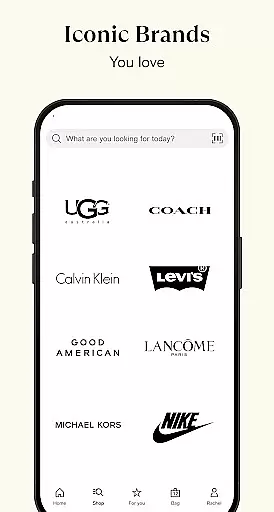
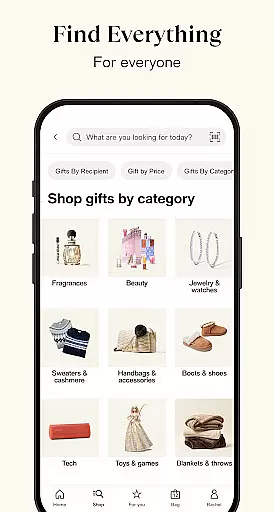
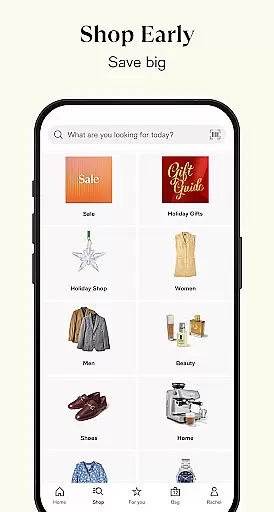
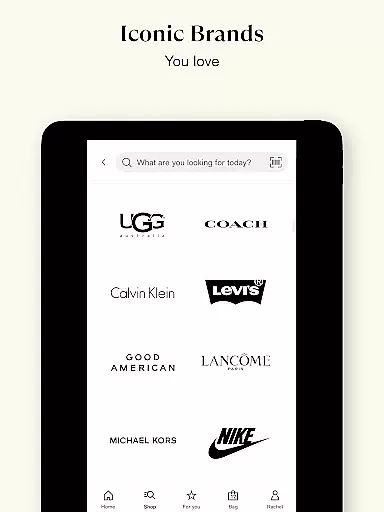
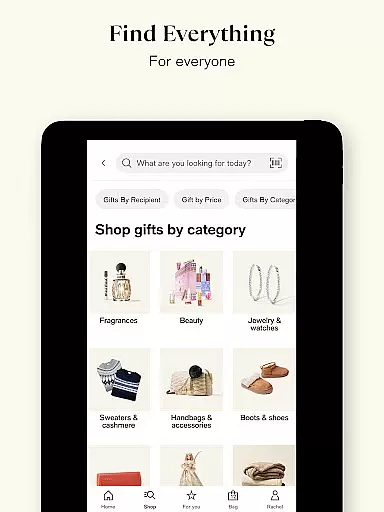
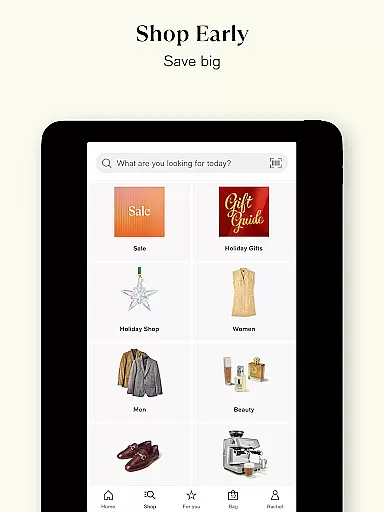
When it comes to online shopping, product variety and proper categorization are essential for a seamless user experience. Macy's app excels in this area by offering an extensive range of products neatly organized into categories such as fashion, beauty, home, shoes, jewelry, and seasonal must-haves. This ensures that users can easily navigate through the app and find exactly what they need without any hassle.
The app's interface is designed to enhance user engagement by providing detailed filters and search options. Shoppers can browse through various sections, explore different colors, sizes, and read customer reviews to make informed decisions. With clear labels and well-structured menus, Macy's makes it simple to locate specific items or explore new collections, making every shopping experience efficient and enjoyable.
Moreover, Macy's app offers exclusive app-only deals and personalized rewards tailored to individual preferences. By leveraging user data and shopping patterns, the app suggests relevant products and promotions, ensuring that customers always have access to the best offers. This level of personalization not only improves customer satisfaction but also encourages repeat purchases, establishing Macy's as a top choice for comprehensive and rewarding shopping.
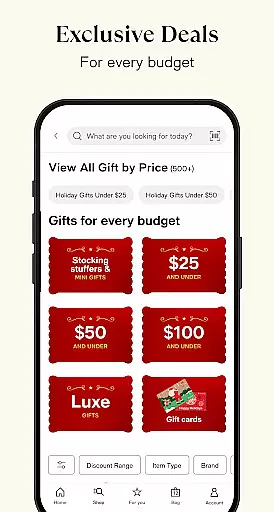
Pricing transparency is a critical factor for consumers when choosing an online shopping platform. Macy's app addresses this need by providing clear and competitive pricing across all its product categories. Users can view detailed price breakdowns, compare prices, and take advantage of exclusive app-only discounts, ensuring they get the best value for their money.
In addition to transparent pricing, Macy's app offers various cost-saving features like coupons, gift cards, and loyalty rewards. The Macy's Wallet consolidates all these offers in one place, reminding users before they expire so they never miss out on potential savings. This feature simplifies budget management and enhances the overall shopping experience by eliminating hidden fees and unexpected costs.
Macy's commitment to competitive pricing extends beyond just displaying numbers; it includes a Price Match Guarantee and seasonal sales events. These initiatives ensure that customers receive fair prices consistently, fostering trust and long-term relationships. By combining transparent pricing strategies with valuable incentives, Macy's app not only meets but exceeds consumer expectations, setting a high standard in the e-commerce industry.
User-friendly interface
Exclusive app-only deals
Seamless integration with Macy's Wallet
Robust Star Rewards program
Convenient Macy's Pay feature
Limited international availability
Occasional bugs reported
High minimum spend for free shipping
Some features require account linking
Inconsistent push notifications

Stop overpaying. Grab coupons & deals for Walmart, Target, Amazon & more.
 4.80
4.80
Weekly deals & coupons, build your shopping list, order for pickup or delivery
4.70
Measure your PD and try on frames virtually | Gift yourself the perfect pair!
4.80
We constantly evaluate our app so you can have the best experience possible.
3.60
NCPMobile is the easy and intuitive way to scan and transmit your purchases!
4.50
Shop designer clothing, shoes & accessories from the World of Ralph Lauren
4.70
Buy fashion, beauty, home, & more! Save with amazing shopping deals & discounts.
4.80
Flexible payments, big savings
4.80
Save money. Live in style!
3.80
Access free, exclusive savings on the go thanks to Capital One Shopping!
4.70
Online shopping & digital coupons. Deals & local weekly ad in your myDG account
4.70
Find the hottest deals before they disappear!
4.60 4.60
4.60
Shop online now, pay later. Flexible payments made to fit your budget.
4.50
Buy shoes, apparel, and luxury items. Shop and discover the latest sneakers!
4.40
Get paid to shop groceries & more when you become an Instacart shopper.
4.20
Smiles found here
3.90
Shop and save from anywhere.
3.60
The GameStop app was built to make shopping for gamers even easier.
3.10


User Reviews