
Meal Planner & Recipe Keeper is a comprehensive food and drink application designed to simplify meal planning, recipe management, and grocery shopping. The app allows users to organize recipes into collections, create weekly meal plans, and generate shopping lists efficiently. With its innovative features, it caters to home chefs aiming to prepare healthy meals while managing their dietary needs.
The app stands out with capabilities such as saving recipes from any website, nutritional analysis of recipes, and sharing functionalities for family coordination. Whether you're looking to save a recipe from popular sites like BBC Good Food or Pinterest, plan your weekly meals, or share grocery lists with family members, Meal Planner & Recipe Keeper provides an all-in-one solution to streamline kitchen tasks and enhance cooking efficiency.
This app is particularly useful for households aiming to reduce food waste and save money by planning meals effectively. Its intuitive interface and practical tools make it an essential companion for anyone who enjoys cooking and wants to maintain an organized digital cookbook.
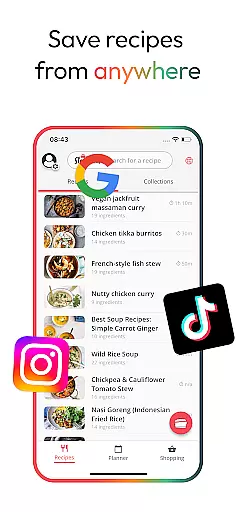
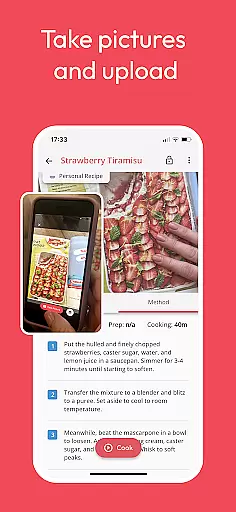
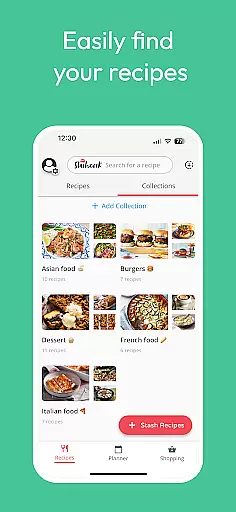
Meal Planner & Recipe Keeper offers a rich set of features that cater to various aspects of meal preparation and management. One of the standout features is the ability to save recipes from virtually any online source, including major websites like BBC Good Food and Pinterest. This functionality ensures that users never lose track of valuable recipes and can access them anytime, anywhere.
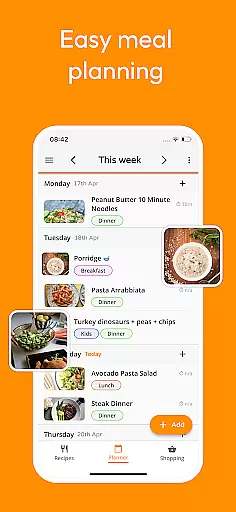
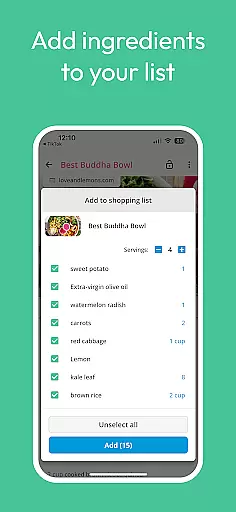
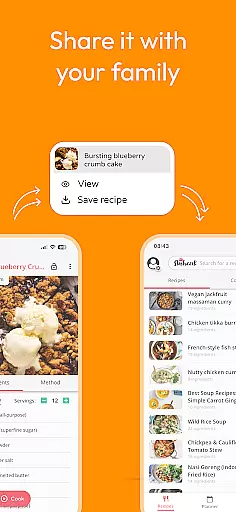
In addition to recipe saving, the app includes advanced meal planning and grocery list creation tools. Users can drag and drop recipes into a weekly planner, rearrange based on preferences, and even add notes for specific days. The integrated shopping list organizes ingredients by supermarket aisle, streamlining the grocery shopping experience. Furthermore, the Family Share feature allows up to six accounts to sync and share meal plans and lists, making it ideal for coordinating household meal prep.
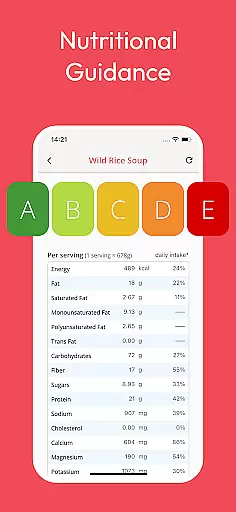
Other notable features include nutritional analysis, which provides detailed insights into calorie counts and macronutrient breakdowns, and recipe scaling for adjusting serving sizes. These tools empower users to take control of their diets while enjoying a clutter-free cooking interface that enhances usability.
Locating the right store for your grocery needs is essential for a seamless meal planning experience. With Meal Planner & Recipe Keeper, users can access an intuitive store locator feature that simplifies shopping. This functionality ensures that whether you are at home or on the go, finding a place to purchase your planned ingredients is straightforward and efficient.
The app provides detailed information about various stores, including their locations, operating hours, and available products. This empowers users to make informed decisions about where to shop based on convenience and inventory. By integrating with local supermarkets and specialty stores, the app offers a comprehensive directory that caters to diverse dietary preferences and requirements.
Moreover, the store locator function is designed to save time and reduce stress by helping users identify the nearest options quickly. It also supports the creation of optimized shopping routes, ensuring that users can complete their grocery shopping in the most efficient manner possible. This feature not only enhances the overall user experience but also contributes to more effective meal preparation and budget management.
In today's fast-paced world, delivery services and pickup options have become vital components of any food-related application. Meal Planner & Recipe Keeper excels in this area by offering users flexible choices for acquiring their groceries. Whether you prefer to have your items delivered to your doorstep or opt for a quick pickup, the app accommodates all preferences seamlessly.
The delivery service is designed to be swift and reliable, ensuring that users receive their groceries in a timely manner. The app partners with multiple delivery platforms to provide competitive pricing and real-time tracking. This allows users to monitor their orders and plan their schedules accordingly, enhancing convenience and satisfaction.
For those who choose the pickup option, Meal Planner & Recipe Keeper offers a streamlined process. Users can select their preferred pickup times and locations, minimizing wait times and maximizing efficiency. This flexibility not only saves time but also helps users manage their busy lifestyles better. Overall, these features ensure that obtaining ingredients for your planned meals is as effortless as possible.
User-friendly interface
Comprehensive recipe saving
Advanced meal planning
Nutritional analysis tool
Family sharing functionality
Limited offline functionality
Premium features locked
Occasional syncing issues
Ads in free version
Steep learning curve

Krispy Kreme Mobile Ordering, Loyalty and Hot Light
 3.20
3.20
My Recipes Your personal recipe collection in one APP. Private, offline, adfree.
4.3
The fast and practical app to help you make the best cocktails at home!
4.60
Restaurant Reservations
4.90
Order Beer, Snacks & More 24/7
4.20
Order your Buffalo Wild Wings favorites for takeout & delivery
4.50
Earn rewards when you order online for delivery or pickup from Sonic Drive-In.
4.60
Mexican Food Pickup & Delivery
4.70
Food Delivered to your door! Order from 1800+ Grocery & Retail Store Brands.
4.10
Get 20% Back at thousands of 4+ star restaurants when you pay using inKind
4.90
Earn rewards, order ahead, and never miss a celebration! At select locations.
4.90
Enjoy all your Legendary favorites at Texas Roadhouse!
4.80
Fresh sandwiches and boxed lunches for delivery or pickup. Plus, track rewards!
4.80
Mobile Ordering - Order your favorite burgers, chicken, breakfast, and desserts
4.60
Delicious cocktail recipes you can make with ingredients you already have.
4.40
Real ones order on the app, earn points, score deals, and skip the line.
4.40
Your most rewarding experience is in the Cracker Barrel app.
4.20
Check out the most rewarding way to get Whataburger just like you like it!
3.30
Order ahead. Earn Delicious Rewards.
3.20


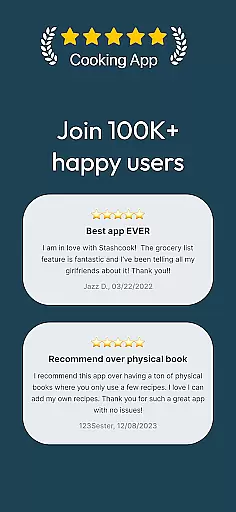
User Reviews