
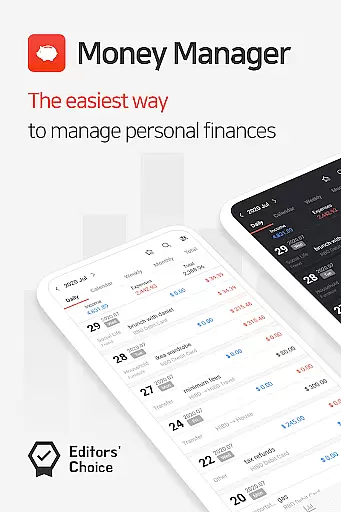
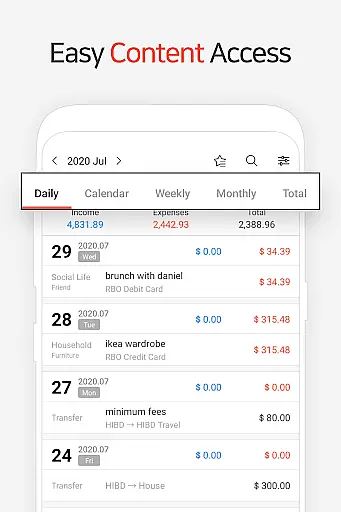
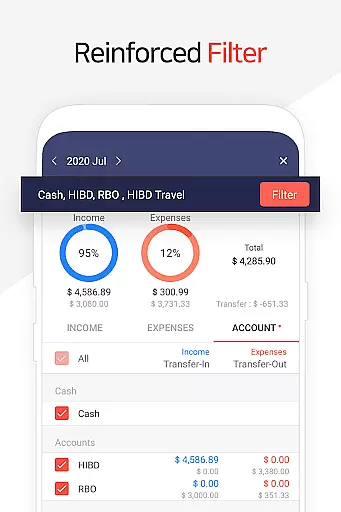
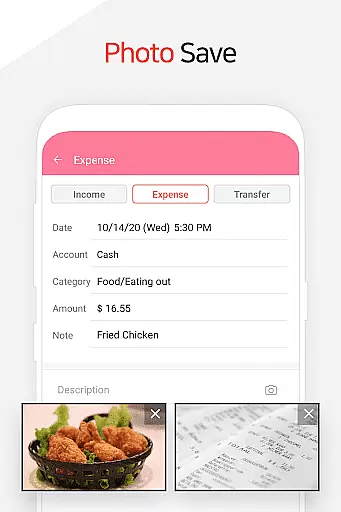
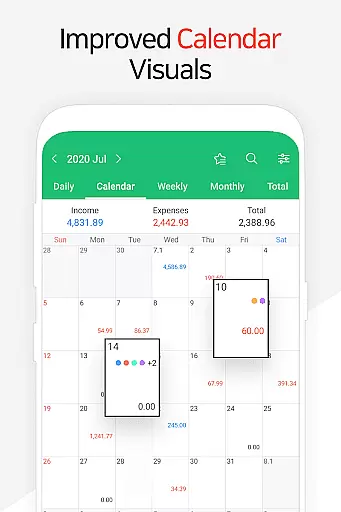
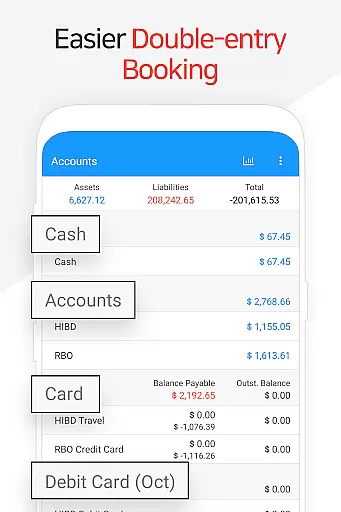
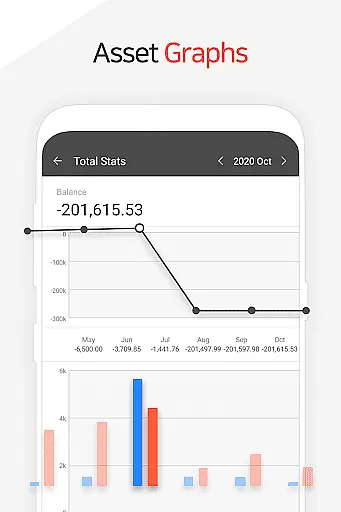
Money Manager is a comprehensive personal finance application designed to help users efficiently manage their assets and track financial activities. The app employs double-entry bookkeeping, ensuring accurate recording of income and expenses while automatically updating account balances. This feature provides users with real-time insights into their financial status.
In addition to transaction tracking, Money Manager offers robust budgeting tools that allow users to set spending limits and visualize their financial performance through intuitive graphs. The app also includes specialized features for managing credit cards and debit cards, enabling users to monitor payment schedules and outstanding balances. With its passcode protection and Google Drive backup support, the app ensures both security and data integrity.
Designed for both everyday use and detailed financial planning, Money Manager is particularly useful for individuals seeking to maintain organized records of their income, expenses, and asset transfers. Its instant statistics and reporting capabilities make it an invaluable tool for anyone looking to gain better control over their personal finances.
Money Manager stands out with its diverse range of features tailored for effective financial management. One of its core strengths is the implementation of double-entry bookkeeping, which not only tracks money inflows and outflows but also updates accounts in real time. This system allows users to maintain precise records of their financial transactions while simplifying the process of managing multiple accounts.
The app also excels in budget management, offering visual tools such as graphs to compare expenses against predefined budgets. Users can easily identify areas where they may be overspending. Additionally, the card management functionality supports detailed tracking of credit and debit card payments, including automatic scheduling of recurring payments. These features collectively enable users to stay on top of their financial obligations without manual effort.
Other notable features include instant statistical reports, asset transfer capabilities, and customizable bookmarks for frequently used expenses. With support for Excel backups and Google Drive integration, Money Manager ensures users can securely store and restore their financial data whenever needed.
Account and fund security is a critical aspect of any financial management application. Money Manager ensures the safety of user data through multiple layers of protection. The app employs advanced encryption protocols to safeguard sensitive financial information, ensuring that all transactions and account details remain confidential.
In addition to encryption, the app offers a passcode feature that adds an extra layer of security. Users can set up a unique passcode to access their account book, providing peace of mind against unauthorized access. This function allows users to manage their assets safely without worrying about data breaches or misuse.
The implementation of these security measures means that users can trust Money Manager with their personal financial data. Whether accessing the app via mobile or PC, users are assured that their information is protected both in transit and at rest. This robust security framework enables users to focus on managing their finances effectively.
By prioritizing account and fund security, Money Manager demonstrates its commitment to user privacy and data protection. These features collectively ensure that users' financial information remains secure, fostering trust and confidence in the application's ability to handle sensitive data responsibly.
A seamless transaction experience is essential for any financial application, and Money Manager excels in this area. The app facilitates efficient asset management by implementing double-entry bookkeeping, which records every financial transaction accurately. As soon as income is input, it gets deposited into the respective account, and expenses immediately draw from the account, streamlining the entire process.
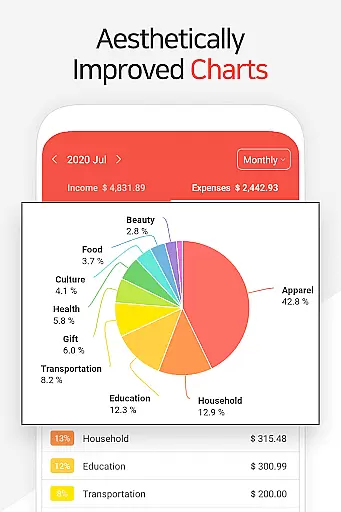
Money Manager also offers instant statistics based on entered data, allowing users to see their expenses by category and track monthly changes effortlessly. This real-time feedback provides valuable insights into spending habits and financial trends, empowering users to make informed decisions about their money.
The inclusion of budget management and card/debit card management functions further enhances the transaction experience. Users can view graphs showing budget versus actual expenses and manage payments directly within the app. These features contribute to a comprehensive understanding of one's financial status while simplifying routine tasks like bill payments and transfers.
Overall, Money Manager delivers a smooth and intuitive transaction experience that caters to various financial needs. By combining practical tools with user-friendly interfaces, the app ensures that managing personal finances becomes not only more efficient but also more enjoyable for its users.
User-friendly interface
Real-time balance updates
Comprehensive budgeting tools
Secure passcode protection
Google Drive backup support
Limited free version features
Occasional syncing issues
Advanced functions require learning
No multi-currency support
Premium subscription cost

Over 180 currencies conversion rates with live exchange rates and offline mode.
 4.60
4.60
Pay rent on your schedule.
4.70
Retirement plan, IRA, retail and HSA customers serviced by Empower.
3.10
Money transfer made easy. Send money to friends and family with great rates.
4.70
PayMe helps you claim money from settlements on companies that harmed you.
4.80
Payday cash advance & Instant cash advance: Borrow money instantly, Get cash now
4.60
Invest, bank & save in one app. Trade stocks, earn high APY & budget smarter.
4.00
No credit checked needed.
4.80
Check EBT, SNAP, WIC balances, manage food stamps, and save money with benefits
4.80
Companies owe you money.
4.80
Secure, simple money transfer app. Send money to Mexico and worldwide fast.
4.80
All expenses at a glance.
4.80
Your Big Financial Friend
4.70
Loan Calculator, Mortgage Calculator, Compound Interest Calculator
4.70
Powerful Money Manager, Expense & Savings Tracker, Budget Planner - Pro Version
4.70
Car Insurance Made For You.
4.50
Trade NFL, NBA, Crypto, Tech
4.50
Get, Earn, and Save Money
4.30
Expenses, Bills, Budget and Accounts - All seamlessly integrated in one app!
3.80


User Reviews