



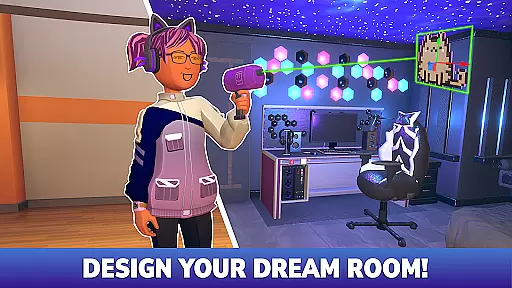




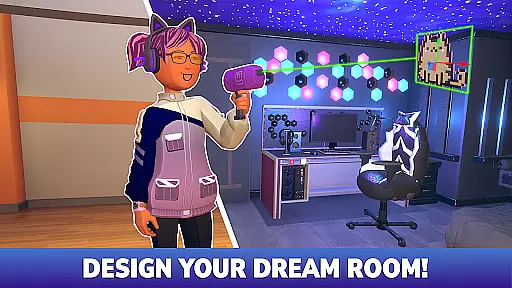




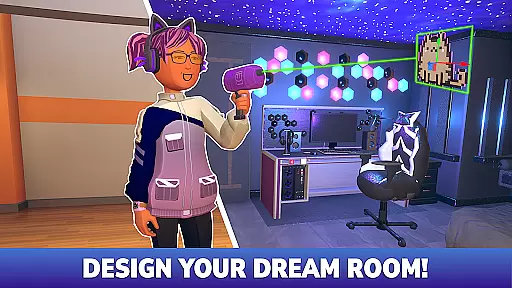

Rec Room is an innovative sandbox adventure app that allows users to create, play, and socialize in a virtual environment. The app offers a unique combination of game design tools, social interaction features, and cross-platform compatibility, making it suitable for both casual gamers and serious creators. With Rec Room, you can build your own games, design custom avatars, and collaborate with friends in real-time.
The platform supports various devices including VR headsets, PCs, consoles, and mobile devices, providing seamless cross-platform gameplay. Whether you're crafting an action-packed multiplayer game or designing a cozy hangout space, Rec Room empowers you to express your creativity without limits. Its engaging community and monetization opportunities make it an ideal choice for those looking to showcase their work and grow a fanbase.
Rec Room stands out with its comprehensive suite of creation tools that cater to all skill levels. The app provides easy-to-use interfaces for building games, customizing avatars, and designing virtual spaces. These tools are complemented by live classes, tutorials, and building clubs that help users enhance their skills and bring their creative visions to life.
One of the key features is its real-time collaboration capability, allowing multiple users to work together on projects regardless of their physical location. The app also supports instant publishing across all supported platforms, ensuring your creations reach a global audience quickly. Additionally, Rec Room's cross-platform support and full voice-chat functionality enable smooth interactions between users on different devices, creating a truly immersive social experience.
In Rec Room, narrative depth is not just about pre-written storylines but also about the stories that players create themselves. The game offers a unique platform where users can design their own adventures and escape rooms, allowing for deep personal storytelling. This sandbox environment encourages creativity and enables players to become both the narrator and characters of their tales.
The level of character engagement in Rec Room is heightened by its immersive social features. Players can express themselves through customizable avatars and interact with others in real-time, creating a sense of presence and connection. These interactions are not scripted, which means every conversation or collaboration could lead to new, unscripted narratives within the game world.
By providing tools for 3D modeling and game design, Rec Room empowers users to build complex worlds that other players can explore. This adds layers to the narrative experience as creators weave intricate plots into their games or hangout spaces, engaging players in ways that traditional linear storytelling cannot achieve.
Ultimately, Rec Room's approach to narrative and character engagement transforms each player's journey into an evolving story crafted by the community itself. With endless possibilities for creation, players have the freedom to shape their adventures and share them with a receptive audience eager for novel experiences.
Rec Room stands out in the realm of virtual reality gaming by offering unparalleled exploration freedom. Players are not confined to static environments; instead, they can traverse dynamic worlds created by the community. This flexibility allows users to embark on unique adventures, from action-packed PVP battles to eerie escape rooms, all within the same platform.
World reactivity in Rec Room is powered by its user-generated content. As players contribute new games and spaces, the universe of Rec Room expands and evolves. This ever-growing world reacts to the creativity of its inhabitants, ensuring that no two visits are ever the same. The ability to instantly publish creations across devices means that changes and updates are reflected in real-time, keeping the environment fresh and engaging.
Cross-platform play further enhances exploration freedom, enabling seamless interaction between VR headset users, PC gamers, console players, and mobile device owners. Full voice chat support breaks down barriers between different types of players, fostering a cohesive community where everyone can explore together regardless of their chosen technology.
With these features combined, Rec Room delivers an exploratory experience that feels alive and responsive. It invites players to push boundaries, discover hidden gems within its vast digital landscape, and even leave their mark by contributing to this shared universeu2014making exploration an ongoing journey rather than a one-time event.
User-friendly interface
Real-time collaboration
Cross-platform support
Vibrant creator community
Monetization opportunities
Steep learning curve for beginners
Limited offline functionality
VR required for full experience
Occasional server issues
High device requirements

The house of madness invites you inside.
 4.40
4.40
You work for a dystopian surveillance state and spy on your neighbors
4.50
Point and click puzzle adventure
4.80
Embark on a relaxing yet rewarding journey in Carve Quest!
3.50
An open world adventure game filled with silly characters and terrible secrets.
4.90
The reckoning is near.
4.60
Survive the Monsters, Survive the Fun!
4.50
Try obby parkour game! Start obstacle course, run and jump with platform game.
4.40
Create your avatar, play simulation games, build, explore & have fun!
4.70
Step into a world of fables where each card you play can save or doom the world.
4.70
The White Door is a new adventure game by the Rusty Lake & Cube Escape creators!
4.70
Adventure games with fable, farm, exploring games on an island of adventure!
4.70
Thrive in the Wild West! Build, hunt, craft, and battle foes!
4.30
Enjoy an adventurous jungle adventure with Bino and rescue the princess.
4.30
The original's spin-off
4.10
Survival has become even more difficult, dangerous and exciting!
3.80
Dark comedy of scavenge and survival in the nuclear wasteland of 1950's America
3.70
Let's collect, steal, gacha rare brainrots, unlock secrets in this cool game!
3.60
Keep the fire alive and survive haunted nights in the dark forest!
2.90


User Reviews