
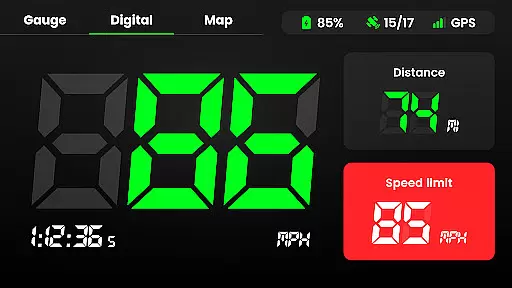
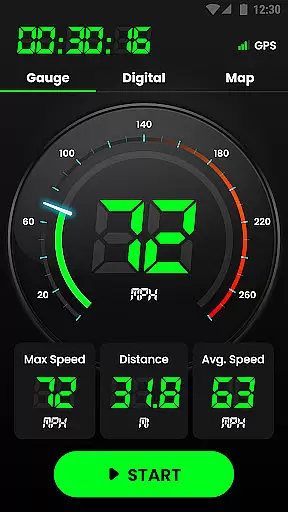
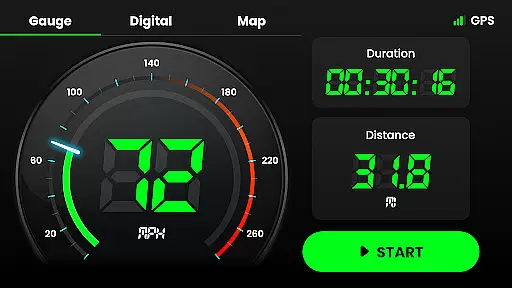
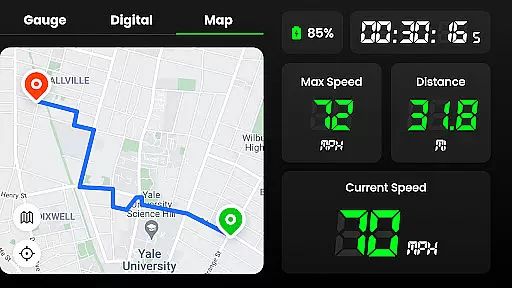
Speedometer is a highly accurate GPS-based speed tracking application designed to measure the velocity of various modes of transportation. Whether you are driving, cycling, or even walking, this app provides real-time speed updates and distance tracking through an intuitive interface. The app supports both digital and analog displays, allowing users to view their current speed in multiple formats.
One of the standout features of Speedometer is its ability to function offline, ensuring that users can track their speed and location even without an internet connection. With additional functionalities such as speed limit alerts, HUD mode for mirroring speed on your car windshield, and detailed journey tracking, this app caters to a wide range of use cases from casual jogging to professional driving.
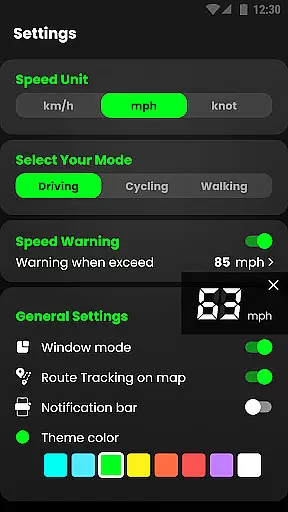
The app's versatility extends to its multi-unit support, enabling users to switch between km/h, mph, and knots seamlessly. Its lightweight design ensures minimal battery consumption while offering advanced features like map recording, voice alerts, and customizable themes. This makes Speedometer not only a practical tool but also a personalized experience tailored to individual preferences.
Speedometer offers a comprehensive set of features that make it one of the most versatile speed tracking apps available. One of its core strengths is the dual-mode display, which allows users to choose between digital and analog interfaces. This flexibility ensures that users can customize their viewing experience based on personal preference or situational needs, whether they're monitoring their speed during a morning jog or keeping track of mileage on a road trip.
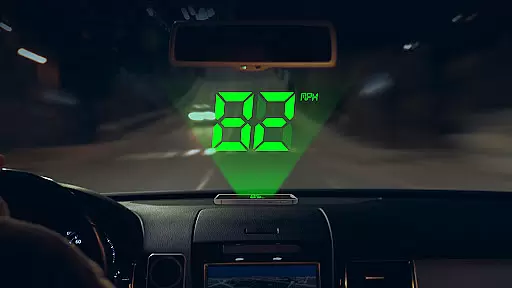
In addition to its attractive user interface, Speedometer includes advanced functionalities such as offline GPS navigation, which allows users to track their location and speed without requiring an active internet connection. The app also features a Heads-Up Display (HUD) mode, projecting your speed directly onto your windshield for safer driving. Users can set custom speed limits and receive notifications via vibration or voice alerts when they exceed these thresholds, enhancing safety during travel.
Other notable features include detailed journey tracking with metrics like average speed, maximum speed, and total distance covered. The app also supports switching between different units of speed measurement and offers multiple theme options for personalization. With its small size, low battery usage, and compatibility with other navigation apps, Speedometer delivers a robust yet efficient performance that meets the needs of diverse users.
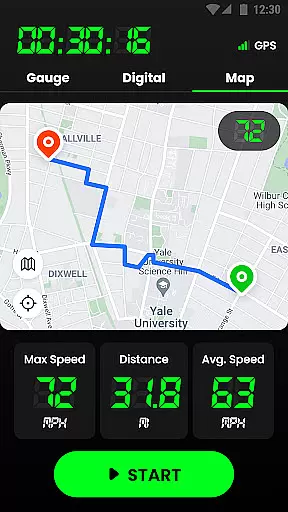
Map accuracy is a crucial feature for any navigation app, and Speedometer excels in this area. The application uses advanced GPS technology to provide real-time location tracking with impressive precision. Whether you're driving, cycling, or walking, the app ensures that your position is accurately displayed on the map.
The speedometer function relies heavily on precise location data to calculate current speed, average speed, and maximum speed. With its reliable GPS integration, Speedometer delivers consistent and trustworthy readings, even when offline. This means users can depend on the app in areas with poor internet connectivity without compromising accuracy.
Additionally, the app's ability to track and record travel history with detailed information enhances its value as a dependable navigation tool. Users can review past trips, including starting points, ending points, and routes taken, all presented with high geographic fidelity. This functionality not only helps in personal tracking but also serves practical purposes like expense reporting or trip documentation.
Speedometer's commitment to accuracy extends beyond just speed measurements. Its comprehensive approach includes displaying trails on maps, switching between different speed units, and providing various viewing modes. These features collectively ensure that users receive the most accurate and useful navigation data possible, making it an essential tool for anyone needing reliable location services.
Route planning is another significant aspect of the Speedometer app, designed to enhance user experience through intuitive navigation features. While primarily a speed tracking application, it offers robust route management capabilities that allow users to plan their journeys effectively. The app provides multiple viewing options, including portrait and landscape modes, ensuring optimal visibility regardless of device orientation.
One of the standout features is the ability to pause or reset routes during travel. This flexibility enables users to manage their trips dynamically, accommodating unexpected stops or changes in direction. Additionally, the head-up display (HUD) mode projects instant speed readings onto the windshield, allowing drivers to maintain focus on the road while staying informed about their current speed.
For those interested in detailed journey analysis, Speedometer keeps comprehensive records of each trip. Users can access information such as real-time speed, average speed, maximum speed, mileage, and total travel time. These metrics are invaluable for both personal and professional purposes, offering insights into driving habits and helping optimize future routes.
Furthermore, the app's offline functionality ensures that route planning remains accessible even without an active internet connection. By leveraging GPS technology, Speedometer continues to deliver accurate navigation data, empowering users to explore new destinations confidently. Whether commuting daily or embarking on long-distance travels, this app provides the tools necessary for efficient and informed route planning.
User-friendly interface
Accurate GPS tracking
Offline functionality
Customizable speed alerts
Lightweight design
Limited free features
Occasional GPS inaccuracies
No social sharing
Premium subscription required
Ads in free version

Turn your Android device into a real off-road GPS using off-line topo maps!
 4.40
4.40
Fully offline 1:50k New Zealand topographical map North Island
4.0
Find EV & Tesla charging stations with PlugShare
4.70
Number locator, real connection map
4.10
Use GPS maps or search by property owner, address or parcel to view parcel data
4.30
Get directions, Maps, GPS navigation & GPS Maps using GPS App
4.10
Live Satellite view app for find GPS navigation Direction and live location map
3.70
Simple & easy to use a compass app. Get accurate directions.
4.20
Rideshare, taxi cabs, and more for your airport travels and everyday trips.
4.50
This app is military GPS coordinate systems helper. (MGRS, UTM & DMS Maps)
4.80
The fastest and most convenient way to pay for parking on our lots.
4.40
Lets explore the world's famous places by using Live Cams, GPS & Satellite View.
4.20
Easy, Moderate and difficult offroad adventures.
4.00
Get route, find shortest path, near by places and weather update
3.90
Get real-time bus and train schedules for easy, hassle-free city transportation.
3.90
Drive safe with real-time speed camera radar, police, and traffic alerts
3.80
Play in the outdoors with Android as your Handheld GPS and offline topo maps!
3.50
Your real-time window to the world. Explore anywhere, anytime.
3.30
Explore the world with Live Satellite View, 3D Maps, GPS Navigation & Earth Map.
2.90


User Reviews