
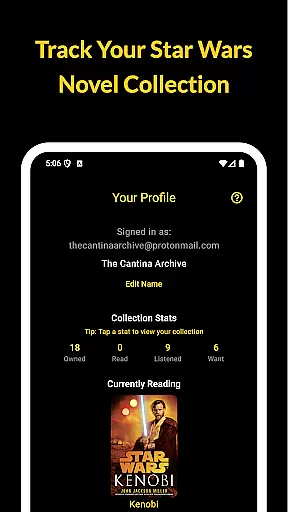
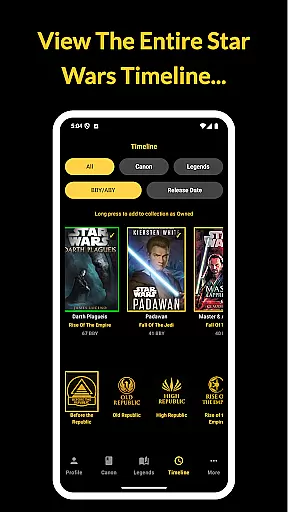
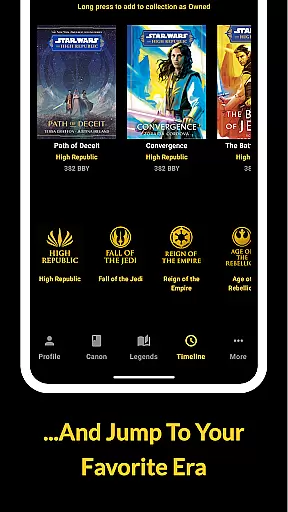
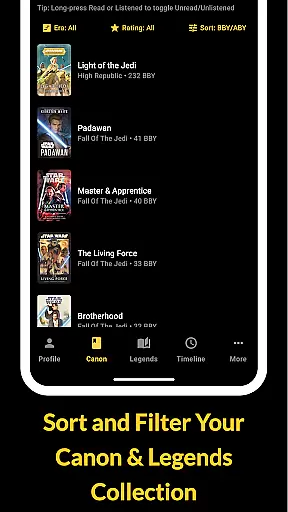
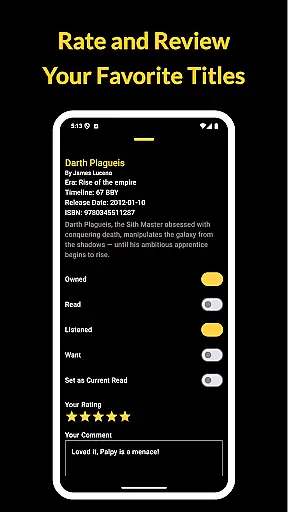
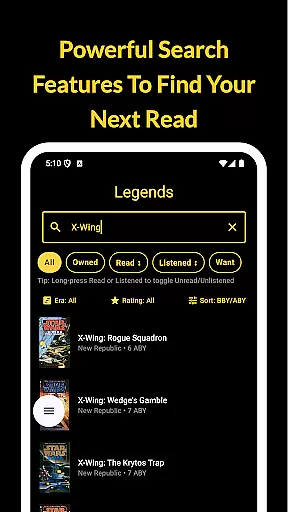
The Cantina Archive is a comprehensive tool for Star Wars book enthusiasts, enabling users to organize and explore their collections with ease. This fan-built app caters to both Canon and Legends Expanded Universe readers, offering features like timeline views (BBY/ABY), search by title, author, or ISBN, and collection tracking.
Users can mark books as owned, read, or wishlist items, while also highlighting their current read. With new release notifications and cross-device syncing via Firebase, it ensures you never miss an addition to your Star Wars library.
The Cantina Archive offers a robust set of features designed specifically for Star Wars literature fans. The Timeline View allows users to browse books chronologically or by release date, providing a clear picture of the Star Wars universe's literary history.
Its powerful Browse & Search functionality supports queries by title, author, or ISBN, making collection management seamless. Users can track their reading progress with states such as Owned, Read, Listened, and Want to Read, ensuring they stay organized and informed about their next read.
The Cantina Archive offers an extensive collection of Star Wars books, allowing fans to track their reading journey through the Canon timeline, Legends Expanded Universe, and more. The app's e-book library is vast, covering numerous titles that span different eras and timelines (BBY/ABY).
Each book in the collection is meticulously documented with accurate metadata including title, author, and ISBN. This attention to detail ensures that users can search and manage their collections with confidence, knowing that the information is both comprehensive and authentic.
Copyright authenticity is a core feature of The Cantina Archive. Every entry in the app is verified to ensure it respects intellectual property rights, giving users peace of mind as they organize and explore the galaxyu2019s greatest stories. This dedication to legal integrity sets the app apart from other book tracking services.
By providing a trustworthy and extensive database, The Cantina Archive not only helps readers keep track of their current collection but also aids in discovering new titles. Users can explore upcoming novels and mark those theyu2019re most excited for, ensuring they never miss out on the next great read.
The Cantina Archive excels in format compatibility, supporting various ways to browse and manage your Star Wars book collection. Whether you prefer exploring books by era, timeline (BBY/ABY), or release date, the app provides flexible options to suit your needs.
Users can search for books using multiple criteria such as title, author, or ISBN. This multi-faceted search capability ensures that regardless of how you categorize your collection, The Cantina Archive has you covered. The app's intuitive interface makes it easy to toggle titles as Owned, Read, Listened, or Want to Read.
In addition to its robust search features, The Cantina Archive supports syncing with Firebase. This means your data is securely backed up and accessible across devices, ensuring you have a seamless experience whether you're at home or on the go.
With no ads or personal tracking, The Cantina Archive focuses solely on delivering a superior user experience. Its commitment to format compatibility and secure data management makes it an invaluable tool for any Star Wars book enthusiast looking to maintain an organized and up-to-date library.
User-friendly interface
Comprehensive timeline view
Syncs across devices
No ads or tracking
Regular updates
Limited to Star Wars
Requires manual entry
No audiobook support
Few social features
Small user base

“I am the Lorax. I speak for the trees.”
 4.80
4.80
"BIG A, little a. What begins with A?"
4.10
Shop over 13 million new and used books at up to 80% off list price
4.20
A wonderful reader for good time spend.
4.20
Universal Zoom, learn about sizes & distances of the universe and microcosmos
4.80
The Original & Authentic Crystals, Gemstones, Rocks & Minerals Encyclopedia.
4.60
Watch real short episodes in just minutes— addictive, you won't be able to stop!
4.70
My Bible offers a comprehensive app by providing offline access, daily verses.
4.80
Identify birds of North America by call or picture | Bird Identification
4.20
What’s that bird? Just answer 5 questions, snap a photo, or record its song!
4.90
"When tweetle beetles fight, it's called a tweetle beetle battle."
4.90
The Original Tropical Freshwater Aquarium Fish And Plant Care Guide
4.80
Liturgy of the Hours totally off-line
4.80
Contains the 365 daily readings and everything other thing needed for catholics
4.70
Find, discuss, and organize your world of books and shows.
4.60
Master AKC Rally signs with in-depth hints, diagrams, and expert guidance.
4.50
Zerobooks Light Novel Reader by GOLDENAGATO
4.20
A companion for prayer, with Azan alarm, Quibla direction, and Holy Quran book
4.10
Battle Royale Chapter 5 Season 2 HD Wallpapers Emotes Skins and BattlePass
3.00


User Reviews