
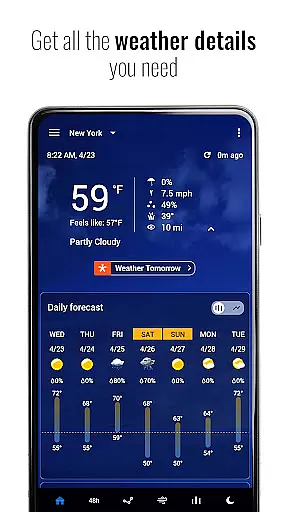
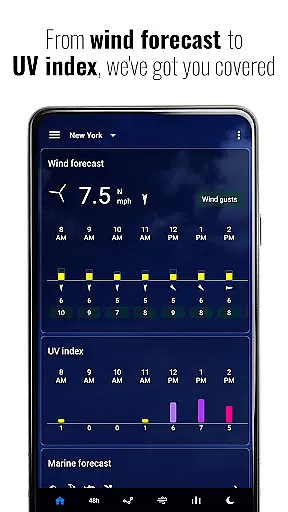
Transparent Clock & Weather is a comprehensive weather app that provides live updates and beautiful widgets. It offers real-time weather tracking through an interactive radar map, displaying rain, snow, and storm activity globally. The app consolidates essential weather data such as temperature, humidity, UV index, pressure, and wind speed on one screen for easy access.
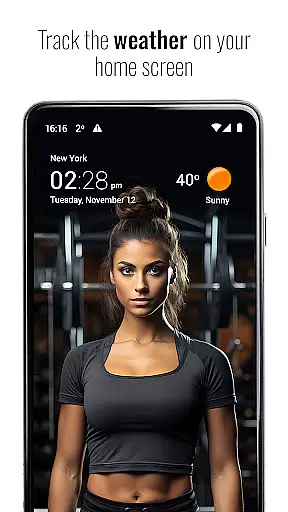
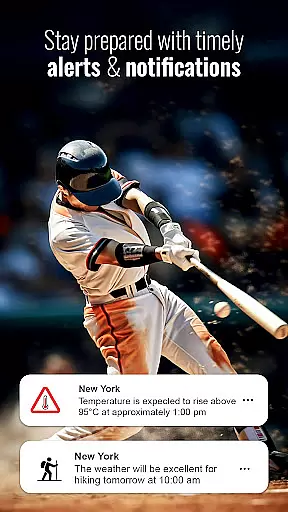
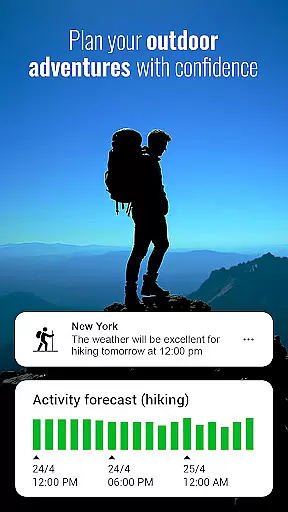
In addition to its functional features, Transparent Clock & Weather allows users to customize their home screens with elegant clock and weather widgets. These widgets come in various designs, sizes, and layouts, from simple temperature displays to full 10-day forecasts, updating automatically with live local weather data. With instant notifications for severe weather conditions and an Activity Forecast planner, it ensures users are prepared and can plan outdoor activities smartly based on detailed weather insights.
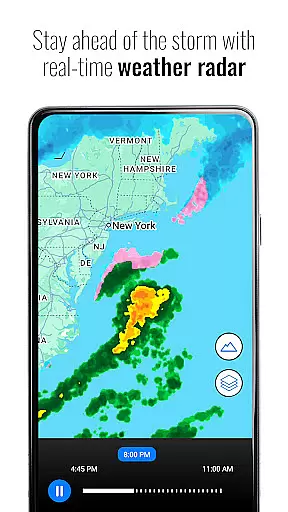
One of the standout features of Transparent Clock & Weather is its live weather radar and forecast capability. Users can track changing weather conditions in real time using the interactive radar map, which covers global weather phenomena like rain, snow, and storms. This feature provides reliable hourly forecasts and critical weather details such as temperature, humidity, UV index, pressure, and wind speed all accessible from a single intuitive interface.
The app also shines with its customizable weather widgets. These widgets not only display essential weather information but do so with elegance and style. Users can choose from different designs, sizes, and layouts to match their preferences and needs. Whether it's a minimalistic temperature view or a detailed 10-day forecast, these widgets update automatically, ensuring users always have the latest weather information at a glance.
Transparent Clock & Weather provides users with reliable weather forecasts and accurate data, ensuring they stay informed about changing conditions. The app's live radar and interactive maps allow users to track real-time weather patterns, including rain, snow, and storms, across the globe.
By offering detailed information such as temperature, humidity, UV index, pressure, and wind speed, the app ensures comprehensive weather updates tailored to user locations. This level of detail enhances the credibility of the data provided, making it a trustworthy source for planning outdoor activities or monitoring severe weather events.
Users benefit from instant notifications and alerts regarding storms or extreme weather changes in their vicinity. These timely updates help them prepare for sudden environmental shifts, ensuring safety and readiness. With its focus on accuracy and reliability, Transparent Clock & Weather proves to be an essential tool for anyone seeking dependable meteorological information.
The app offers extensive temporal and spatial forecast ranges, enabling users to access both immediate and long-term weather predictions. Through its hourly and daily forecast features, Transparent Clock & Weather equips users with insights into upcoming weather patterns, allowing them to plan their day or week effectively.
In addition to localized forecasts, the app supports global weather tracking, letting users view conditions anywhere in the world. Whether checking weather updates for travel destinations or simply staying informed about different regions, this feature adds versatility to the user experience.
Transparent Clock & Weather also includes specialized tools like sunrise and sunset times, air quality indexes (AQI), and visibility metrics. These elements contribute to a holistic understanding of environmental factors over time and space, enhancing both convenience and preparedness for various scenarios.
User-friendly interface
Accurate weather data
Customizable widgets
Live radar maps
Storm alerts
Limited advanced features
Ads present in free version
Occasional sync issues
Design inconsistencies
Location accuracy concerns

Live local weather updates: various widgets & radar maps & hourly forecast.
 4.70
4.70
Personal Weather Station PRO - Meteo monitor to check your WU info and charts.
4.20
An unofficial app version of the National Weather Service (Weather.gov)
3.90
Live weather forecast for your everyday life
4.60
Industry leading whitetail movement predictor & hunting app.
4.60
The moon phases app for tracking the lunar calendar, blue moon and full moon.
4.80
Download now and give your smartwatch a fresh, premium look!
4.20
My Aurora Forecast Pro is the app for the Northern Lights and Aurora Borealis.
4.70
Local weather forecast app, your personal 7*24 local weather forecast assistant.
4.90
Live Weather Forecast app with acu weather radar, weather alert & weather widget
4.80
NOAA forecast & radar for your exact location.
4.80
The weather channel, tiempo weather forecast, weather radar & weather map
4.70
Weather radar map, storm tracker, local forecast, live rain alerts & daily news.
4.60
14-day & 24-hour Forecast | Real-time Alert | Accurate & Fast
4.40
Local weather forecast, reliable daily weather report
4.30
Global weather forecast, powered by layered radar & hourly weather updates
4.10
A powerful weather forecast to get real-time weather information
3.60
Magnetic Compass meets smart tech: Get directions and weather alerts seamlessly
3.30
Your local weather app with storm radar, rain tracker, weather maps & AQI.
4.0


User Reviews