
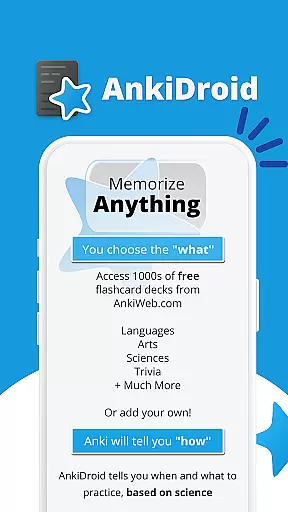
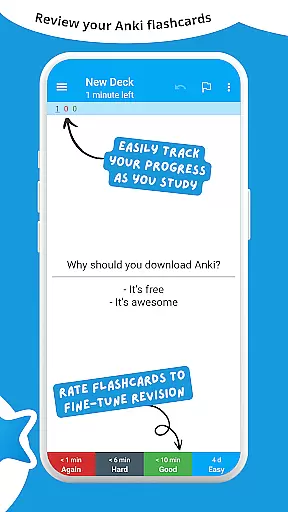
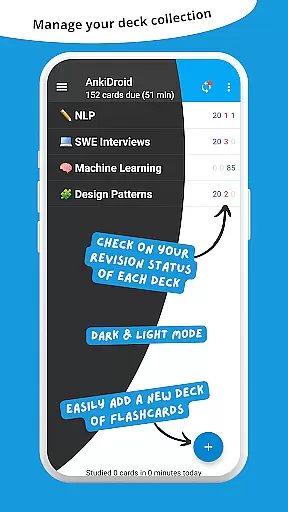
AnkiDroid Flashcards is a powerful educational app designed to help users memorize anything efficiently. Using the scientifically proven spaced repetition method, it shows flashcards just before you are likely to forget them, ensuring maximum retention. The app is fully compatible with Anki, available on multiple platforms including Windows, Mac, Linux, ChromeOS, and iOS.
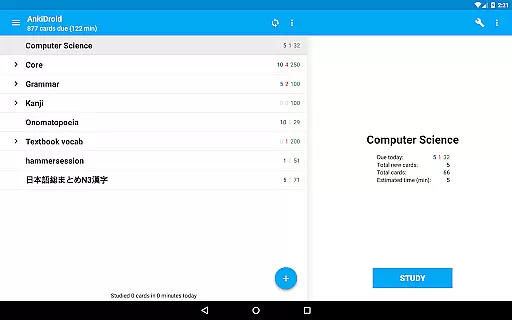
With AnkiDroid, you can study various subjects anytime and anywhere. Whether you're on a bus trip, waiting in line at the supermarket, or during any idle time, this app allows you to make the most of your spare moments. You can create your own flashcard decks or download thousands of free pre-made decks covering numerous languages and topics.
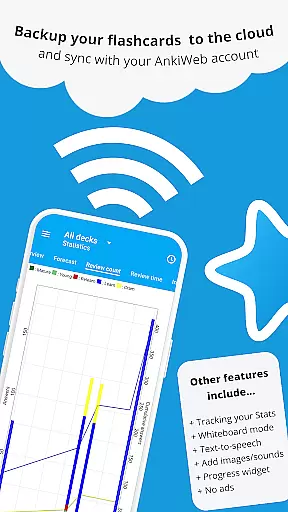
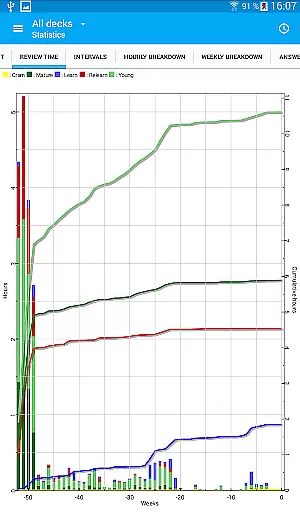
The app supports multimedia flashcards containing text, images, sounds, and even mathematical formulas through MathJax. Additional features include text-to-speech integration, progress tracking widgets, detailed statistics, synchronization with AnkiWeb, and more. AnkiDroid is open-source, ensuring transparency and continuous improvement by its community.
AnkiDroid offers a rich set of features that enhance the learning experience. One of its key features is the support for multimedia flashcards, allowing users to incorporate text, images, sounds, and mathematical expressions using MathJax. This flexibility caters to different learning styles and needs, making studying more engaging and effective.
The app integrates seamlessly with text-to-speech functionality, enabling auditory learning. It also provides thousands of pre-made decks across various subjects, saving users time and effort in creating their own content. Detailed statistics and a progress widget offer insights into your learning patterns and progress, helping you stay motivated and informed.
AnkiDroid supports synchronization with AnkiWeb, ensuring your data is consistent across devices. Its open-source nature encourages community contributions, leading to frequent updates and improvements. With additional features like a whiteboard, card editor, custom font support, and dark mode, AnkiDroid provides a highly customizable and user-friendly environment for learners.
AnkiDroid Flashcards ensures content accuracy and authority by leveraging the power of user-generated flashcards. The app allows users to create their own flashcard decks, which means the information is curated and reviewed by individuals who are knowledgeable in their respective fields.
The app supports text, images, sounds, and even mathematical equations through MathJax, ensuring that all types of educational content can be accurately represented. This variety caters to different learning styles and subjects, from language vocabulary to complex scientific formulas.
Furthermore, AnkiDroid's compatibility with AnkiWeb means that users can synchronize their data across multiple devices, maintaining consistency and reliability in their study materials. Thousands of pre-made decks are available for download, compiled by other learners and educators worldwide, providing a vast repository of vetted content.
With features like detailed statistics and progress tracking, users can monitor their learning journey, ensuring they are engaging with accurate and effective study material. This authoritative approach to content empowers learners to memorize and understand complex topics efficiently.
AnkiDroid Flashcards offers personalized learning paths by utilizing a spaced repetition algorithm, specifically the SuperMemo 2 algorithm. This method optimizes learning by showing flashcards just before the user is likely to forget the content, thus reinforcing memory retention at individualized intervals.
Users can tailor their learning experience by creating custom flashcard decks or downloading pre-made ones that suit their specific educational needs. Whether studying languages, sciences, or preparing for exams, AnkiDroid adapts to various subjects and difficulty levels.
The app also includes additional features such as a whiteboard for drawing out concepts, a card editor for modifying content, and text-to-speech integration for auditory learning. These tools allow users to engage with the material in ways that best suit their personal learning preferences.
Moreover, AnkiDroid's comprehensive customization options enable learners to adjust settings to fit their unique study habits. From custom fonts to fully customizable layouts, users can craft a learning environment that enhances their educational journey, making it more effective and enjoyable.
Efficient learning
Multimedia support
Syncs across devices
Customizable
Open source
Complex interface
Requires setup time
Limited offline help
No built-in tutor
Advanced features need learning

Watch and Play Elmo's World!
 4.00
4.00
Gain new skills in 10 minutes
4.70
A must-have app for mastering Japanese verb/adjective conjugations.
3.60
Your best partner for learning Japanese words. Based on a best-selling textbook.
2.90
Guitar chord finder, analyzer, smartly visualized theory, progressions, quizzes.
4.70
Explore the City of the Sun in Augmented Reality
3.70
A realistic sky map to observe stars, planets, satellites and constellations!
4.80
School Communication
4.30
Your Arts+Culture Guide
4.00
Age-Related Child Developmental Milestones
4.80
Universe simulator: Find & explore planets system, outer space, astronomy events
4.60
Stargazing Guide App. Stars and constellations map. Solar system planets finder.
4.60
A fast and fun way to learn guitar - works with any guitar.
4.60
Turn scrolling hours into improving your knowledge, communication, intelligence
4.50
Stack the Countries makes learning world geography fun!
4.50
One of the most engaging and innovative ABC apps on the market.
4.30
Designed for Calculator 84 users
4.20
Build math skills in: addition, subtraction, multiplication and division.
4.10
Hasbro’s classic CANDY LAND game is now a gorgeous interactive storybook app.
2.30


User Reviews