
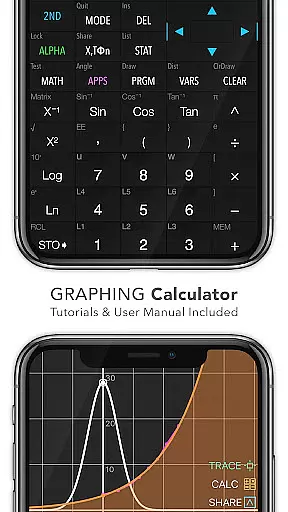
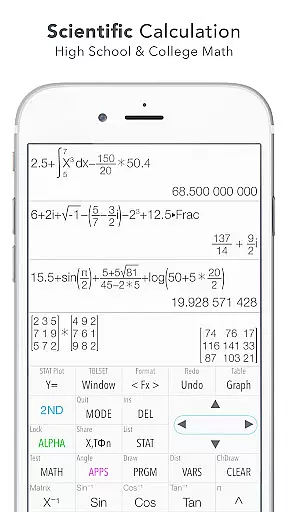
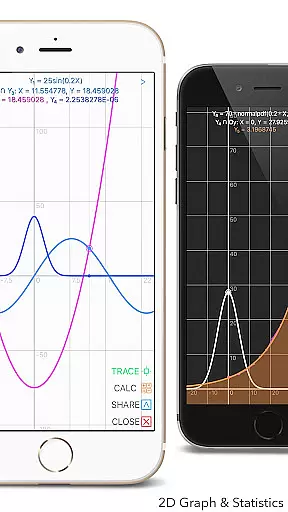
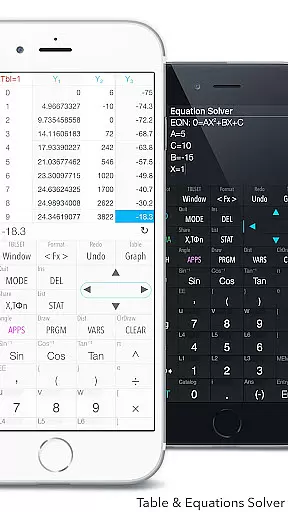
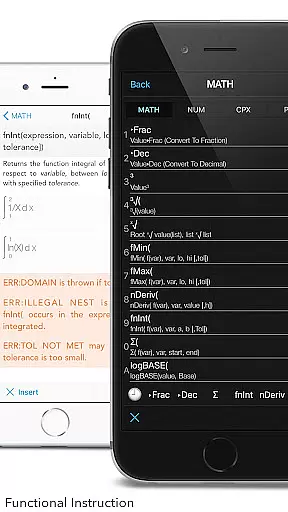
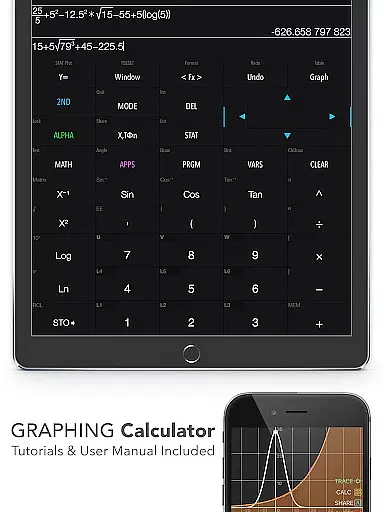
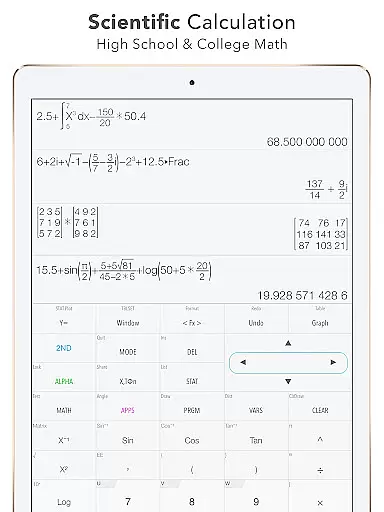
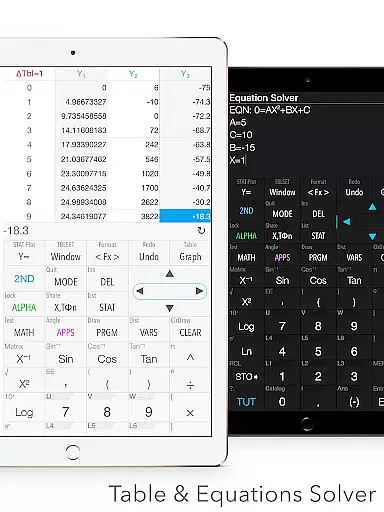
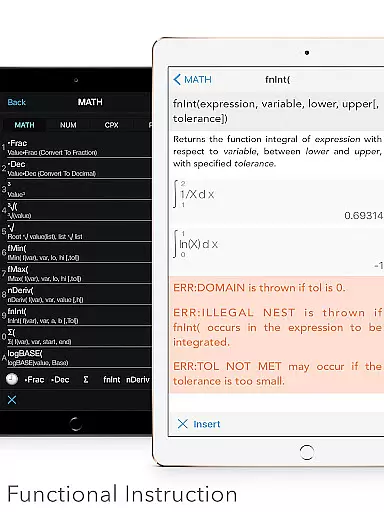
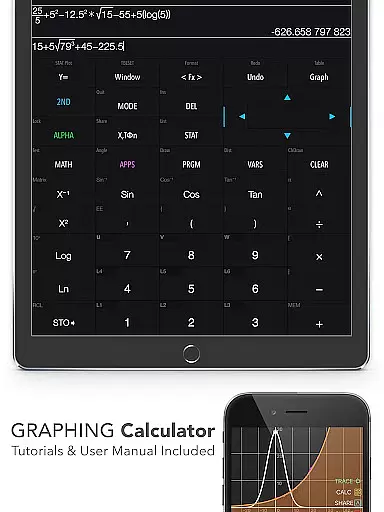
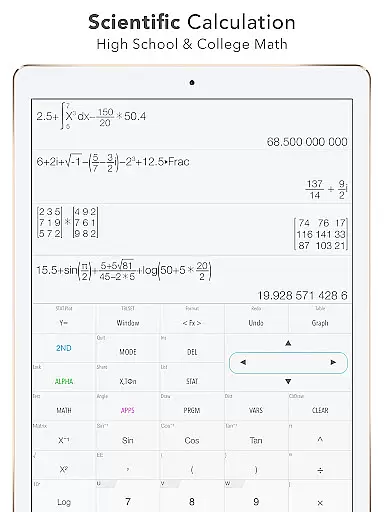
Graphing Calculator Plus represents the pinnacle of mobile scientific calculators, designed specifically for students, engineers, and math enthusiasts. This app mirrors the functionality of advanced hardware calculators like the TI-84 and TI-83 while offering the convenience of a portable Android application. With its robust MATH CORE and intuitive mathematical display support, users can perform both basic calculations and complex mathematical operations with ease.
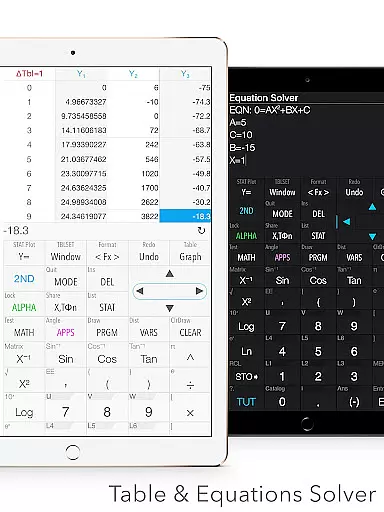
The app includes an extensive range of built-in functions such as statistics, equation solving, integral calculation, and matrix manipulation. It also features specialized tools like 2D graphing, regression analysis, and number base conversions. Whether you're tackling high school algebra or university-level calculus, Graphing Calculator Plus provides all the necessary tools in one sleek package.
Its versatility makes it ideal for classroom use, exam preparation, or professional projects. The app's detailed user manual and tutorials ensure that even beginners can quickly grasp its powerful capabilities, while advanced users will appreciate the depth of its functionality.
Graphing Calculator Plus stands out due to its comprehensive suite of calculators and advanced mathematical tools. The Universal Calculator App supports everything from basic arithmetic (+, -, x, ÷) to more complex operations involving trigonometric functions (sin, cos), logarithms, and exponents. Users can solve equations, edit expressions, and view their calculation history through the History Tape View feature.
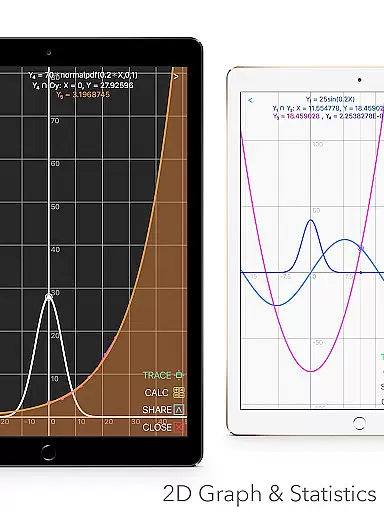
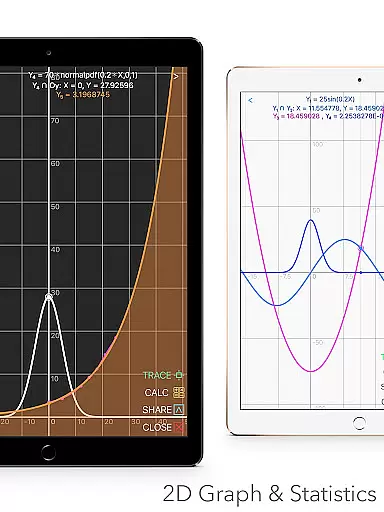
One of the standout features is the 2D Graphing capability, which allows simultaneous graph plotting, smooth zooming, and transformations. It supports parametric, polar, and sequence graphs, making it suitable for visualizing various mathematical concepts. Additionally, the Statistics and Regression module enables users to create lists, perform linear or quadratic regressions, and conduct hypothesis tests.
Other notable features include a powerful Matrix editor, programming capabilities with control commands, and a Number Base-N mode supporting up to 15 different bases. These functionalities make the app indispensable for anyone involved in engineering, computer science, or advanced mathematics.
When it comes to educational tools like Graphing Calculator Plus, content accuracy is paramount. This app ensures precise calculations across various mathematical domains, from basic arithmetic to advanced calculus. The inclusion of a powerful MATH CORE and MATH DISPLAY support guarantees that all computations, graphs, and statistical analyses are executed with textbook accuracy.
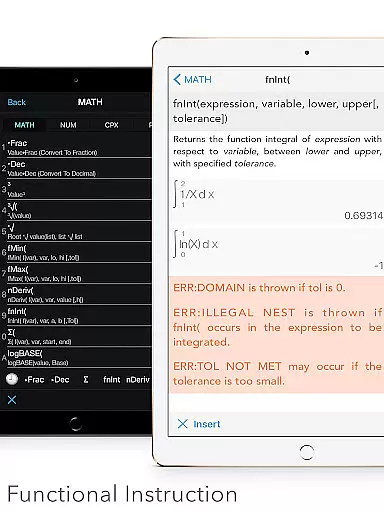
The app provides users with reliable resources such as an in-depth User Manual and Tutorial, which serve as authoritative guides for understanding complex mathematical concepts. With built-in documents covering a wide array of topics including X & Y Calculation, Statistics & Regression, and more, students and professionals can trust the information they are referencing.
Graphs and functions rendered by this calculator maintain high standards of exactness, essential for engineers and math students who require precision in their work. Whether solving equations or calculating integral functions, users benefit from results that mirror those found in rigorous academic settings.
Moreover, additional features like Financial Calculation and Geometry & Chemistry apps further demonstrate the application's commitment to delivering comprehensive and accurate content. By continuously updating and expanding its offerings, Graphing Calculator Plus establishes itself as an indispensable tool for anyone seeking authoritative mathematical support on their Android device.
Graphing Calculator Plus offers personalized learning paths through its versatile functionality tailored to individual needs. As users progress through different levels of complexity within mathematics, the app adapts by providing access to over 40 common constants and advanced functions such as Sin, Cos, Ln, E, allowing learners at any stage to find challenges suited to their skill level.
With capabilities ranging from basic calculations to numeric integral & derivative calculation, the calculator supports self-paced learning. Users can explore linear, quadratic, cubic regression models among others, enabling them to follow a path that aligns with their specific educational goals or curriculum requirements.
Customizable elements within the app, such as Y-Var & Customize Functions (F1, F2, F3), empower students to tailor their experience further. This customization extends into programming where example source codes included help foster deeper engagement with mathematical problem-solving techniques.
By offering dual themes for user interface personalization and continuous updates promising even more features on the horizon, Graphing Calculator Plus ensures that each learneru2019s journey is not only informative but also uniquely their own. Such adaptability makes it an excellent companion for those pursuing independent study or supplementary education in mathematics.
Powerful MATH CORE
Comprehensive calculator suite
User-friendly interface
Advanced graphing capabilities
Detailed documentation
Premium price point
Occasional bugs reported
Steeper learning curve
Limited offline support
Heavy on system resources

Bebefinn and Baby Shark educational, animated videos & games for kids
 3.40
3.40
The Only Official DVSA Theory Test Kit App
4.50
A must-have app for mastering Japanese verb/adjective conjugations.
3.60
Intuitive Transformer Lab - By a Lineman, For Linemen & Apprentices
4.50
Hasbro's Classic Board Game - Make Cavity Sam better or get the buzzer!
3.50
Our most popular app series returns, better than ever!
3.90
Stack the States makes learning about the 50 states fun!
4.70
Memorize anything efficiently with AnkiDroid! Many pre-built decks available.
4.80
Adventures await with Spider-Man and other Marvel characters!
4.10
Learn Japanese in an immersive educational game set in Japan!
4.90
Study for your 608 certification.
4.50
Monkey Preschool Lunchbox: 7 exciting educational games for your preschooler.
4.30
An aviator’s preparation, study and test tool for FAA Knowledge Exams.
4.30
Nighty Night Circus - Bedtime story for kids
4.10
Listen, request and record pronunciations in more than 450 languages. Everywhere
3.90
An aviator’s preparation, study and test tool for FAA Knowledge Exams.
3.80
MONOPOLY JUNIOR brings Hasbro's classic the board game to life.
3.00
Hasbro’s classic CANDY LAND game is now a gorgeous interactive storybook app.
2.30
A collection of favorite stories from Daniel Tiger's Neighborhood
2.00


User Reviews