








Bed Bath & Beyond is a comprehensive shopping app designed to simplify and enhance your home goods shopping experience. With an extensive selection of furniture, decor, and household items available at your fingertips, this app makes achieving your dream home easier than ever before. Whether you're furnishing a new home or looking for the perfect gift, Bed Bath & Beyond offers competitive pricing and exclusive deals that cater to every budget.
The app's standout feature is its user-friendly interface that allows customers to shop thousands of items with ease. You can browse through curated collections, access app-exclusive discounts, and manage your shopping preferences all in one place. Additionally, the app provides practical tools such as price drop alerts, digital coupon storage, and order tracking, ensuring a seamless shopping journey from start to finish.
For those who value convenience and savings, Bed Bath & Beyond is an indispensable tool. Its ability to store payment information securely and offer quick checkout options makes it ideal for busy shoppers. By combining accessibility with exclusive benefits, this app transforms the way users shop for their homes, making it suitable for anyone looking to save time and money while decorating their living spaces.
Bed Bath & Beyond stands out with its robust set of features tailored to streamline the shopping process. One of its key highlights is the availability of app-exclusive deals and discounts, which are not accessible through other platforms. These promotions allow users to maximize savings while shopping for high-quality home goods. Furthermore, the app's advanced search functionality enables users to quickly find specific products or browse curated collections based on their preferences.
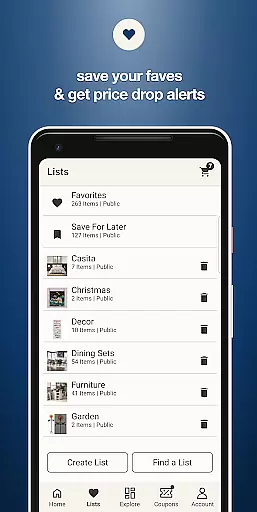
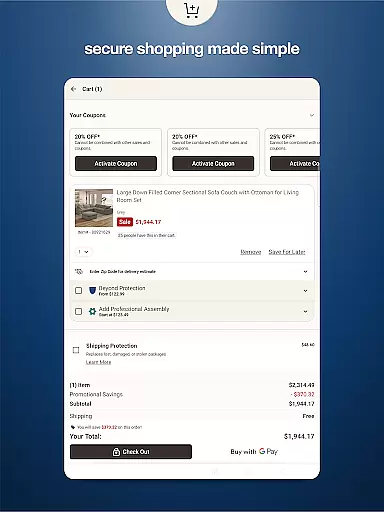
Another notable feature is the wish list functionality, where users can bookmark their favorite items and share them with friends or family. This is particularly useful for collaborative shopping or planning gift registries. The app also includes real-time notifications for price drops on selected items, ensuring users never miss an opportunity to save. Additionally, the integrated coupon wallet consolidates all available discounts in one convenient location, simplifying the redemption process during checkout.
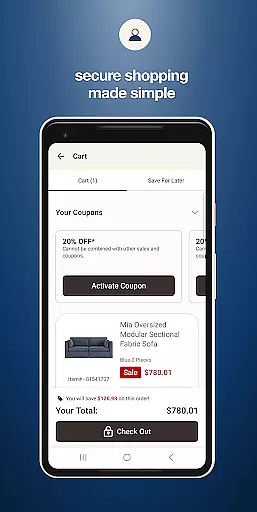
Lastly, Bed Bath & Beyond prioritizes convenience with secure saved logins and payment methods, enabling swift transactions. Users can track their orders in real-time, receiving updates from purchase to delivery. These features collectively create a frictionless shopping experience that caters to both casual browsers and dedicated home decorators alike.
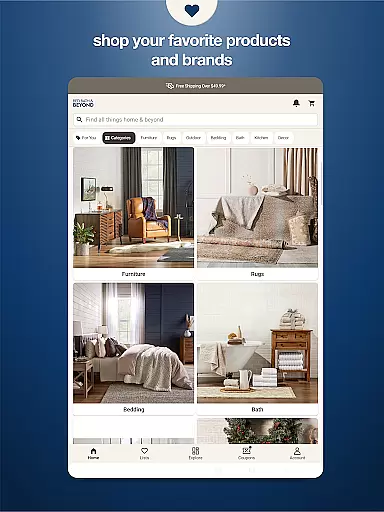
When it comes to shopping apps, product variety and categorization play a crucial role in enhancing the user experience. The Bed Bath & Beyond app excels in this aspect by offering thousands of home goods items that cater to diverse needs and preferences.
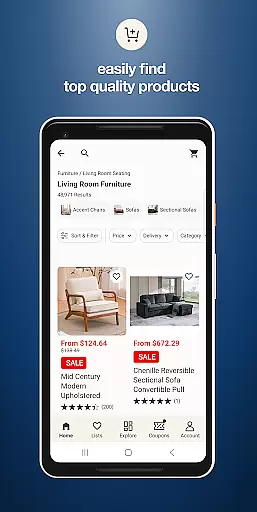
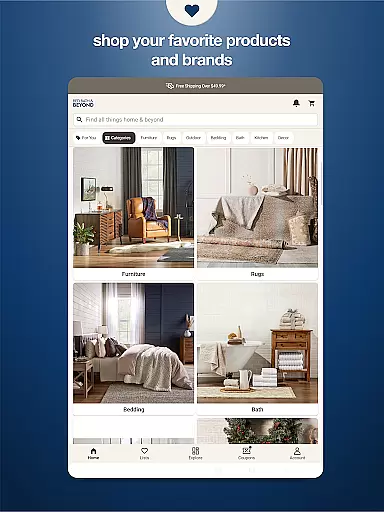
The app's intuitive interface allows users to easily browse through various categories such as furniture, decor, kitchenware, and more. Each category is further broken down into subcategories, making it simple for shoppers to find exactly what they need without feeling overwhelmed.
Moreover, the app provides powerful search functionality with filters for price range, brand, color, and customer ratings. This ensures that users can quickly narrow down their options based on personal preferences or specific requirements.
By streamlining the shopping process through well-organized categories and advanced search features, Bed Bath & Beyond empowers customers to make informed purchasing decisions while saving valuable time.
Pricing transparency is essential for building trust with customers, and the Bed Bath & Beyond app delivers this through clear pricing information and competitive deals. Users can view detailed price breakdowns for each item, including original prices, current discounts, and any applicable promotions.
The app also offers price alerts for items on your wishlist, notifying you immediately when there's a price drop or special offer. This feature helps shoppers take advantage of the best deals available without having to constantly monitor product pages.
Furthermore, Bed Bath & Beyond incorporates a coupon management system within the app, allowing users to store all their discounts in one convenient location. This not only simplifies the checkout process but also ensures that customers never miss out on potential savings.
With its commitment to transparent pricing and regular promotions, the app makes shopping for home goods both affordable and enjoyable, catering to every budget while maintaining competitive market rates.
User-friendly interface
Exclusive app deals
Convenient coupon storage
Real-time price alerts
Quick checkout options
Limited international support
Occasional bugs reported
Heavy app size
Push notification overload
Some features require account

Save with Coupons and Promotions
 4.90
4.90
With the IKEA app, you can explore, shop for furniture, and check out—simply.
4.70
Shopping easy, fresh, and affordable just got easier.
4.50
Grocery Shopping List Maker with barcode, voice, budget, coupon and tax support.
4.60
Shop clothes, shoes, bedding, home & more. Save with exclusive deals & rewards!
4.20
Harbor Freight Coupons - Generators, Air Compressors, Tool Storage, and More.
4.70
An easy Secret Santa & gift exchange planner - Simplify your gift shopping!
4.80
Shop sports wear, sneakers & apparel from Nike, Adidas, Hoka, NewBalance & more
4.90
Earn rewards when you shop, play games, and order online. Live rewarded.
4.70
Shop latest fashion trends with fast shipping & thousands of new styles weekly.
4.80
Shop stores, delivery & pickup
4.70
Unlock the latest from Nike & Jordan. Shop sneakers & apparel for all athletes.
4.70
Access free, exclusive savings on the go thanks to Capital One Shopping!
4.70 4.60
4.60
Cash back on everything you need! Join now to start earning cash back!
4.60
Prescriptions, coupons, photos and shopping - it's all in the Walgreens app.
4.60
World’s simplest mobile payment solution for machines.
4.50
Save up to 70% on the things you need every day
4.40
Join a community of millions of members buying and selling second-hand items.
3.90


User Reviews