
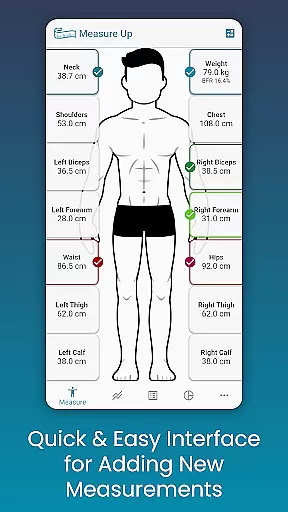
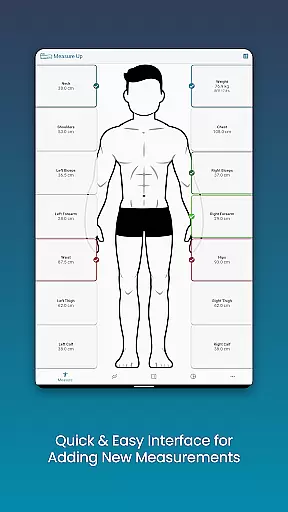
Body Measurement Tracker is a streamlined fitness companion designed to help users monitor their weight loss or muscle gain journey with ease. The app offers an intuitive interface that simplifies the recording of body measurements, ensuring that users can efficiently track their progress without any hassle. With features like Google Fit integration, users can sync their data across health platforms, making it a versatile tool for managing personal fitness goals.
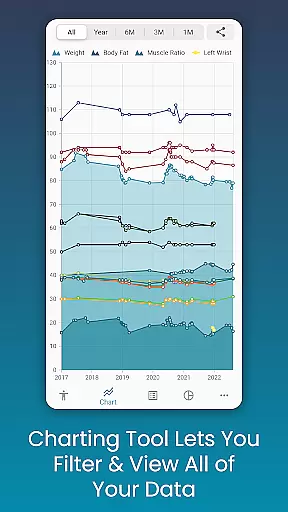
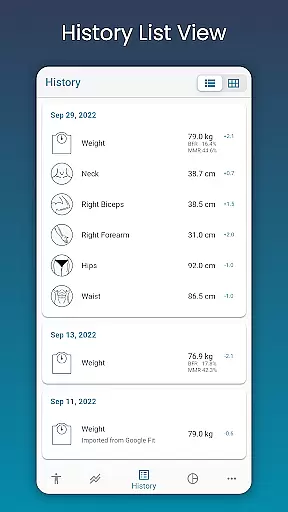
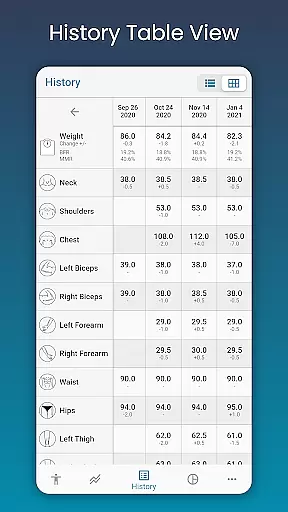
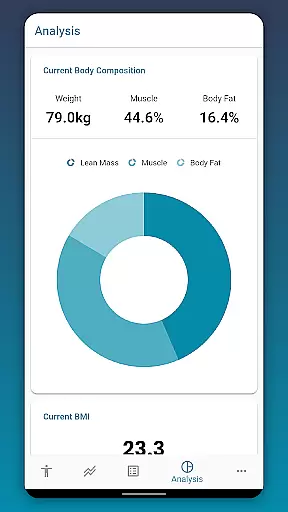
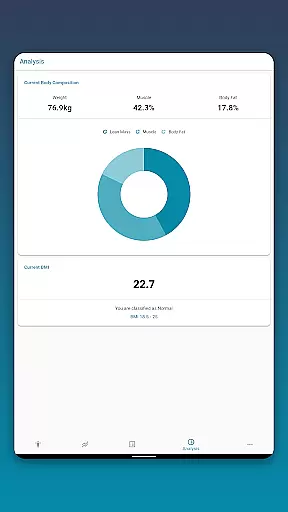
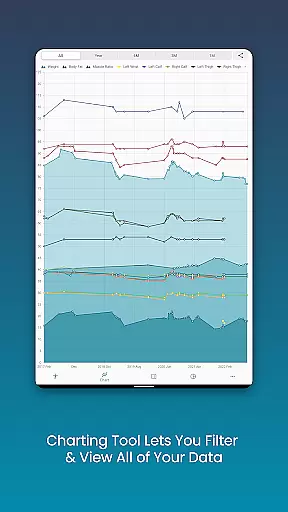
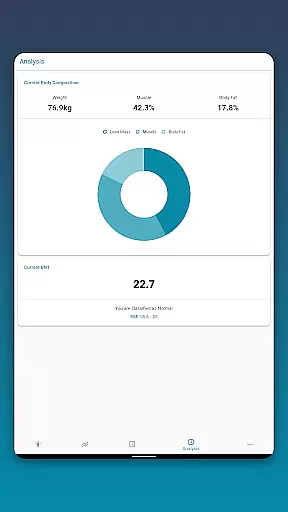
The app stands out with its unique chart analysis functionality, allowing users to visualize their progress through various metrics such as lean mass and body fat. Whether you are looking to analyze your Body Mass Index (BMI) or customize measurement parameters, this app provides the tools necessary to tailor your tracking experience. Its ability to export charts and maintain a comprehensive history of measurements makes it an invaluable asset for anyone serious about their fitness journey.
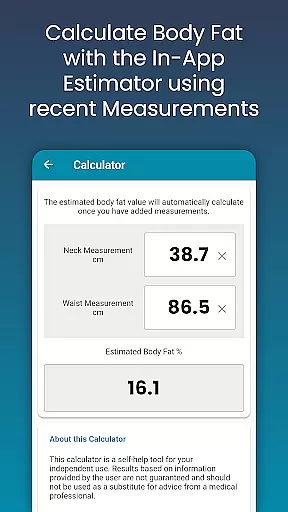
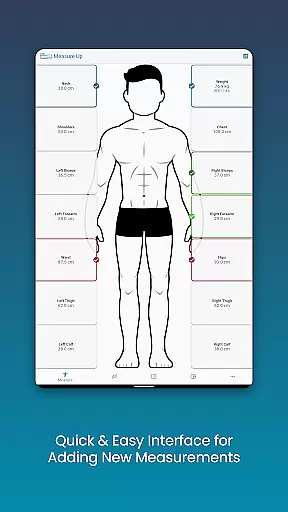
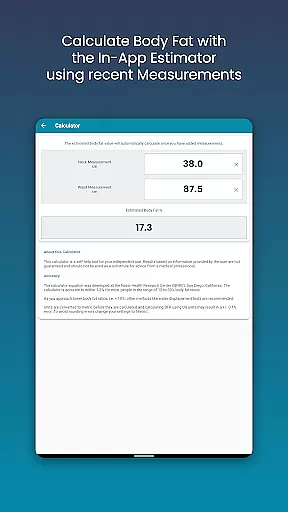
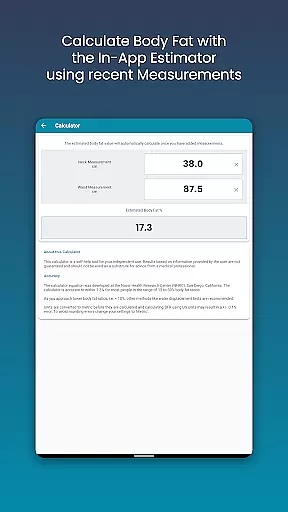
One of the core strengths of Body Measurement Tracker lies in its easy measurement logging system. Users can swiftly input their body metrics using a straightforward interface, add historical data by adjusting dates, and even estimate body fat through an integrated calculator. This ensures that all user information is captured accurately and comprehensively, providing a clear snapshot of their physical transformation over time.
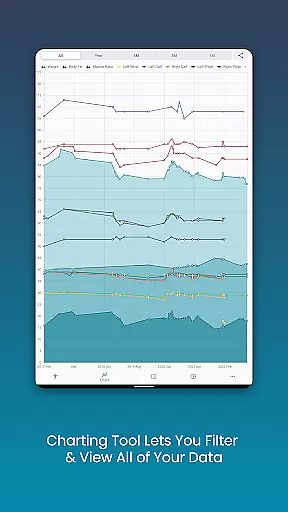
Beyond simple data entry, the app shines with its advanced chart analysis capabilities. Users can toggle different measurements on and off from the legend toolbar, stack various metrics like muscle and fat to observe overall progress, and export these visualizations as PNG files for sharing. Additionally, customizable options for measurements and colors allow for a personalized touch, while features like data backup and restore ensure that precious progress is never lost, offering peace of mind alongside utility.
Personalized planning in health and fitness apps refers to the ability to create tailored workout and nutrition plans based on individual goals, body metrics, and progress. This feature is crucial for users who want a customized approach to their fitness journey.
Body Measurement Tracker excels in personalized planning by allowing users to input specific body measurements and track changes over time. The app's interface enables quick addition of data, making it easy to adjust plans as users progress. With options to add custom measurements, the app ensures that each plan is unique to the individual's needs.
Users benefit from this feature by gaining a clear understanding of how their body responds to different fitness routines. The app's chart analysis provides visual feedback on progress, helping users make informed decisions about their fitness strategies.
The true value lies in empowering users to take control of their fitness journey with data-driven insights. By integrating with Google Fit, Body Measurement Tracker enhances its personalized planning capabilities, offering a comprehensive view of health metrics across different platforms.
Progress visualization is a key component of any fitness app, providing users with graphical representations of their achievements and milestones. This feature helps maintain motivation by clearly showing improvements over time.
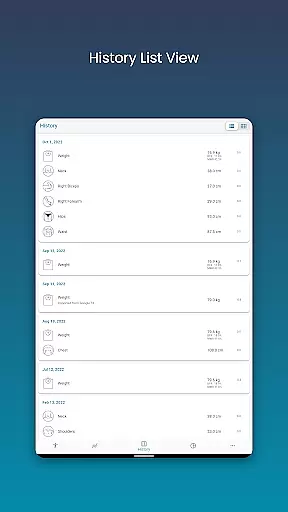
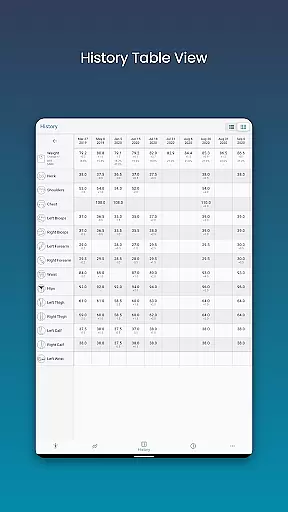
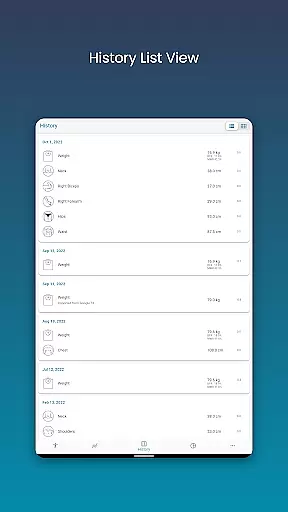
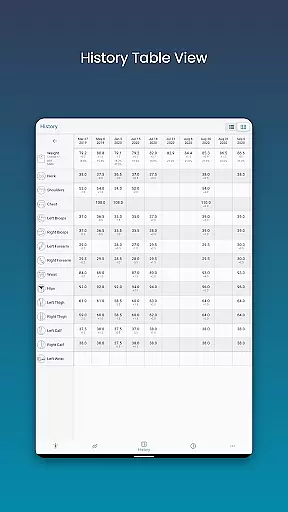
In Body Measurement Tracker, progress visualization is executed through various formats such as charts, tables, and lists. Users can toggle between these views to analyze their measurement history in a way that suits them best. The unique chart feature allows stacking of lean mass, body fat, and muscle, presenting a holistic view of physical progress.
This functionality benefits users by simplifying complex data into digestible visuals. Being able to export charts as PNG images adds an extra layer of utility, enabling sharing and personal record-keeping.
Ultimately, the app's robust progress visualization tools transform raw data into meaningful insights. This empowers users to stay committed to their fitness goals while celebrating incremental successes along the way.
User-friendly interface
Comprehensive chart analysis
Google Fit integration
Customizable measurement options
Data backup and restore functionality
Limited social features
No built-in workout plans
Premium version required for full access
Occasional syncing issues
Interface may feel basic to some

Your plan in your pocket 24/7
 3.00
3.00
Easy reconstitution calc for mixing peptides and creating protocols
4.70
Optimization for TRT & Enhanced Athletes
4.1
Binaural Beats - Fully Customizable Waves - Pure Sound - No Loops
4.50
Turn your steps into cash, gift cards & rewards with our step counting pedometer
3.80
Step Counter, track steps when you walk or run
4.70
Blood Pressure Log, HRV & Heartbeat Tracker. Pulse Checker.
4.40
Point, scan, and unlock truth in every bite.
4.50
Monitor blood sugar, gain insights, and manage diabetes with ease.
3.20
Load the bar with this barbell & plate calculator. It's leg day, not brain day!
4.70
Walk. Earn: Get rewarded for every step! Walk, move, and earn real rewards.
4.70
Raccoon AI Calorie Counter. Intermittent Fasting & Timer. Macro, Carb, Protein
4.50
Your portable blood pressure tracker. Record, monitor, and analyze BP anytime.
4.30
Pack of 66 calming lullabies for smooth fall asleep and relaxation
4.10
Get alert about getting out of desired heart rate zone.
4.10
Pupillary distance PD with camera quick and easy, checking glasses frames on you
3.70
Control your sleep in real-time wearing Garmin device
3.60
Enjoy the Gluten Free living with the best app. SCAN the barcodes & SEARCH.
3.60
Using Recognise™ has been shown to reduce pain and improve performance.
4.2


User Reviews