
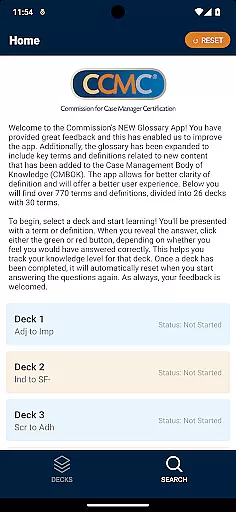
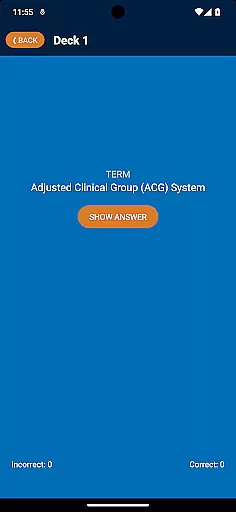
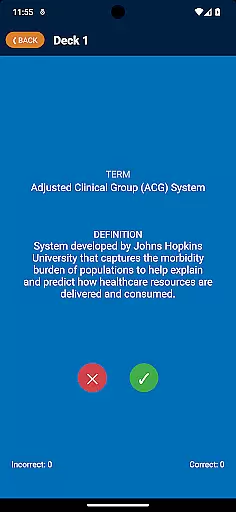
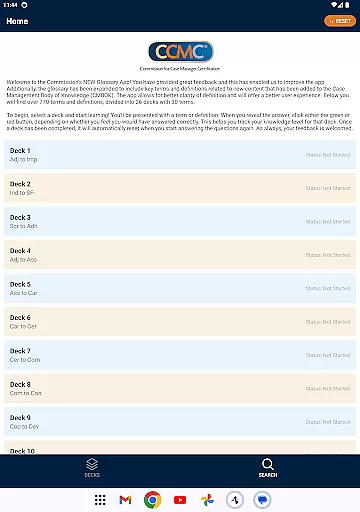
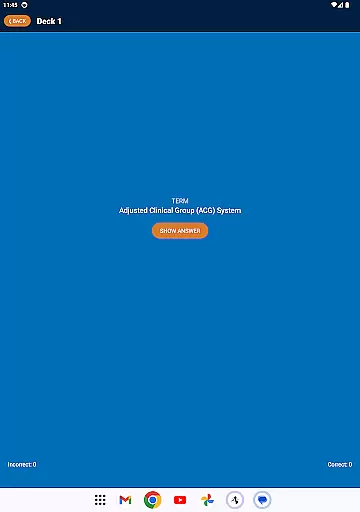
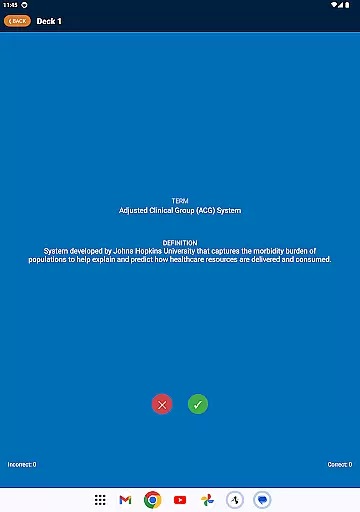
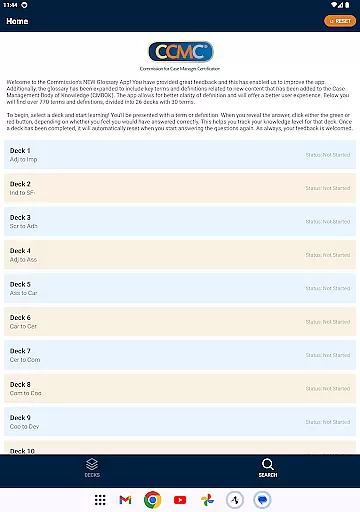
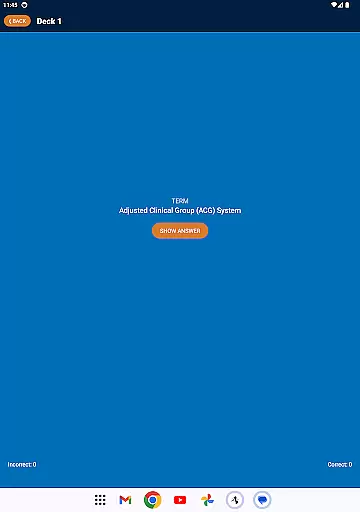
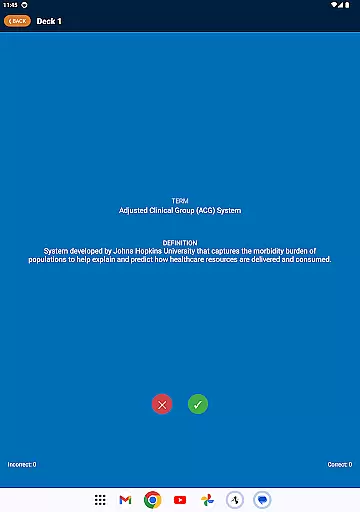
The CCM Glossary App is an educational tool designed to enhance understanding of key terms and definitions within the Case Management Body of Knowledge (CMBOK). With over 770 terms divided into 26 decks, each containing 30 terms, this app provides comprehensive coverage of essential concepts. Users can select a deck and engage in interactive learning by revealing answers and tracking their knowledge level through intuitive green and red button feedback mechanisms.
This app offers an improved user experience with better clarity of definitions, making it ideal for students, professionals, and anyone interested in case management. The inclusion of new content ensures that users stay updated with the latest terminology, thereby supporting continuous learning and professional development.
The CCM Glossary App boasts several notable features that facilitate effective learning. Firstly, its extensive glossary includes key terms and definitions related to new content added to the CMBOK, ensuring users have access to the most current information. Secondly, the app's interactive design allows users to test their knowledge by presenting terms or definitions and enabling self-assessment through green and red buttons for correct or incorrect answers.
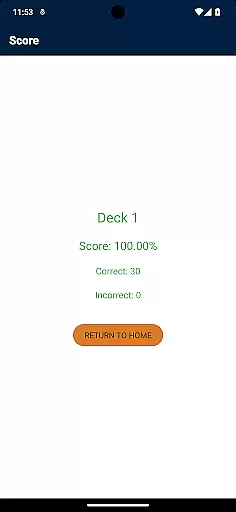
Additionally, the app automatically resets completed decks, allowing users to revisit and reinforce their learning continuously. This feature, combined with the ability to track knowledge levels, makes the CCM Glossary App a powerful tool for mastering complex terminology. The app's user-friendly interface and structured organization into decks further enhance the overall learning experience.
In the realm of educational applications, content accuracy is paramount. The CCM Glossary App ensures that all terms and definitions are meticulously reviewed by experts in the field. This guarantees that users receive information that is not only correct but also aligned with current industry standards.
The app includes over 770 terms and definitions from the Case Management Body of Knowledge (CMBOK), ensuring comprehensive coverage. Each term has been carefully selected and defined to provide clarity and precision, which is crucial for effective learning. This extensive glossary supports users in expanding their knowledge base with confidence.
Furthermore, the app's content undergoes continuous updates and improvements based on user feedback. This iterative process helps maintain high standards of accuracy and relevance. Users can trust that they are accessing the most up-to-date information available, enhancing both their understanding and application of key concepts.
One of the standout features of the CCM Glossary App is its ability to offer personalized learning paths. By dividing the extensive glossary into 26 decks with 30 terms each, users can focus on specific areas of interest or need. This modular approach allows learners to tailor their study sessions according to their unique requirements.
As users progress through the decks, they can track their knowledge level by indicating whether they answered correctly using green or red buttons. This self-assessment feature provides immediate feedback, helping users identify strengths and areas for improvement. Such insights enable a more targeted and efficient learning experience.
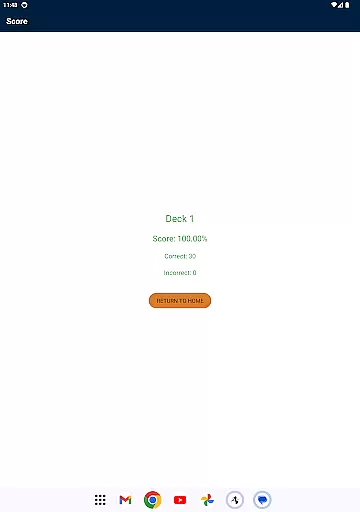
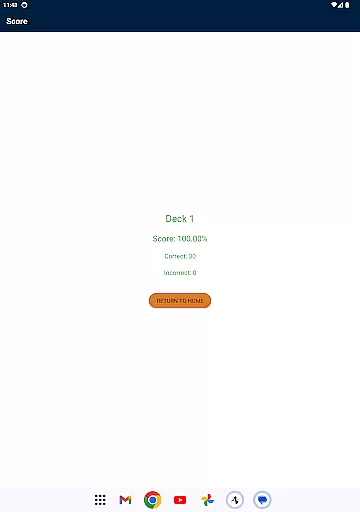
Additionally, once a deck is completed, it automatically resets, allowing users to revisit and reinforce their understanding. This cyclical learning method promotes retention and mastery of the material. Overall, the app's design encourages active engagement and fosters an adaptive learning environment tailored to individual needs.
User-friendly interface
Comprehensive glossary
Interactive learning tools
Continuous updates
Knowledge tracking
Limited to case management
No offline mode
Requires constant internet
Occasional bugs
Ads present

Childcare Management App: Daily sheets, sign in-out, billing and learning tools
 4.70
4.70
scanner body part for fun Prank friends realistic scan effects
3.00
One of the most engaging and innovative ABC apps on the market.
4.30
Deal Craps (Practice Craps Payouts)
3.80
Pickleball guide complete with illustrated Pickleball drills and helpful info
4.5
Master the NRP with 700+ questions, rationales, and updated NREMT scenarios.
3.00
Prepare for the BCBA / BCaBA exam. Study ABA with the ABA Wizard app.
4.60
Hasbro’s classic CANDY LAND game is now a gorgeous interactive storybook app.
2.30
Your Arts+Culture Guide
4.00
Explore myths and gods across cultures with in-depth insights and stories.
5.00
Dinosaurs coloring book game. Drawing and painting dinos.
4.50
An aviator’s preparation, study and test tool for FAA Knowledge Exams.
4.30
Build math skills in: addition, subtraction, multiplication and division.
4.10
An aviator’s preparation, study and test tool for FAA Knowledge Exams.
4.10
Learn to make peaceful contact with extraterrestrial civilizations
4.10
An aviator’s preparation, study and test tool for FAA Knowledge Exams.
4.00
Hasbro's Classic Board Game - Make Cavity Sam better or get the buzzer!
3.50
Your best partner for learning Japanese words. Based on a best-selling textbook.
2.90
Grazing Risk Monitoring Service
4.3


User Reviews