
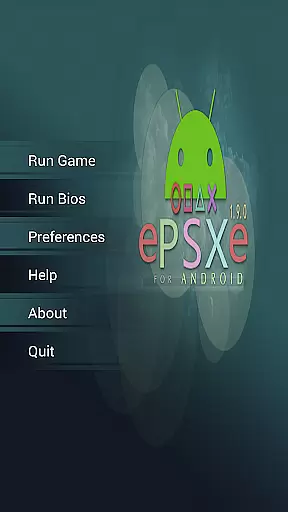
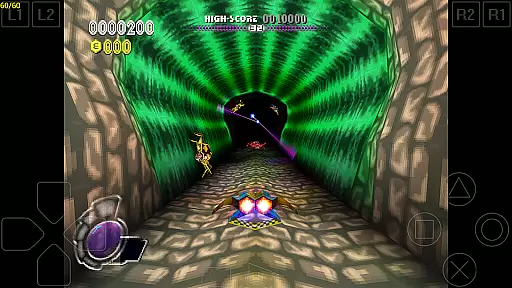
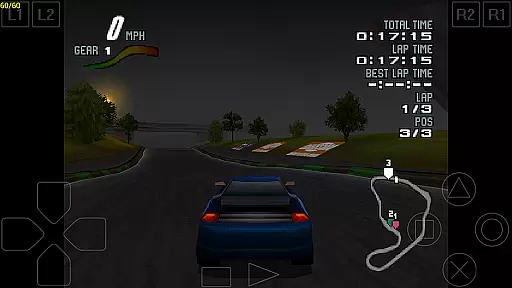
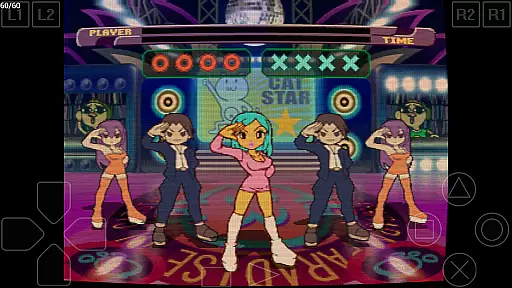
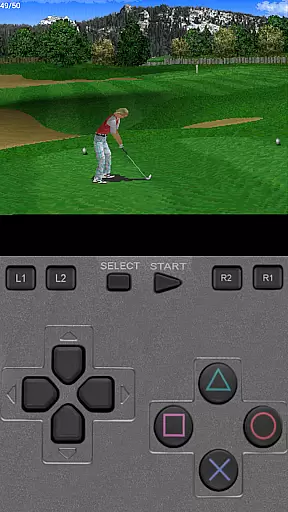
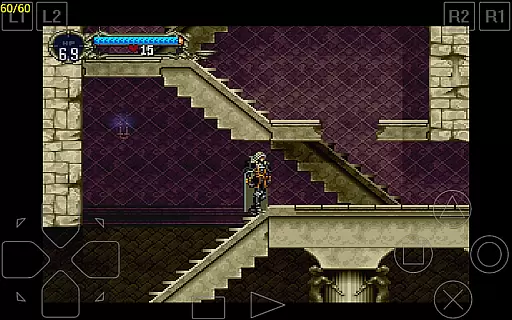
ePSXe for Android is a highly compatible Playstation emulator, bringing PSX and PSOne gaming to modern smartphones and tablets. With compatibility rates exceeding 99%, it delivers an exceptional emulation experience while supporting both single-player and multiplayer modes (up to 4 players). The app includes advanced features such as split-screen mode for two players, touchscreen controls, and hardware button mapping for devices like Xperia Play or external Bluetooth/USB gamepads.
Designed with performance in mind, ePSXe offers enhanced HD graphics through software and OpenGL renderers, savestate functionality, and cheat code support. It also ensures cross-compatibility with the PC version of ePSXe, allowing seamless transitions between platforms. Whether you're reliving classic games or exploring new ones, this emulator provides a polished and immersive retro gaming experience on mobile devices.
ePSXe stands out due to its robust feature set tailored for retro gaming enthusiasts. One key highlight is its extensive controller support, including virtual touch pads, physical keyboards, and external Bluetooth/USB gamepads like WiiMote, Xbox 360, and Moga. This flexibility ensures that users can customize their gameplay experience according to their preferences. Additionally, the app supports native ARM and Intel Atom X86 architectures, ensuring smooth performance across a wide range of devices.
Graphics enhancement options are another major advantage, offering 2x/4x software rendering and OpenGL-based rendering for improved visual fidelity. Users can also take advantage of savestates and memcard compatibility, which simplifies saving progress and transferring data from the PC version. These features collectively make ePSXe not just an emulator but a comprehensive platform for enjoying Playstation classics with modern convenience.
Arcade authenticity and nostalgia are crucial elements for any arcade-style application, ensuring that users experience the true essence of classic gaming. ePSXe for Android excels in this area by providing a highly compatible Playstation emulator that supports both PSX and PSOne games. With compatibility rates exceeding 99%, users can enjoy an extensive library of games just as they remember them from the original consoles.
The emulator goes beyond simple game play by offering enhanced graphics options including HD support, 2x/4x software rendering, and two OpenGL renderers. These features not only preserve the nostalgic value but also enhance the visual experience, making classic games look better than ever before. Additionally, ePSXe includes savestate functionality and memcard compatibility, allowing players to save their progress and pick up where they left off, just like in traditional arcade settings.
For those seeking an authentic multiplayer experience, ePSXe offers a fun split-screen mode for two players, along with comprehensive controller support. This includes virtual touchscreen pads, hardware button mapping, and compatibility with external Bluetooth or USB gamepads such as WiiMote, Sixaxis, Xbox 360, Moga, and Ipega. Such features ensure that the social and competitive aspects of arcade gaming are faithfully recreated on modern devices.
Control responsiveness is a key factor in delivering an immersive and enjoyable gaming experience. ePSXe for Android achieves this through its advanced input handling system, which supports a wide range of control methods. The emulator provides virtual touchscreen controls that are finely tuned for precision and ease of use, ensuring that players can navigate their games smoothly and accurately.
In addition to touchscreen support, ePSXe offers robust hardware button mapping capabilities. This feature allows users with devices like the Xperia Play, phones with keyboards, or various gamepads to map physical buttons to in-game actions seamlessly. By supporting external Bluetooth and USB controllers such as WiiMote, Sixaxis, Xbox 360, Moga, and Ipega, ePSXe ensures that gamers have multiple options to choose from based on their preferences and available hardware.
The combination of responsive touchscreen controls and versatile hardware support makes ePSXe stand out in terms of user interaction. Players can expect minimal latency and precise feedback, whether they're using a touch interface or a physical controller. This level of control responsiveness enhances the overall gaming experience, making it possible to enjoy fast-paced arcade games with confidence and accuracy.
High compatibility rate
HD graphics enhancement
Multiplayer support
External controller integration
Cross-platform save compatibility
No included games
Complex setup required
Performance varies by device
Limited customer support
Paid app

Bomb the communists back to 1916!
 4.70
4.70
GBA Emulator
4.40
Join the art challenge: Guess the word and draw fast before the timer runs out!
4.20
Sega Saturn Emulator
4.20
A fluid, action-packed arcade space shootout!
4.3
Cool car builder & racing simulator: make a car to win the obstacle course race!
4.60
The precise emulator of 8 bit handheld... Now even better!
4.50
Merge bowmasters to win the bow and arrow war! Play the fun archery game!
4.60
Addictive basketball game with challenging one-touch controls
4.50
Amid the vastness of the universe, you are a Black Hole about to be swallowed!
5.00
Master the skies in this epic airplane shooting game! Join the air force now!
4.80
Full featured version of Pizza Boy A (GBA emulator)
4.80
Create your restaurant story & make food on a crazy kitchen in this cooking game
4.70
Nostalgia.GBC is a high quality GBC emulator.
4.50
Fruit is waiting to be sliced, ninja. Play the hit mobile game !
4.50
The only Sega Saturn emulator for Android
4.40
Sit back and relax! Tap to move the black hole, and swallow weapons to win.
4.20
A fast, full-featured GBA emulator with link cable emulation.
3.90
Machine Gun Fire Rumbles in the Jungle
4.3


User Reviews