
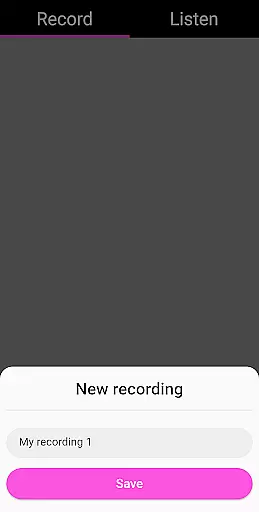
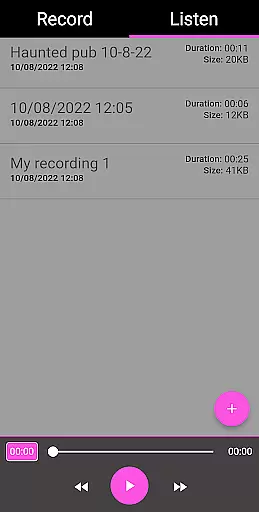
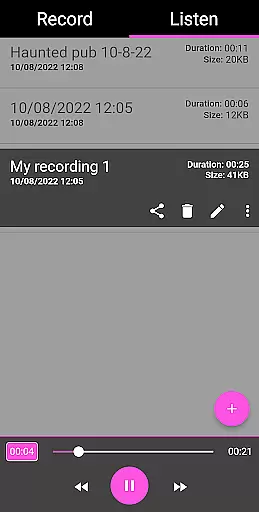
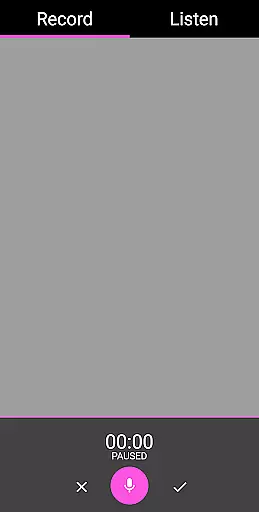
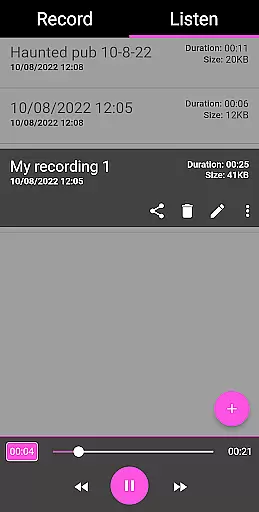
EVP Recorder is a specialized application designed for paranormal enthusiasts and ghost hunters. This app transforms your mobile device into a powerful tool for capturing Electronic Voice Phenomena (EVP), which are believed to be responses from spirits. With its user-friendly interface, the app allows users to record, save, and review audio sessions with ease.
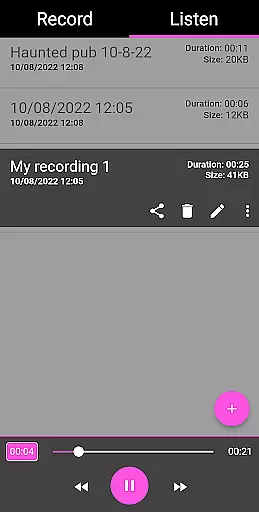
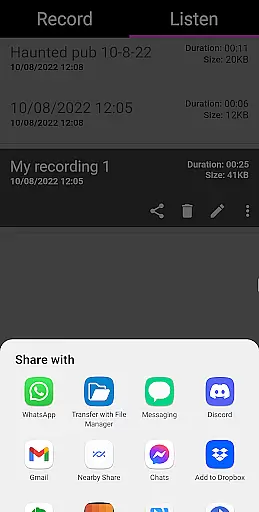
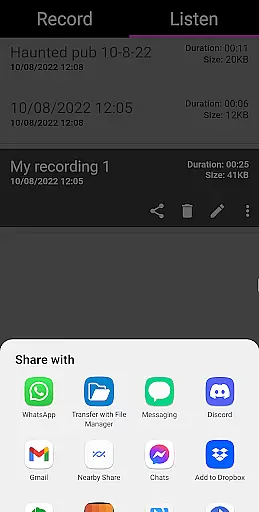
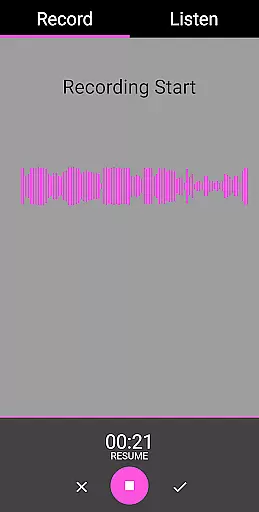
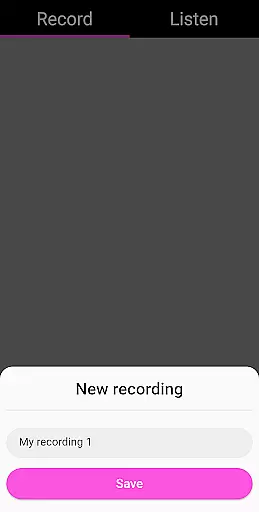
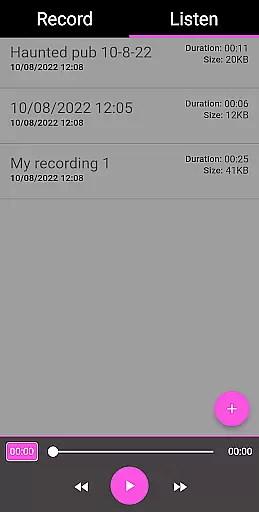
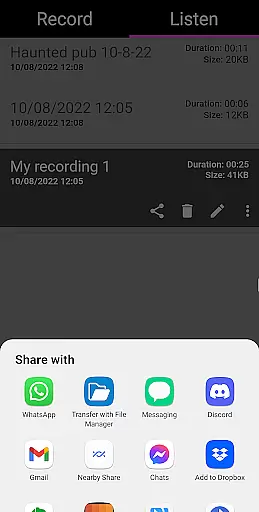
The app offers advanced features such as pause functionality during recording, audio visualization for visual feedback, and playback options including fast forward and reverse. Users can also rename, delete, and share their recordings via social media platforms like Facebook and WhatsApp. The EVP Recorder stands out with its ability to load existing recordings, making it convenient to manage all your EVP files in one place.
Whether you're an amateur ghost hunter or a seasoned paranormal investigator, this app provides the essential tools needed for spirit communication. Its reliable performance has been tested by experienced ghost hunting teams, ensuring that you have a trustworthy companion on your supernatural explorations.
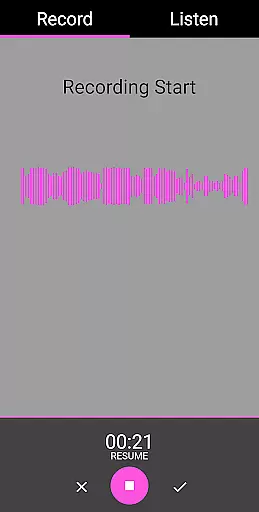
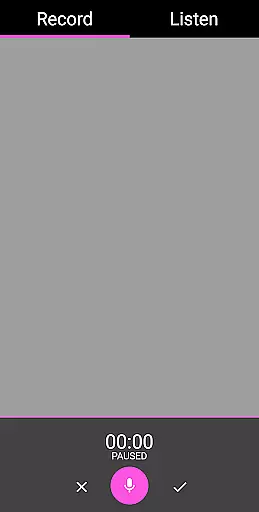
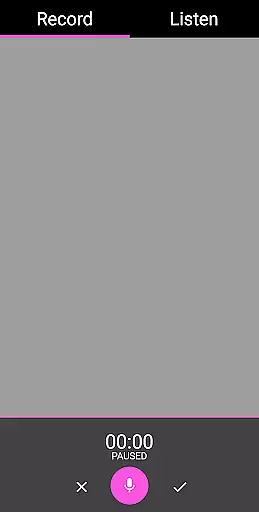
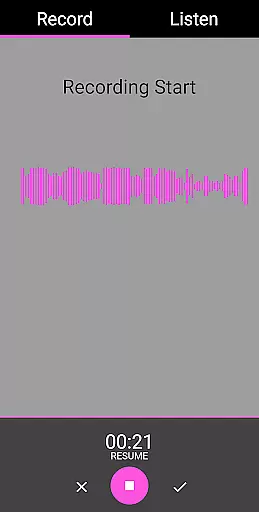
The EVP Recorder app boasts an array of features tailored specifically for effective ghost hunting. One of its standout capabilities is the high-quality recording function, which captures even the faintest of sounds that could be potential EVPs. The pause feature allows users to momentarily stop recording without losing previous audio data, providing flexibility during sessions.
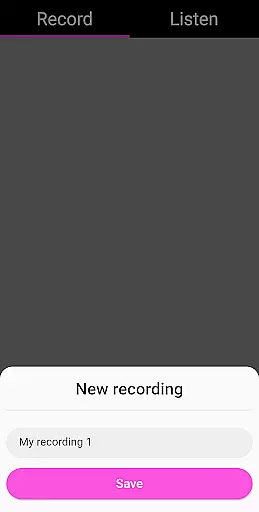
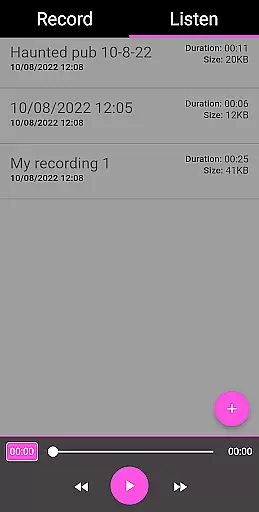
For enhanced analysis, the app includes audio visualization, enabling users to observe sound patterns in real-time. This visual aid can help identify anomalies that might indicate spirit presence. Additionally, the app supports comprehensive file management; users can rename, delete, and organize recordings efficiently within the app's intuitive interface.
Sharing findings is made easy with integrated social media options. You can quickly distribute intriguing recordings to fellow investigators or interested friends through various platforms. Moreover, the absence of ads and in-app purchases ensures uninterrupted use, while lifetime free updates guarantee access to the latest improvements and features, making EVP Recorder a valuable asset for any paranormal exploration.
The EVP Recorder app offers a unique blend of entertainment and paranormal exploration by providing users with specialized tools for ghost hunting. With features like EVP recording, playback options, and the ability to save and rename recordings, the app ensures that users have everything they need to capture and review potential electronic voice phenomena.
One of the standout aspects of this app is its ability to integrate various functions that cater specifically to enthusiasts in the paranormal field. Users can take advantage of pause functions during recording, audio visualization, and fast forward/reverse options during playback. These features not only enhance user engagement but also provide a comprehensive toolkit for capturing diverse responses from the spirit world.
In addition to its core functionalities, the EVP Recorder app provides regular updates and improvements, ensuring that users always have access to the latest features without any additional costs or in-app purchases. This commitment to continuous enhancement guarantees that the content remains fresh and relevant, offering users an evolving platform for their ghost hunting endeavors.
User engagement is a critical factor for any app's success, and the EVP Recorder excels in this area by offering an intuitive interface coupled with powerful functionality. The app's design allows users to easily navigate between recording and listening modes, making it simple to capture and review sessions. By providing clear instructions on how to use the app effectively, it ensures that even beginners can quickly become proficient ghost hunters.
Retention is further bolstered by the app's ability to save recordings and load existing files, allowing users to build a library of their experiences over time. Features such as sharing options via social media platforms enable users to discuss findings with fellow enthusiasts, creating a sense of community and encouraging continued use. Additionally, the lack of ads and in-app purchases enhances the overall user experience, promoting longer session durations.
Finally, practical tips for ghost hunting and analyzing voice recordings help maintain user interest beyond just using the app. By educating users on best practices and suggesting methods for improving results, the EVP Recorder fosters a deeper connection with its audience. This educational component not only increases the time spent within the app but also encourages repeat usage as users refine their techniques and explore new locations.
User-friendly interface
High-quality EVP recording
Comprehensive file management
No ads or in-app purchases
Lifetime free updates
Limited to EVP phenomena
Requires haunted locations
Potential false positives
Dependent on external factors
Not scientifically proven

Rain and lightning effects for your Philips Hue lights
 4.30
4.30
Music visualizer and party effects for your Nanoleaf devices
4.4
Atomus is a 10-finger multi-touch interactive visualizer.
4.30
Your choice of 350+ networks plus movies and full TV series on-demand.
3.70
Alice Box is an Instrumental Trans Communication app.
3.80
Your Avatar, Endless Fun
4.60
World's largest dedicated anime collection
4.70
Play casual games to get gift cards and money. More playing, more earning.
4.70
Scary prank camera & on face app: Shoot videos, selfies with spiders & scorpions
4.60
Stream Live TV, News & Documentaries. Watch Full Seasons with PBS Passport.
4.80
Exclusive creator communities
4.70
Hand-drawn, cartoon OC creator - original character creator
4.70
Find out if you're on Santa's Naughty or Nice List with this magical scanner!
4.60
Chat with AI characters! Anime, games, roleplay & more.
4.50
Stream videos to VIDAA & VEWD TVs from Hisense, Sharp, Skyworth, Vestel & TiVo
3.00
Unofficial Game Companion App” “Guides • Builds • Tips • Progression
4.1
Stream over 80 hours of exclusive mashups and remixes by DJ Rehab.
4.2
See the frequencies! Watch the magic!
4.1
Control your AWTRIX 3 easily
4.3


User Reviews