

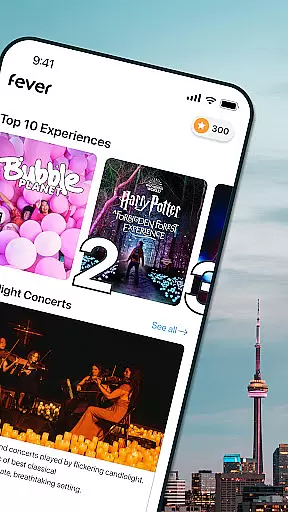
Fever is your ultimate guide to discovering the best events and experiences in your city. This app provides a comprehensive platform for users to explore local happenings, secret spots, and trendy pop-ups, some of which are exclusive to Fever. Whether you're interested in arts, music, food, or nightlife, Fever has something for everyone.
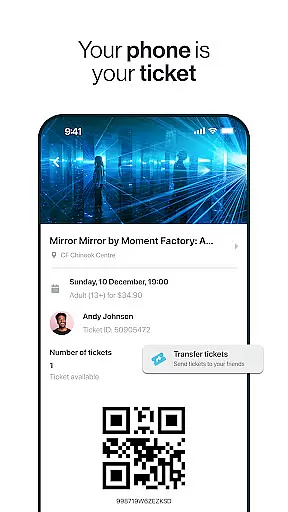
With unique features like the Fever Club reward system, handy event filters, and personalized recommendations, Fever ensures that you have all the tools needed to make the most of your city's offerings. The app also supports paper-free ticketing and easy transfers, making it convenient for users to manage their event plans directly from their mobile devices.
Available in multiple cities across the US, Fever is perfect for anyone looking to enrich their social calendar with exciting activities. From exclusive exhibitions to immersive experiences, Fever helps you stay updated on what's happening around you, ensuring you never miss out on the fun.
Fever stands out with its array of distinctive features designed to enhance user experience. One of the key highlights is access to exclusive events that you won't find listed anywhere else, such as the Jurassic World Exhibition and Van Gogh Immersive Experience. These unique offerings provide users with unparalleled opportunities to engage in memorable activities.
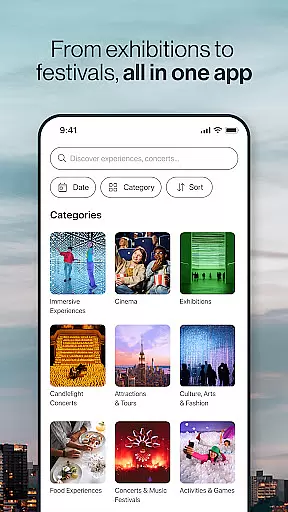
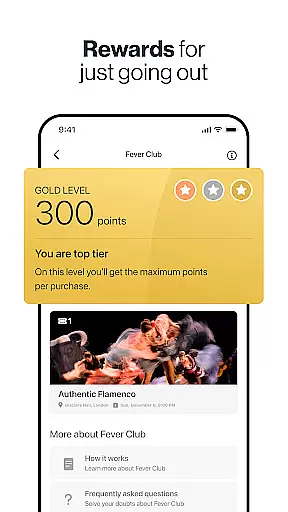
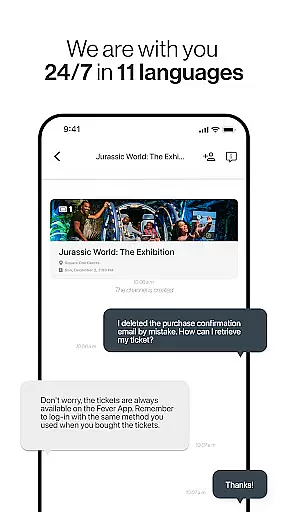
The app includes practical functionalities like the Fever filters, which allow users to search for events by date and time, and a map feature showing nearby events. Additionally, the Fever wallet rewards users with points on ticket purchases, while the favorites list keeps track of preferred events for quick access. With 24/7 multilingual customer support, Fever ensures users receive assistance whenever needed.
Fever covers a wide range of event categories including tours, concerts, theater shows, food experiences, and nightlife parties. This diversity allows users to tailor their leisure activities according to personal interests. Moreover, Fever's fully mobile, paper-free tickets streamline the process of attending events, offering an eco-friendly and hassle-free solution for modern urban explorers.
Task creation and detail customization are essential features for any event discovery app like Fever. This functionality allows users to create personalized event schedules while tailoring specifics such as date, time, location, and category preferences.
Fever excels in this area by offering intuitive filters that let users refine their searches based on various criteria. Whether you're looking for exclusive events like Jurassic World: The Exhibition or more niche experiences like Van Gogh: the Immersive Experience, Fever provides detailed customization options to match your interests.
The value of this feature lies in its ability to enhance user engagement by delivering relevant content. By allowing users to favorite events and receive personalized recommendations, Fever ensures that each interaction is meaningful and tailored to individual preferences.
Ultimately, robust task creation and customization capabilities help users make the most of their city's offerings. With features like ticket transfers, map views of event locations, and a fully mobile ticketing system, Fever simplifies the process of planning and attending events, making urban exploration both seamless and enjoyable.
Reminder settings play a crucial role in ensuring users never miss out on exciting events and experiences. For an app like Fever, which offers a vast array of activities ranging from concerts to food tours, having reliable reminder functionalities is key to enhancing user satisfaction.
Fever incorporates advanced reminder settings that allow users to set notifications for upcoming events. These reminders can be customized according to personal schedules, ensuring timely alerts that fit into busy lifestyles. Whether itu2019s a last-minute booking or advance planning for something like Stranger Things: The Experience, these reminders keep users informed.
This feature significantly benefits users by reducing the chances of missing out on desired activities. It also aids in better time management by integrating seamlessly with other calendar applications, thus streamlining the entire planning process.
In summary, effective reminder settings not only improve user retention but also enrich the overall experience by keeping participants engaged and well-informed about their planned activities. With 24/7 customer support available in multiple languages, Fever ensures that help is always at hand should any issues arise with setting reminders.
User-friendly interface
Exclusive event access
Personalized recommendations
Comprehensive event categories
24/7 customer support
Limited city coverage
Occasional app glitches
High demand tickets sell out fast
Some features require account setup
Dependent on local partnerships

Greeting card maker with photos best app| Birthday cards| All wishes eCards FREE
 4.50
4.50
Community for Mods, Addons, Melsaves, Melmods for Melon Playground
4.2
Find tickets to upcoming concerts, sports events, festivals, shows, attractions
4.70
Purchase line-skip passes, drinks, cover, and more at bars and clubs
3.50
Local events, contests, and giveaways for local dads
3.70
Create invitation cards for birthdays, weddings, Christmas and more.
4.80
Digital Income Wallet of the Final Libertadores 2025
4.5
Text message invitations for birthday party, wedding, graduation, baby shower +
4.60
RAISE-365 makes fundraising easy and fun!
3.20
The KRUU app - plan, celebrate, remember
4.80
Wedding planner app with wedding venues, wedding checklist, countdown & budget.
4.60
Invitation Card Maker, Design & share wedding, birthday & party invites fast
4.40
Meet people over dinner
4.40
Manage all your events, leads, ticketing, payments and check-ins.
4.30
Get live football here
4.30
The world's largest selection of tickets is now at your fingertips
3.90
TV Garden - World Live TV : Play & cast your videos seamlessly!
3.20
It is an Event Planning Application.
4.2
TV Garden is a video player to play your own TV streams from around the world!
4.2


User Reviews