
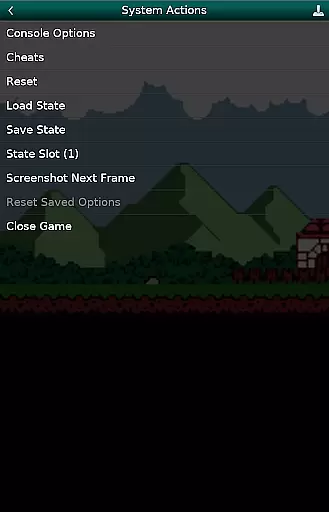
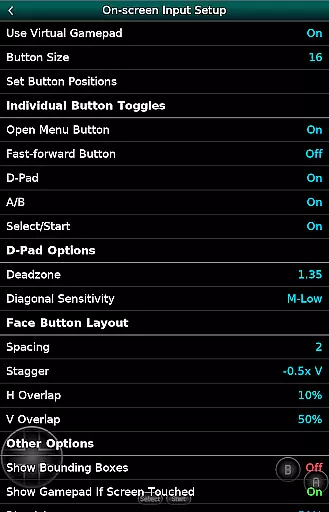
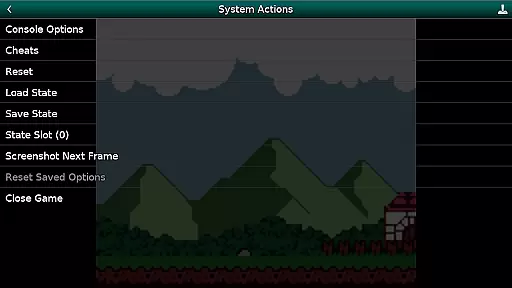
GBC.emu is an advanced open-source Gameboy and Gameboy Color emulator based on Gambatte. It features a minimalist UI with a focus on low audio and video latency, making it suitable for a wide range of devices from the original Xperia Play to modern devices like the Nvidia Shield and Pixel phones. The app supports multiple color palettes for original GB games, cheat codes in Game Genie and Gameshark formats, and various file formats including .gb, .gbc, ZIP, RAR, and 7Z.
With configurable on-screen controls and support for Bluetooth/USB gamepads and keyboards, GBC.emu offers a versatile gaming experience. It is compatible with any HID device recognized by the OS, such as Xbox and PS controllers. ROMs are not included and must be supplied by the user. The app supports Android's storage access framework, allowing users to open files from both internal and external storage.
GBC.emu stands out with its multiple color palettes for original GB games, enhancing the visual experience. The app supports cheat codes in Game Genie and Gameshark formats, providing flexibility for gamers. It is compatible with .gb and .gbc file formats, optionally compressed with ZIP, RAR, or 7Z, offering convenience in managing game files.
The emulator includes configurable on-screen controls and supports Bluetooth/USB gamepads and keyboards, ensuring compatibility with a variety of HID devices recognized by the OS, such as Xbox and PS controllers. This makes it highly versatile for different gaming preferences. Additionally, GBC.emu focuses on low audio/video latency, delivering a smooth and responsive gaming experience across a wide variety of devices.
Arcade authenticity and nostalgia are crucial elements for any gaming emulator, ensuring that the original experience of classic games is preserved. GBC.emu (Gameboy Emulator) excels in this area by offering an advanced emulation based on Gambatte, a highly accurate Game Boy and Game Boy Color emulator core.
This app provides multiple color palettes for original GB games, allowing users to relive their favorite childhood gaming moments with enhanced visuals while maintaining the nostalgic feel. The minimalist UI further enhances the focus on low audio/video latency, providing a seamless and immersive experience akin to playing on actual arcade machines.
Users benefit from features like cheat codes in Game Genie and Gameshark formats, which were popular during the arcade era. These features not only enhance gameplay but also evoke memories of traditional gaming setups where such cheats were commonly used.
The emulator's support for .gb and .gbc file formats, optionally compressed with ZIP, RAR, or 7Z, ensures compatibility with a wide range of game files, making it easy for enthusiasts to gather and play their old collections. This dedication to preserving the authentic arcade experience makes GBC.emu a top choice for nostalgic gamers.
Control responsiveness is vital for an optimal gaming experience, especially in emulators where precision can make or break gameplay. GBC.emu (Gameboy Emulator) addresses this need by offering configurable on-screen controls that allow users to customize their interface according to personal preferences.
The app supports Bluetooth and USB gamepads, as well as keyboards, compatible with any HID device recognized by the OS, such as Xbox and PS controllers. This extensive peripheral support ensures that users can choose their preferred method of control, enhancing the overall responsiveness and comfort during extended gaming sessions.
By focusing on low audio/video latency, GBC.emu ensures that every button press translates immediately into in-game actions, providing a tight and responsive control scheme. This attention to detail significantly improves the user experience, making gameplay smooth and enjoyable.
Overall, the combination of customizable controls and broad peripheral compatibility positions GBC.emu as a leading choice for gamers who prioritize control responsiveness in their emulation experience.
Low audio/video latency
Multiple color palettes
Cheat code support
Wide device compatibility
Configurable controls
No ROMs included
Requires technical knowledge
Limited customer support
Complex setup
Compatibility issues

GBA Emulator
 4.40
4.40
Frenetic party game, pass the bomb to the other players!
3.80
Reach high, and shine in the neon world in 3D!
4.5
Challenge your friends across the world to see who can jump the farthest!
4.50
It's quite possibly the world's hardest game!
3.90
Running game: dance in a twerk battle and become the twerk hero in our fun race!
4.30
Merge bowmasters to win the bow and arrow war! Play the fun archery game!
4.60
Addictive basketball game with challenging one-touch controls
4.50
Crazy games: Kick your buddies, beat the boss, and turn the office into chaos!
4.40
This is an emulator for a certain 64 bit console with online cloud backup.
4.80
Meet Snake Run Race! Slither through an obstacle course in our fun running game!
4.70
Save the Galaxy from galaxiga alien - Classic arcade shooter game
4.60
Fruit is waiting to be sliced, ninja. Play the hit mobile game !
4.50
Outrun cops, ignite the thrill of a high-speed chase!
4.50
Suck the other’s blood and be the longest surviving mosquito!
4.40
The only Sega Saturn emulator for Android
4.40
Three awesome new levels for The Impossible Game.
4.30
Epic offline war strategy game - build your city, train your army, conquer
4.20
M64Pro FZX Classic Emulator for Android
4.5


User Reviews