
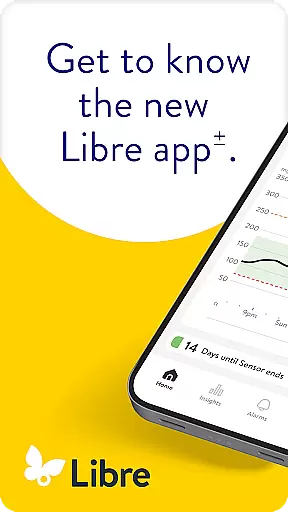
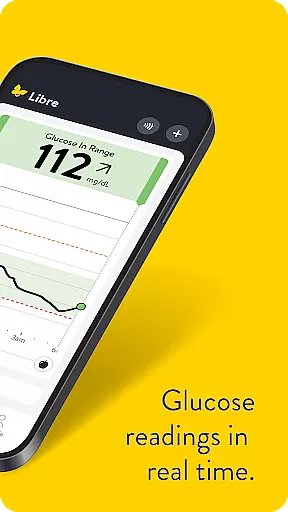
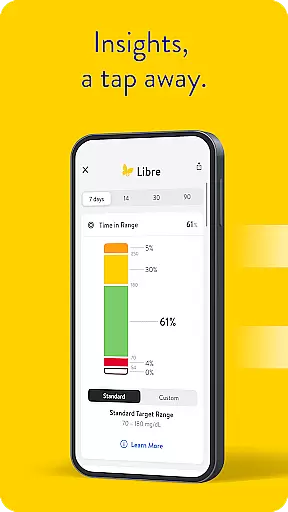
Libre by Abbott is a leading continuous glucose-monitoring (CGM) app designed specifically for individuals managing diabetes. This essential health tool provides real-time glucose readings directly to your smartphone every minute, eliminating the need for traditional fingerstick tests. The app supports FreeStyle Libre 2 and FreeStyle Libre 3 system sensors, making it a versatile solution for diabetes management.
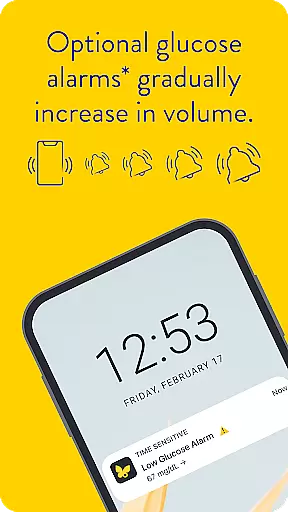
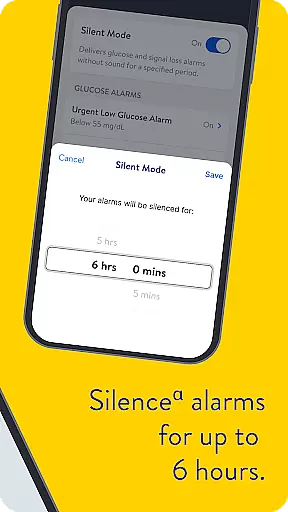
One of the standout features of Libre by Abbott is its customizable alarm system that discreetly alerts users when their glucose levels are too high or too low. Users can temporarily silence these alarms for up to six hours if needed. The application also offers compatibility with various smartphones, though it's important to verify your device's compatibility on the official Abbott website before installation.
This medical-grade application is suitable for both adults and children, with specific age requirements depending on the sensor type used. It serves as a crucial tool in diabetes management, helping patients maintain optimal glucose levels while providing valuable data for healthcare professionals to make informed treatment decisions.
The Libre by Abbott app boasts several distinctive features that set it apart in diabetes care. Its primary function is automatic glucose reading updates every minute, providing users with unparalleled real-time monitoring capabilities. This feature alone significantly enhances diabetes management by offering continuous insights into glucose trends and patterns.
A notable innovation is the app's optional alarm system, which includes multiple alert options for high and low glucose levels. These alarms can be customized and even temporarily silenced through a unique 'do not disturb' mode lasting up to six hours. The application maintains safety by allowing visual notifications even when audio alerts are disabled, ensuring users remain aware of critical glucose changes.
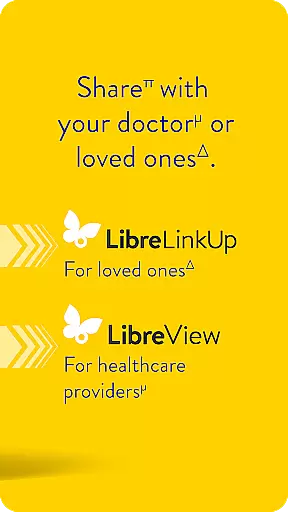
Furthermore, Libre by Abbott integrates seamlessly with LibreView data management software, enabling both patients and healthcare providers to analyze historical glucose data effectively. This comprehensive approach to diabetes management extends to its compatibility with LibreLinkUp, allowing caregivers to remotely monitor loved ones' glucose levels. The app's robust feature set makes it an indispensable tool for modern diabetes care.
In the realm of diabetes management, the credibility of medical content is paramount. Libre by Abbott app provides users with continuous glucose monitoring that is rooted in clinically validated technology. The app is designed to work seamlessly with FreeStyle Libre 2 and FreeStyle Libre 3 system sensors, ensuring that every reading is reflective of the user's current physiological state.
The application undergoes rigorous testing and validation processes to maintain high standards of accuracy. It is intended for use by individuals with diabetes who are four years or older when paired with specific sensors. This age specification is a testament to the careful consideration given to the varying needs across different age groups, underlining the app's commitment to safety and precision.
Healthcare professionals play a critical role in endorsing tools for patient care. They can confidently recommend Libre by Abbott due to its alignment with professional guidelines and practices. Moreover, the availability of detailed user manuals within the app itself serves as an educational resource, empowering users with knowledge about their condition and how best to utilize this digital tool in managing it.
Teleconsultations have become an integral part of modern healthcare delivery, especially for chronic conditions like diabetes. Libre by Abbott enhances teleconsultation quality by providing real-time data access to healthcare providers. With readings updating every minute on the useru2019s phone, doctors can make informed decisions based on current and comprehensive glucose level trends.
The optional alarms feature discreetly alerts users about critical changes in their glucose levels. This functionality ensures that both patients and healthcare providers are promptly notified of any urgent health concerns, facilitating timely interventions. Furthermore, the ability to silence alarms temporarily offers flexibility during consultations or periods when uninterrupted interaction is necessary.
For optimal telehealth experiences, internet connectivity is essential as it enables automatic uploads of glucose data to LibreViewu2014a platform where historical data analysis supports effective diabetes management. By integrating such robust systems into daily routines, Libre by Abbott not only maintains but elevates the standard of remote patient monitoring and care coordination between patients and their healthcare teams.
Real-time glucose tracking
Customizable alarm system
Wide sensor compatibility
User-friendly interface
Remote monitoring options
Device compatibility limitations
Requires prescription
Internet connection necessary
Age restrictions apply
Potential connectivity issues

Behavioral Health Portal
 4.70
4.70
The official DSM-5-TR® app
4.50
OKN Strips, OptoDrum, OKN
4.0
Over 1,200 review questions and 5 exams—pass the NREMT with EMT Review Plus!
4.10
Boost reading, writing, speaking and listening with a scientifically proven app.
4.70
CPR Timer for High Performance AHA BLS / ACLS
5.00
The doctor will see you now
4.70
Get your lab results on your smartphone with MyQuest.
4.40
Tap & save. Coupons that fit in your pocket. Find low prices on prescriptions.
4.80
Your donation experience just got smoother; Donor Hub is your go-to place.
4.70
Save up to 80% on your pharmacy prescriptions & medications with free Rx coupons
4.70
Discover the source of pain with Muscle Trigger Point Anatomy.
4.70
Blue Cross and Blue Shield of Texas member information
4.60
World's largest contact lens store
4.60
Secure video visits with your VA care team from anywhere
4.50
Personalized hearing experience and health data tracking
4.50
3rd trimester? Counting Kicks is what moms should do-It’s important & easy too!
4.30
Control your hearing aids discreetly with the touch of a finger
4.30
An easy way to earn money donating plasma. Book a visit, sit back, and get paid.
3.80


User Reviews