
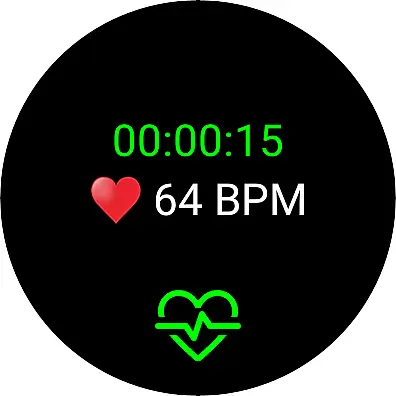
Live Heart Rate Pro is a cutting-edge heart rate monitoring application designed for fitness enthusiasts and athletes who demand precision in their training. The app connects seamlessly to Wear OS devices or Bluetooth (BLE) heart rate transmitters, providing real-time tracking of your heartbeat and calorie burn during workouts. With its advanced analytics features, users can monitor key metrics such as heart rate zones, calorie expenditure, and workout intensity.
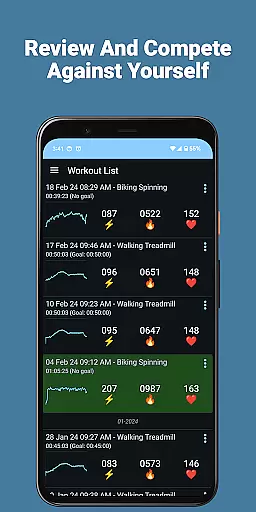
Whether your goal is weight loss or peak athletic performance, Live Heart Rate Pro offers tailored tools to help you succeed. The Goal feature allows you to set specific time and calorie targets, while the Compete feature lets you challenge your previous workouts. Additionally, the app provides detailed post-workout analysis, including heart rate distribution charts and TRIMP scores, ensuring that every session contributes to your overall progress.
Ideal for runners, cyclists, and gym-goers, this app transforms how you approach fitness by delivering actionable insights through an intuitive interface. Its comprehensive tracking capabilities make it an indispensable tool for optimizing both endurance and strength training programs.
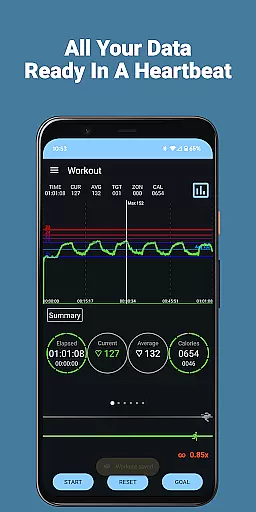
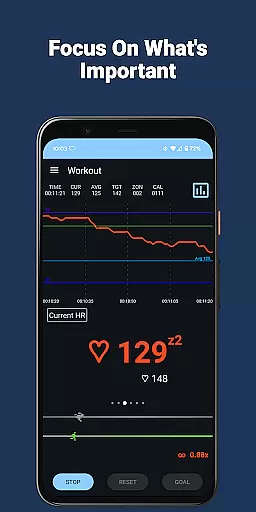
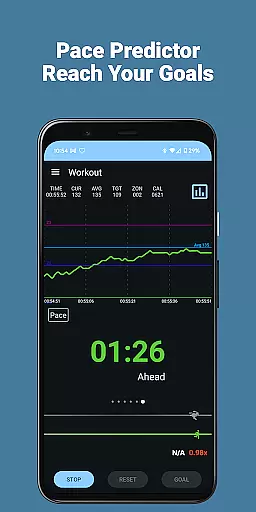
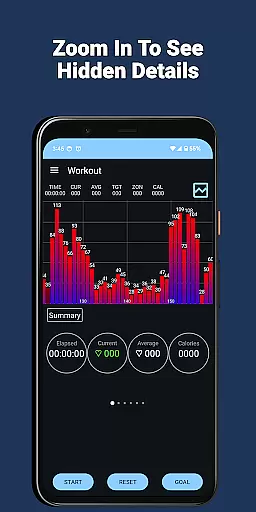
Live Heart Rate Pro stands out with its robust feature set tailored for both casual exercisers and serious athletes. One of its core strengths is the real-time heart rate graph, which visually displays your pulse throughout the workout. This is complemented by the Zoom Follow feature, allowing users to zoom into their current heart rate for a more detailed view. Such functionality ensures precise monitoring and adjustment of exercise intensity.
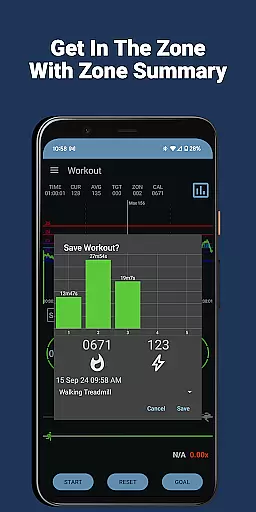
Beyond basic tracking, the app includes advanced analytical tools like heart rate zone displays and distribution charts. These features break down how much time you spend in each heart rate zone, helping optimize cardiovascular training. The Goal and Compete features further enhance motivation by enabling users to set targets and challenge past performances. Additionally, innovative options like Cloud Compete and TRIMP scores provide deeper insights into training loads and competitive benchmarks.
Other notable features include hydration reminders, heart rate alarms, and CSV export capabilities for external analysis. By supporting both Wear OS and Bluetooth devices, Live Heart Rate Pro ensures compatibility across a wide range of fitness equipment. Its combination of usability, accuracy, and innovation makes it one of the most versatile health and fitness apps available today.
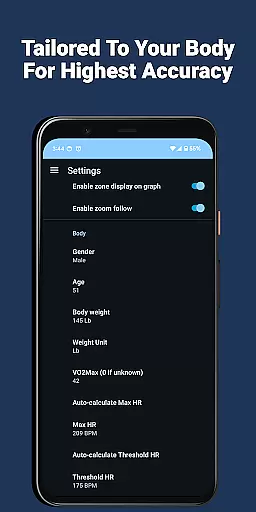
Personalized planning in Live Heart Rate Pro refers to the app's ability to tailor heart rate monitoring and workout goals specifically to the user's needs. This feature is crucial for anyone looking to optimize their exercise routine effectively.
The app achieves personalized planning through its Goal feature, which allows users to set specific workout durations and calorie-burning targets. By analyzing real-time heart rate data, it helps users maintain the right intensity to meet their fitness objectives efficiently.
Users benefit from this feature by receiving customized guidance that adapts to their performance. Whether aiming for weight loss or peak athletic performance, the app ensures workouts are aligned with personal goals, enhancing motivation and results.
This level of personalization not only boosts user engagement but also maximizes the effectiveness of each workout session, making Live Heart Rate Pro an invaluable tool for achieving health and fitness milestones.
Progress visualization in Live Heart Rate Pro involves presenting users' heart rate data and workout metrics in an easily digestible graphical format. This feature is essential for understanding workout intensity and tracking improvements over time.
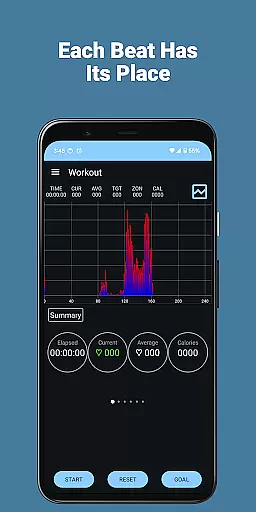
The app provides several tools for progress visualization, including a large heart rate graph that displays real-time heart rate trends throughout the workout. Additionally, the heart rate distribution chart and zone display offer insights into how much time is spent at various heart rates and in different zones.
These visual aids empower users to make informed decisions about their training by clearly showing their performance metrics. The ability to visually track progress enhances user motivation and adherence to fitness goals.
By offering comprehensive and clear progress visualization, Live Heart Rate Pro ensures users can monitor their fitness journey effectively, leading to better health outcomes and sustained engagement with the app.
Real-time heart rate tracking
Advanced analytics tools
Compatibility with Wear OS
Motivational goal setting
Comprehensive post-workout reports
Requires external device
Premium pricing model
Complex for beginners
Limited offline functionality
High battery consumption

Control your sleep in real-time wearing Garmin device
 3.60
3.60
Pack of 66 calming lullabies for smooth fall asleep and relaxation
4.10
Using Recognise™ has been shown to reduce pain and improve performance.
4.1
Get alert about getting out of desired heart rate zone.
4.10
A simple way to calculate peptide doses and also to convert different units.
4.2
Protect your healthy sleep
4.80
Wall Pilates at home & Pilates workout for beginners for core and weight loss.
4.80
Medbridge GO gets you moving - get back to doing what you love, faster!
4.90
Drink water reminder app. Track water intake. Smart simple hydration tracker.
4.70
Beauty Care, Makeup & Skin Care Scanner | Pregnancy App For A Mom | Healthy Baby
5.00
sobriety counter app to help and motivate people to stop drinking alcohol.
4.90
Easy reconstitution calc for mixing peptides and creating protocols
4.70
You deserve easy access to important insurance information. Download for FREE.
4.70
See what's really going on inside your head! Real time EEG graphs from your Muse
4.40
Your portable blood pressure tracker. Record, monitor, and analyze BP anytime.
4.30
Interval timer for High Intensity Interval Training, Tabata and Circuit Training
4.20
Histamine intolerance, low FODMAP diet and irritable bowel syndrome (IBS)
4.00
The app helps you address digestive symptoms based on the Fast Tract Diet.
3.50
Using Recognise™ has been shown to reduce pain, and improve performance.
4.4


User Reviews