
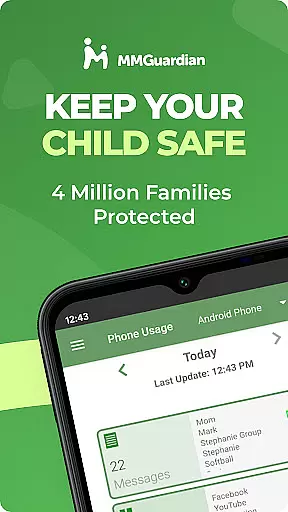
MMGuardian Parental Control is a comprehensive parental monitoring solution designed to ensure children's online safety. The app allows parents to remotely monitor and manage their child's mobile activity, offering features such as screen time management, app blocking, internet filtering, text message monitoring, and safety alerts. By linking the parent app with a separate child app installed on the child's Android or iPhone device, parents can actively protect their children from potential online risks.
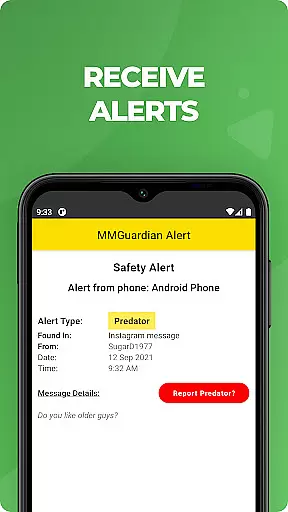
The service provides real-time alerts for suspicious activities related to drugs, sexting, cyberbullying, and more. Parents receive notifications about concerning text messages, social media chats, or web searches. With additional functions like GPS tracking, remote phone locking, and detailed activity reports, MMGuardian equips parents with tools to safeguard their children while fostering responsible digital behavior. A 14-day free trial is available, after which a subscription is required for premium features.
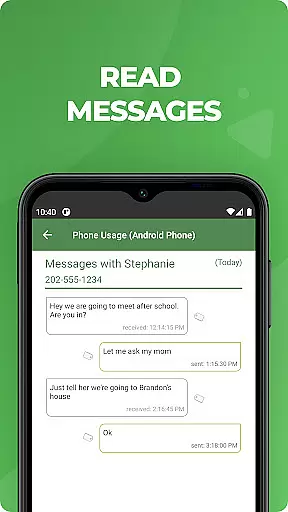
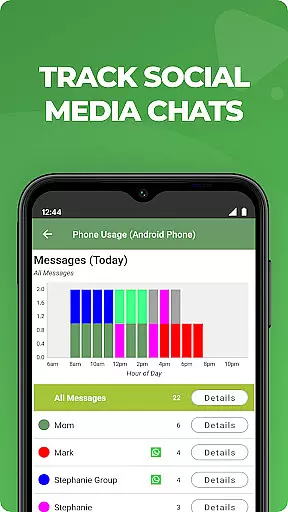
MMGuardian Parental Control stands out with its robust set of features tailored for modern parenting challenges. The app enables parents to monitor SMS text messages, web browsing activity, application usage, and phone calls. It extends its monitoring capabilities to popular social media platforms like Facebook Messenger, WhatsApp, Snapchat, Instagram, Kik, TikTok, and Discord, alerting parents to potentially harmful content in chat messages.
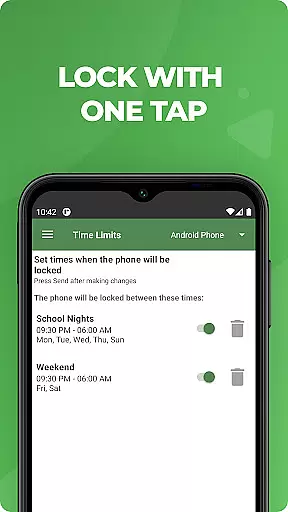
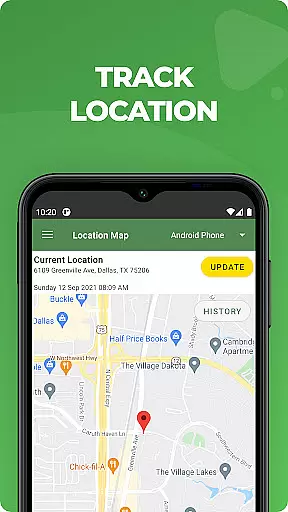
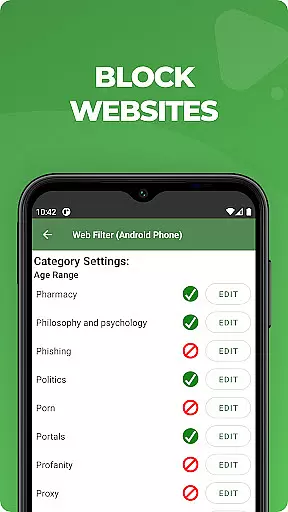
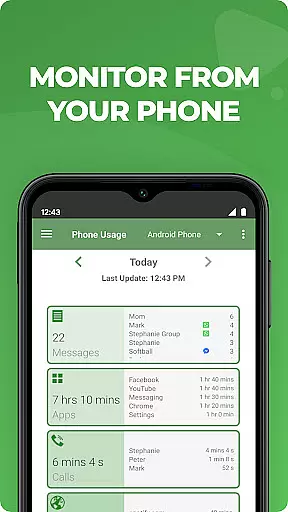
Beyond monitoring, MMGuardian offers actionable controls such as setting screen time limits, blocking inappropriate apps, filtering web content, and even locking or unlocking the child's phone remotely. Its GPS location tracker helps parents stay informed about their child's whereabouts. Comprehensive reporting tools provide insights into text messages, app usage, web activity, and call logs. These features collectively empower parents to guide their children safely through the digital world while addressing concerns like excessive screen time, cyberbullying, and exposure to adult content.
When it comes to parenting apps, the credibility of content and expert validation are crucial factors. MMGuardian Parental Control stands out by providing reliable information that parents can trust. The app employs advanced monitoring features that are designed and endorsed by child safety experts.
The application's alert system is developed based on professional guidelines to identify potential risks in text messages and social media interactions. This ensures that notifications sent to parents are both relevant and necessary, avoiding unnecessary alarms while highlighting genuine concerns.
Parents benefit from comprehensive reports generated by MMGuardian, which include detailed analyses of text messages, app usage, web browsing activities, and voice calls. These reports are not only informative but also serve as tools for educating children about online safety, thus enhancing their digital literacy under parental guidance.
Growth tracking in the context of digital safety involves monitoring a child's online behavior and development over time. MMGuardian Parental Control excels in this area by offering precise tracking mechanisms that help parents understand their child's digital footprint.
The app provides accurate data on various aspects such as screen time limits, application usage, and web filtering. By setting specific parameters, parents can effectively track how these habits evolve, allowing them to make informed decisions regarding their childu2019s online activities.
Furthermore, the GPS location tracker included in MMGuardian adds another layer of accuracy in growth tracking. Parents can locate their child's device, ensuring their physical safety while also understanding their mobility patterns. This feature supports parents in maintaining an open dialogue with their children about responsible device usage.
Comprehensive monitoring
Real-time alerts
Remote controls
Social media coverage
GPS tracking
Paid subscription
Complex setup
Requires data
Limited without license
Separate child app

Free symptom & med tracker with expert-reviewed tips.
 4.30
4.30
Happiest Baby App replaces the SNOO App (the mobile companion to SNOO & SNOObie)
3.20
Cherish every beat - capture your baby's heart sounds with our app
4.30
Track your pregnancy, kick & contraction counter, baby & mom's heartrate monitor
4.60
Little loved one's monitoring, Sleep tracking and Parenting content.
3.80
Babysitting video camera - Turn your two phones or tablets into a single nanny.
4.40
Save money on diapers. Get the Pampers Rewards app.
3.90
App/Game blocker & GPS tracker
4.50
The Most Trusted Co-Parenting App.
4.60
Introduce real food to baby with First Foods® Database, baby led weaning BLW
4.80
Track Pregnancy, Baby Feeding, Sleep, Diaper Changes, Postpartum Health & More!
4.80
Fun Ideas for Parents
4.70
Parental control App for Location, Remote Camera, Screen Mirroring, Block Apps.
4.60
Keep track of your stored breastmilk
4.40
Pregnancy and baby formula tips for moms, plus Enfamil coupons & cash back
4.10
Affirmations | Stories | Bible
4.10
The 10 development leaps of your baby | newborn milestones & leap days tracker
4.10
AI Motion Video Maker & Ideas
4.3
Lullabies, Night Light & Age-based Routines to help your baby fall asleep
4.0


User Reviews