
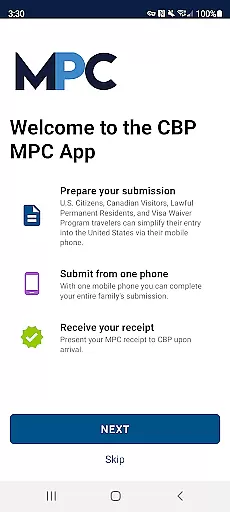
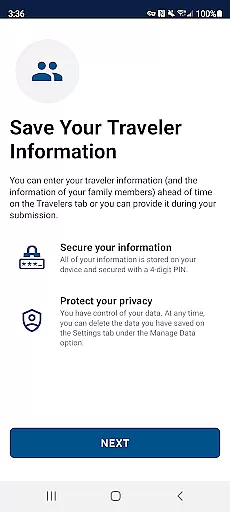
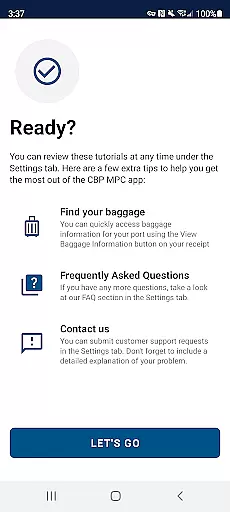
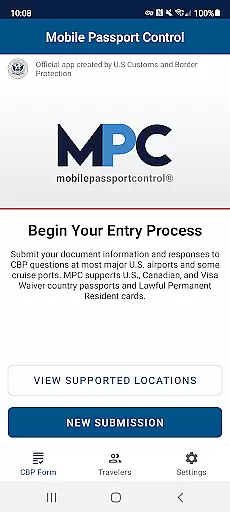
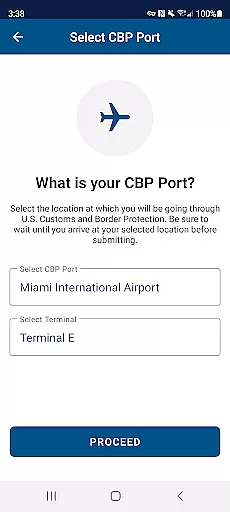
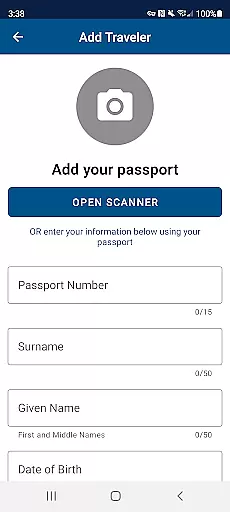
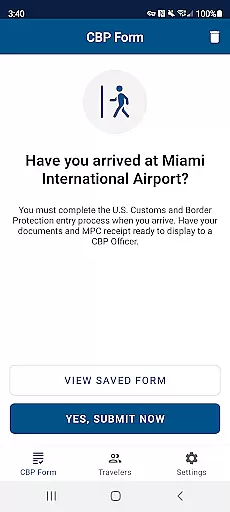
Mobile Passport Control (MPC) is an innovative travel application developed by U.S. Customs and Border Protection to simplify the CBP inspection process at select U.S. entry points. The app allows travelers to submit their information digitally, significantly reducing wait times and paperwork. By creating a primary profile, users can store their travel documents securely for future trips.
The app's core functionality includes capturing photos of travelers, answering CBP inspection questions, and receiving virtual receipts. These features are particularly beneficial for U.S. citizens, certain Canadian visitors, Lawful Permanent Residents, and Visa Waiver Program applicants. MPC optimizes the entry process while maintaining security standards, making international travel more efficient.
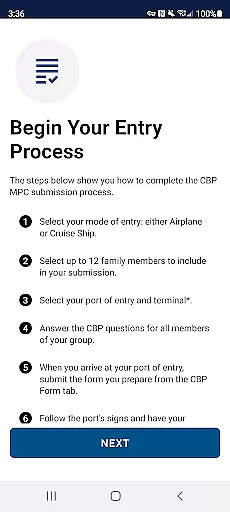
Mobile Passport Control offers several distinctive features that enhance the traveler's experience. The app enables users to create detailed profiles containing biographic and travel document information, which can be reused for subsequent trips. Its ability to include up to 11 additional group members in a single submission streamlines family or group travel processing.
A key feature is the secure photo capture functionality, ensuring clear identification during the CBP inspection process. The virtual receipt system provides explicit instructions for travelers, helping them navigate the final inspection smoothly. These capabilities collectively contribute to faster processing times and reduced physical contact at supported entry points.
Booking authenticity is a crucial aspect of any travel application, ensuring that all reservations and submissions are legitimate and verified. Mobile Passport Control (MPC) provides a streamlined process for travelers entering the U.S., allowing them to submit their information directly through the app.
The app ensures booking authenticity by requiring users to input accurate travel details and answer inspection questions posed by U.S. Customs and Border Protection. This process is reinforced by the necessity of capturing clear photos of each traveler, which adds an additional layer of verification.
Users benefit from this feature as it expedites the CBP inspection process at select entry locations. The virtual receipt generated post-submission acts as a verified confirmation of their booking, providing peace of mind and a seamless travel experience.
By integrating official CBP processes within the app, MPC guarantees that all submitted information is authentic and compliant with border regulations, enhancing both security and convenience for travelers.
Price transparency in travel applications refers to the clear display of costs associated with using certain services or features. Although Mobile Passport Control (MPC) itself is free to use, understanding the value it offers is essential for travelers who wish to optimize their entry process into the U.S.
MPC does not involve direct pricing since it's a service provided by U.S. Customs and Border Protection aimed at facilitating a quicker inspection process. However, its cost-saving potential lies in reducing wait times and avoiding possible fees associated with other fast-pass programs like Global Entry.
Travelers using MPC can save time and resources, especially when arriving at busy ports of entry. The appu2019s ability to store traveler profiles securely means repeat users can enjoy expedited processing without hidden charges or subscription fees.
This transparency around costs allows users to make informed decisions about utilizing MPC for their travels, knowing they won't encounter unexpected expenses while benefiting from an efficient and reliable service.
User-friendly interface
Secure data storage
Reduced waiting times
Free to use
Official CBP app
Limited airport support
Requires internet
Not for all travelers
Photo quality issues
Submission delays

The #1 Parent App in Brevard County
 4.3
4.3
View current Montana road conditions, cameras, plows, and timelapse videos.
4.70
CLEAR provides a safer, easier way through airports, stadiums, and beyond.
4.20
GPS Live Satellite Earth to find route navigation and current location map
4.00
With the Spirit Airlines app, easily manage all your trips in one place.
4.70
Take JetBlue everywhere you go! Book, manage and check in for your trips & more.
4.60
Vacationing on CARNIVAL? Maximize your fun on board with the ultimate cruise app
4.60
Download now and start earning rewards on hotels, tours, and everything travel.
4.50
Book flight, car or packages. Instant access to hotel discounts & travel deals
4.80
Book your whole trip in one app.
4.80
Frontier’s Android app makes travelling easier than ever before!
4.70
Booking your bus tickets has never been easier
4.70
The United app puts valuable travel information in the palm of your hand.
4.70
Walt Disney World Resort maps, wait times, tickets, dining & more.
4.50
A tool for outdoor activities.
4.30
Offline WiFi Hotspot Finder, eSIM, Caller ID, Dialer, Home Screen Launcher & VPN
4.20
Listen live to pilots and air traffic controllers around the world
3.80
Get Moving Made Easier® with the official U-Haul® Moving & Storage app.
3.40
A packing list app that helps you remember what to pack for a trip.
3.10


User Reviews