
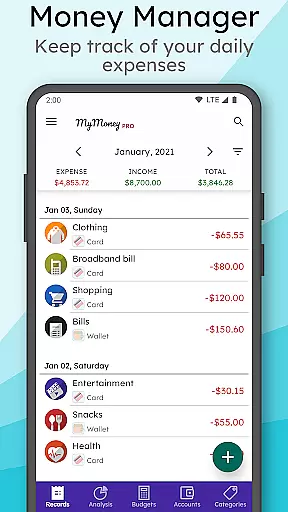
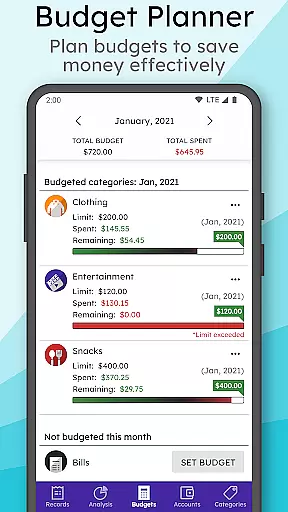
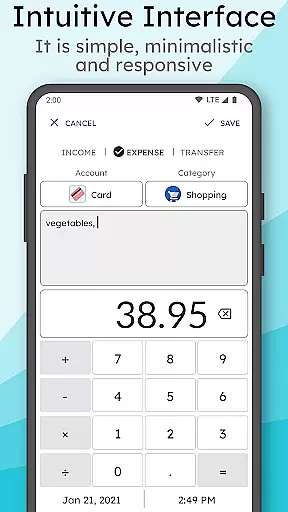
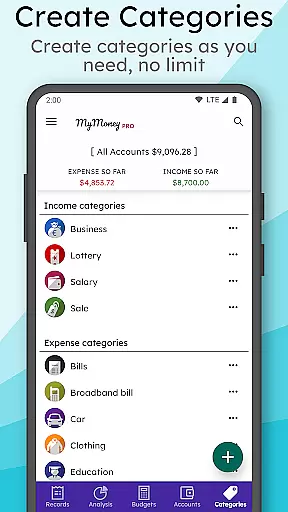
MyMoney Pro is a comprehensive personal finance management application designed to help users track and optimize their spending habits. This powerful budgeting tool allows you to monitor your daily expenses through an intuitive interface, while its offline functionality ensures you can manage your finances anytime, anywhere without internet dependency.
The app features multiple tools for effective financial planning, including an expense manager that categorizes your spending, a budget planner to set monthly limits, and insightful analysis presented through clean charts. With customizable homescreen widgets, multiple account management, and advanced security features like passcode protection and data backup, MyMoney Pro offers a complete solution for anyone looking to take control of their financial life.
Whether you're trying to limit coffee expenses or saving for a major purchase, this app provides the necessary tools to achieve your financial goals. Its user-friendly design and additional premium features make it an ideal choice for both beginners and experienced budgeters.
MyMoney Pro stands out with its robust feature set tailored for efficient money management. The app's Expense Manager allows users to create unlimited categories such as Cars, Foods, and Clothing, providing detailed tracking of income and expenses. The Budget Planner helps establish realistic spending limits, enabling users to stay within their financial boundaries and achieve savings targets.
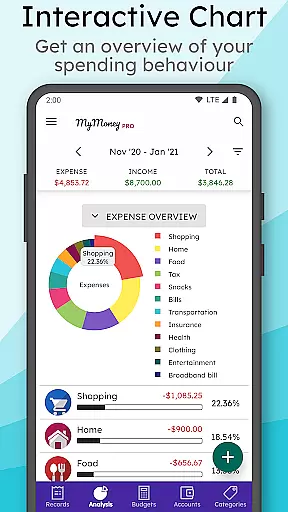
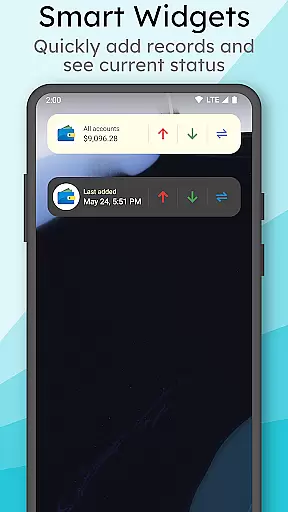
One of the app's key strengths is its Effective Analysis feature, which presents monthly income and expense breakdowns through visually appealing charts. Users can gain valuable insights into their spending patterns through the comprehensive expense book. The Smart Homescreen Widget enhances convenience by displaying real-time balance information and enabling quick record entry on the go.
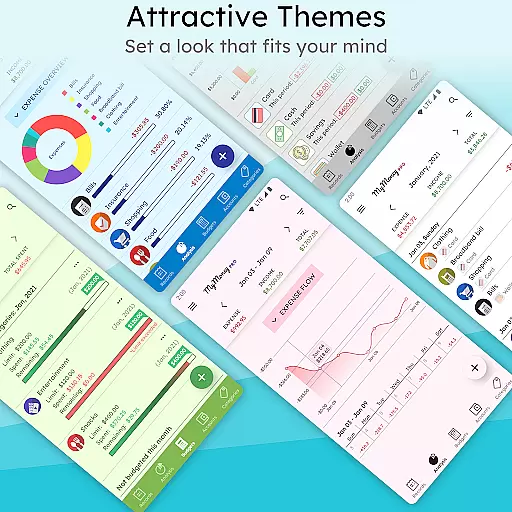
Additional premium features include multiple theme options, extended view modes (3 months, 6 months, yearly), and enhanced security through passcode protection. The app's ability to manage separate wallets, cards, and savings accounts with customizable currency settings and icons makes it a versatile tool for personal finance management.
Account and fund security is a critical aspect of any financial management application. MyMoney Pro ensures the safety of your financial data through multiple layers of protection.
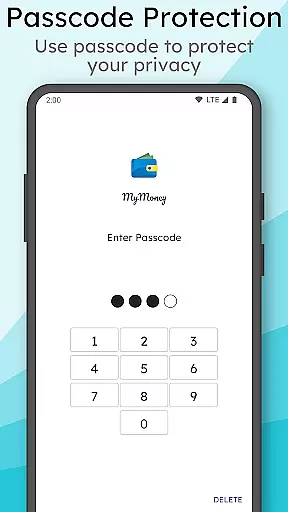
The app provides passcode protection for privacy, allowing users to secure their personal information with an additional layer of authentication. This feature prevents unauthorized access even if the device is lost or stolen.
Additionally, MyMoney Pro offers backup and restore functionality, enabling users to keep their records safe and recover them when needed. The ability to export worksheets for printing also allows for physical record-keeping.
By combining these security measures, MyMoney Pro gives users peace of mind knowing that their financial data is protected against various threats while maintaining accessibility for personal use.
A seamless transaction experience is essential for effective personal finance management. MyMoney Pro excels in providing users with intuitive tools to manage their income and expenses efficiently.
The app features an easy-to-use interface with customizable homescreen widgets that display balance information and allow quick addition of records on the go. Users can track their spending habits effortlessly through categorized expense management.
With its budget planner, MyMoney Pro helps users set monthly budgets and avoid overspending. The smart input feature in the homescreen widget streamlines the process of adding transactions, making it faster and more convenient.
These elements combine to create a smooth transaction experience that empowers users to take control of their finances without unnecessary complexity or hassle.
User-friendly interface
Comprehensive budgeting tools
Offline functionality
Customizable categories
Advanced security features
Premium version costs
Learning curve for beginners
Limited social features
No automatic bank sync
Manual data entry required

Secure, simple money transfer app. Send money to Mexico and worldwide fast.
 4.80
4.80
Pay rent on your schedule.
4.70
Get a cash advance instantly. File taxes & cover unexpected bills in minutes.
4.60
No credit checked needed.
4.80
Mine Bitcoin in the cloud! Earn BTC daily with high-speed mining power.
4.30
NFC mobile payment app Use your phone as a contactless bank card
4.00
Real-time tracking: Stocks, Indices, Futures, Commodities, ETF, & Funds prices.
4.60
Military retirement pay estimation calculator
4.70
Manage budget, save money, or file tax. Build, track & improve your credit score
4.40
Currency Converter, Exchange Rates, Widgets
4.90
Manage your Discover account conveniently from anywhere.
4.80
Early payday cash advance up to $150 a day with a max of $1,000 per pay period
4.70
Money App - Earn Cash back, Fast Cash Advance, Personal Loan Offers, Banking
4.70
Pay, bank & build credit.
4.70
Early payday & cash advances with no-fee mobile banking!
4.60
Manage and cancel subscriptions, lower bills, track expenses, create budgets.
4.60
The all-in-one app to save, earn, travel, and put more money in your pocket
4.50
Put crypto to work & earn rewards. Stake crypto like Ethereum, Solana & Cardano
4.40
Bitcoin gpu app helps you remote mine using your cell phone easily .
3.60


User Reviews