
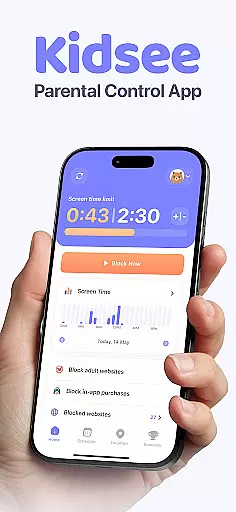
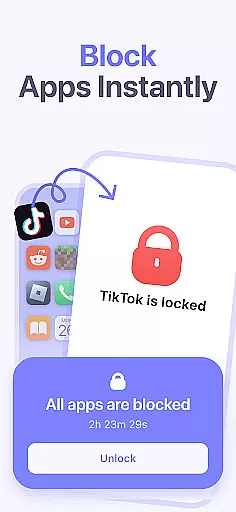
Kidsee Parental Control is a comprehensive family safety app designed to help parents manage their children's screen time, track GPS locations, and monitor phone usage. With features like instant app blocking, daily time limits, and real-time location tracking, Kidsee empowers parents to guide their kids towards healthy digital habits while ensuring their safety.
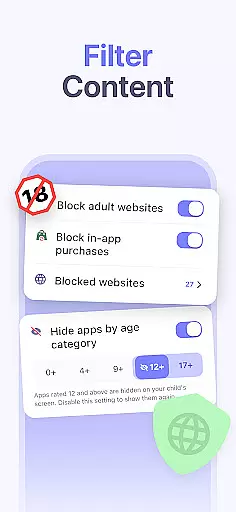
The app supports both Android and iOS devices, allowing control over multiple child devices from a single parent account. Kidsee also provides content filtering to block inappropriate websites and in-app purchases, making it an all-in-one solution for modern families looking to balance technology use with real-world experiences.
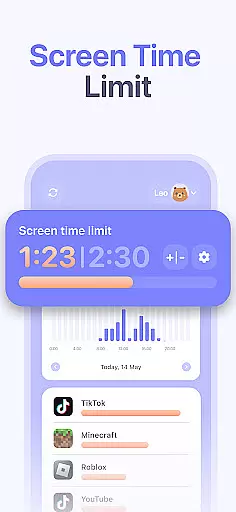
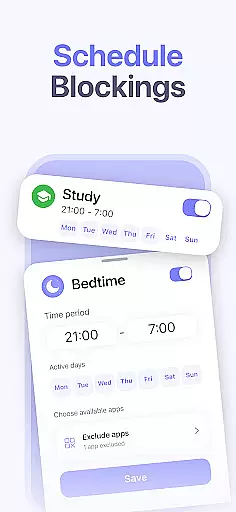
Kidsee offers a robust set of parental control tools that cater to various aspects of digital parenting. Parents can remotely lock apps on their child's device, set daily time limits for overall screen use or specific applications, and create custom schedules tailored to school days, bedtime routines, or weekends. This flexibility helps establish boundaries without disrupting essential activities.
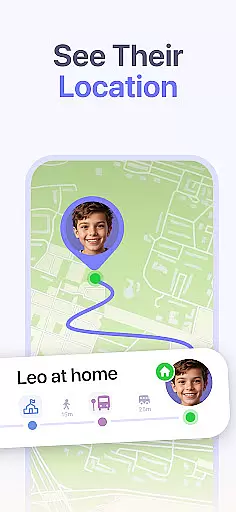
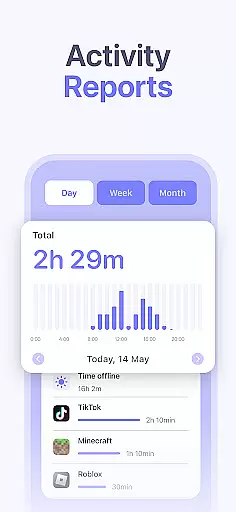
In addition to screen time management, Kidsee includes GPS tracking capabilities that allow parents to view their child's real-time location and review location history. The app also monitors battery levels to prevent disconnection and enables tracking of app usage patterns by hour and day. These features collectively ensure that parents have the necessary tools to keep their children safe both online and offline.
When it comes to parenting apps, the credibility of the content and expert validation are paramount. Kidsee Parental Control app ensures that all features provided are designed with family safety in mind. The app's functionalities, such as screen time management, GPS tracking, and online safety controls, are developed based on thorough research and understanding of digital child safety needs.
The app allows parents to set flexible screen time limits, block inappropriate content, and monitor their child's location. These features are not only practical but also grounded in promoting a healthy digital environment for children. By enabling control over app usage and providing real-time GPS tracking, Kidsee empowers parents with reliable tools to keep their kids safe both online and offline.
Kidsee stands out by offering an all-in-one family solution that is easy to manage and supports multiple devices. Parents can trust that the app's ability to prevent phone addiction and improve focus is backed by credible methodologies. With support for both Android and iOS devices, Kidsee ensures that families have a reliable partner in navigating the challenges of digital parenting.
Growth tracking accuracy is essential for any parenting app focused on child development. Kidsee Parental Control app provides precise tracking of a child's digital habits, giving parents valuable insights into their screen time and app usage patterns. This data-driven approach helps parents make informed decisions about their child's digital wellbeing.
The app meticulously records app usage by hour and day, allowing parents to understand when and how long their child interacts with various applications. This level of detail aids in creating effective schedules and setting appropriate daily time limits. Additionally, Kidsee's capability to exclude educational apps from restrictions ensures that learning continues uninterrupted while managing recreational screen time.
Parents can remotely monitor their childu2019s smartphone battery level, ensuring they maintain a connection without unexpected disruptions. With these accurate tracking features, Kidsee equips parents with the necessary information to guide their children towards healthier screen habits and overall growth. The app's comprehensive monitoring system offers peace of mind, knowing that every aspect of their child's digital activity is transparent and manageable.
Comprehensive parental controls
Real-time GPS tracking
Supports multiple devices
Flexible scheduling options
Content filtering for safety
Requires constant internet
Premium subscription needed
Limited iOS functionality
Setup can be complex
Dependent on permissions

Track your pregnancy & your baby's growth in 3D. Get support from our community
 4.60
4.60
With BabyCam you can monitor your baby using your mobile phone, tablet, PC or TV
4.40
Cherish every beat - capture your baby's heart sounds with our app
4.30
Little loved one's monitoring, Sleep tracking and Parenting content.
3.80
Affirmations | Stories | Bible
4.10
It is a screen time management tool for games and mobile applications
4.50
Babysitting video camera - Turn your two phones or tablets into a single nanny.
4.40
Advanced baby tracking, expert sleep help & parenting support for every stage.
4.80
FamilyAlbum helps you share, save, and remember your child's special moments.
4.80
3D Baby size, Fruit comparisons, Smart Checklist, Trending Names & Training.
4.90
Track baby’s development & growth week by week with BabyCenter’s pregnancy app!
4.90
Track Pregnancy, Baby Feeding, Sleep, Diaper Changes, Postpartum Health & More!
4.80
Pinardin - Smart Parental Control, Online Safety & GPS Tracking!
4.80
Fun Ideas for Parents
4.70
Reliable phone tracker by number & locate phone app. Protect your family.
4.50
Free symptom & med tracker with expert-reviewed tips.
4.30
Limit screen time, Block Apps & Games, Monitor with Parental control app
4.20
Findnumber: Real-time location tracker for ultimate family security
4.20
Save money on diapers. Get the Pampers Rewards app.
3.90


User Reviews