
Skool is a dynamic social platform designed to keep users engaged with their online communities through an accessible mobile experience. The app offers comprehensive features that cater to various interaction needs, including group discussions, structured learning modules, and event planning tools. With its real-time notifications, Skool ensures you never miss important updates from your communities.
The app's core functionality revolves around fostering meaningful connections through Community Discussions, Courses for continuous learning, and Calendar integrations for event management. Whether you're looking to participate in enriching conversations or organize community events, Skool provides the necessary tools to enhance collaboration and engagement on the go.
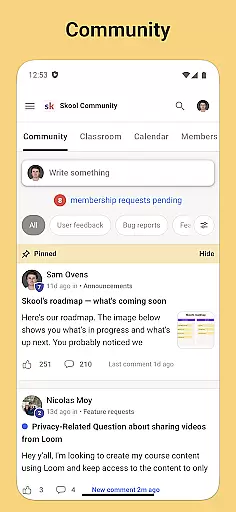
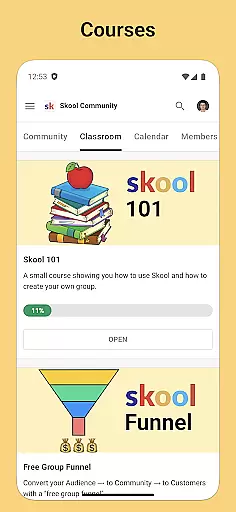
Skool stands out with its diverse feature set tailored for community interaction and personal growth. The Community section allows users to create posts and engage in threaded discussions, promoting collaborative dialogue. Courses offer both video and text-based lessons, enabling flexible learning opportunities directly within the app.
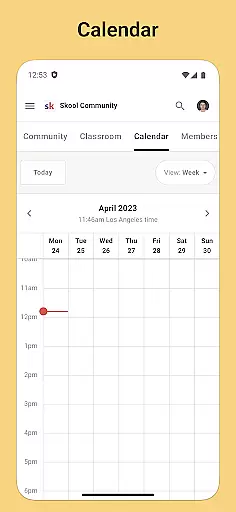
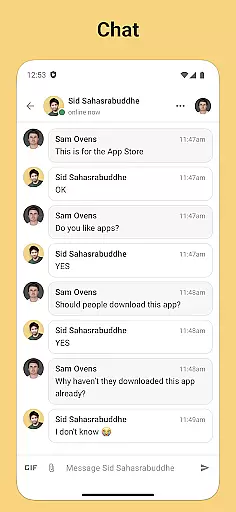
Additionally, the Calendar feature helps users stay organized by displaying upcoming community events, ensuring timely participation. Direct Messaging enhances personal interactions, allowing private conversations with other community members. These features collectively create a robust ecosystem for users to connect, learn, and grow together in a structured social environment.
User profile customization is a crucial aspect of any social platform, allowing users to express their individuality and establish their digital identity. Skool offers a comprehensive profile customization feature that enables users to showcase their interests, achievements, and affiliations within their communities.
The app provides various options for personalizing profiles, including the ability to add profile pictures, cover photos, and detailed descriptions. Users can highlight their roles within different community groups, making it easier for others to understand their background and expertise.
Authenticity verification is equally important in creating a trustworthy environment. Skool implements a robust verification system that helps confirm the real identities of its users. This process not only enhances credibility but also fosters a safer space for meaningful interactions.
By combining extensive customization options with thorough authenticity checks, Skool ensures that users can engage confidently, knowing they are interacting with genuine individuals who have control over how they present themselves within the community.
Connection discovery is an essential feature in social applications, designed to help users find and connect with like-minded individuals. Skool excels in this area by offering intelligent algorithms that analyze user interests, activities, and community involvements to suggest relevant connections.
The app's sophisticated recommendation engine takes into account various factors such as course participation, discussion contributions, and event attendance. This multi-dimensional approach ensures that suggested connections are based on substantial common ground rather than superficial similarities.
Skool goes beyond basic recommendations by providing context for each suggested connection. Users can see shared interests, mutual friends, and overlapping community memberships before initiating contact, leading to more meaningful and productive networking opportunities.
This thoughtful implementation of connection discovery not only helps users expand their networks but also strengthens community bonds by facilitating interactions between members who might not have connected otherwise.
User-friendly interface
Comprehensive community tools
Integrated learning system
Real-time notifications
Event management features
Limited customization options
Occasional notification delays
Restricted third-party integrations
Basic analytics capabilities
Device-specific glitches

Looking for a date or a friend? Swipe to match and meet open-minded singles.
 4.20
4.20
Positive social
4.20
Watch, Edit, Upload and Share Gaming Clips
4.00
Video call, live video chat & talk to strangers. Meet people on Omega!
3.60
Meet local people, make friends & network: Join a community, group, host events
4.00
Live pics from your friends - Only the photos you want to see
4.60
Instant messaging — simple, fast, secure, and synced across all your devices.
4.00
SuperLive is a super popular video-streaming social network
4.60
Free texting (SMS) to US, Canada & more. Free new number. Call free & Text free.
4.30
Date single & make friend
4.60
Dating & make friend to chat, meet, flirt, and make real connections!
4.60
Reddit is where you’ll find your people and feel at home in every conversation.
4.60
Unlimited calls & texts | WiFi voice line plus group txt | Call & text now
4.50
Meet Strangers Online, Live Video Chat & Make Random Video Calls on Joi!
4.30
Connect and share ideas
4.10
Random chat & meet online. Find your soulmate or someone special and have fun!
3.90
Swipe, Meet & Chat Real People
3.80
Follow the Truth! Join America's leading free-speech social platform.
3.10
Message and video call your family and friends!
2.60


User Reviews