
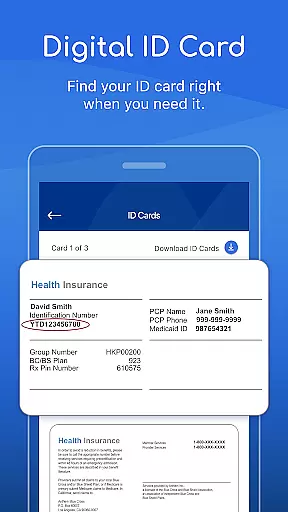


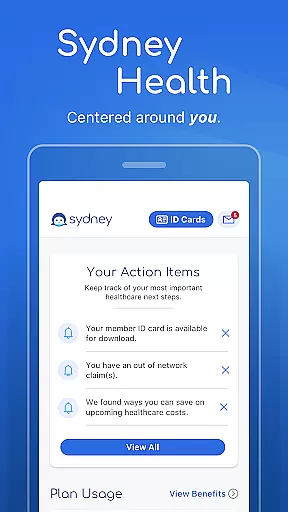
Sydney Health is a comprehensive medical application designed to simplify healthcare management for users. The app provides essential features such as a digital ID card, which functions like a traditional paper ID, allowing you to conveniently share it with healthcare providers either in person or via email. This ensures that your current ID is always accessible.
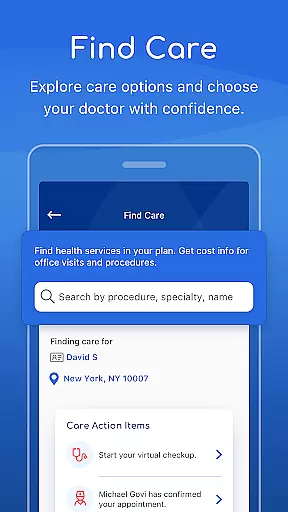
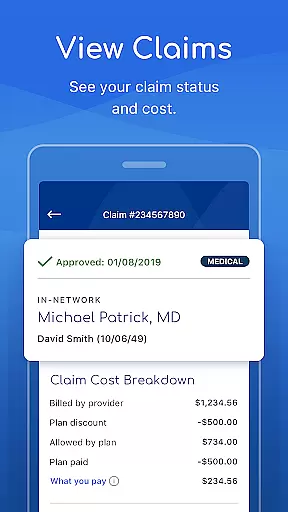
In addition to the digital ID, Sydney Health offers 24/7 chat support to help you find information or connect with a Member Services representative for more detailed answers. You can also understand your plan details, including costs like deductibles and copays, check claims, and view your benefits. The app enables you to search for doctors, labs, hospitals, and other healthcare professionals within your plan's network, providing estimated costs before receiving care.
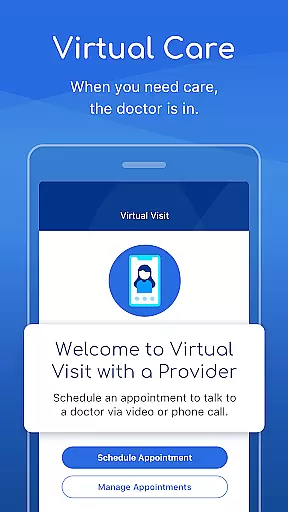
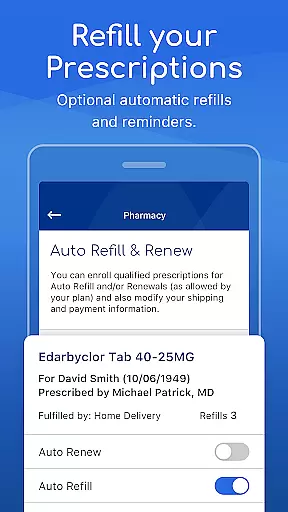
With virtual care options, you can consult healthcare professionals directly through the app, refill prescriptions with automatic reminders, and manage all your health and wellness information in one place. Sydney Health empowers users to take control of their healthcare needs efficiently and effectively.
Sydney Health stands out with its robust set of features tailored to enhance user experience in managing healthcare. One of the key functionalities is the digital ID card, which eliminates the need for a physical ID by providing a convenient way to share your current ID with healthcare providers. This feature ensures that your information is always up-to-date and easily accessible.
The app also includes a 24/7 chat service, offering users the ability to quickly find answers to their questions or engage with Member Services representatives for more complex inquiries. Understanding your healthcare plan is simplified through clear explanations of costs, coverage, and claims. Additionally, the 'Find care' feature allows you to locate healthcare professionals within your network and view estimated costs before scheduling appointments.
Virtual care services enable routine consultations, prescription refills, and urgent care directly through the app, making healthcare more accessible than ever. Prescription management is streamlined with automatic refill options and medication reminders. These features collectively ensure that Sydney Health users have a seamless and efficient healthcare management experience.
In the realm of digital health applications, the credibility of medical content is paramount. Sydney Health ensures that all information provided within the app undergoes rigorous expert review. This process guarantees that users receive accurate and reliable guidance concerning their healthcare decisions.
The app offers a comprehensive suite of features including plan details, virtual care options, and prescription refills. Each of these functionalities is designed based on authoritative medical knowledge, ensuring that members can understand their benefits and manage their health with confidence.
By integrating telehealth services and in-person care options, Sydney Health provides users with verified pathways to receive medical attention. Whether consulting healthcare professionals via virtual care or accessing services from network doctors, users are assured of quality and credible interactions.
Ultimately, the emphasis on expert-reviewed content empowers users to make informed choices about their health management while using Sydney Health as a trusted resource.
Teleconsultations have become an essential aspect of modern healthcare delivery, and Sydney Health excels in providing high-quality virtual consultations. The app facilitates routine care, urgent care, and prescription refills through its intuitive interface, ensuring users receive timely medical advice without leaving their homes.
Members can engage with healthcare professionals via chat or video calls at any time convenient for them. This flexibility enhances accessibility to professional medical opinions while maintaining the same level of care one would expect during in-person visits.
Sydney Health's partnership with reputable service providers like LiveHealth Online underscores its commitment to delivering superior teleconsultation experiences. Users benefit from seamless integration between the appu2019s features and external healthcare networks, ensuring continuity of care.
With robust support systems such as 24/7 chat assistance and detailed provider directories, Sydney Health sets a benchmark for teleconsultation quality among mobile health applications.
User-friendly interface
Comprehensive health management
24/7 chat support
Virtual care options
Automatic prescription refills
Limited to plan network
Potential extra costs
Not a medical device
Feature availability varies
Dependent on internet access

Health Care at Your Fingertips
 4.60
4.60
An easy way to earn money donating plasma. Book a visit, sit back, and get paid.
3.80
Crush your paramedic exam with NREMT-style tests, ECGs, and top-tier prep!
3.90
A rapid reference for prehospital providers caring for pediatric patients.
4.0
Coaches you through labour using hypnobirthing techniques & tracks contractions
4.70
Pelvic Floor Muscle Exercises
4.80
Donating plasma just got easier with the BioLife Plasma Services mobile app.
3.90
Update medical records, view upcoming appointments, message your provider & more
3.80
Get Rx fast at the pharmacy, schedule health care, and shop ExtraCare savings.
3.30
Boost reading, writing, speaking and listening with a scientifically proven app.
4.70
Blue Cross and Blue Shield of Texas member information
4.60
Beat alcohol and drug addiction with a revolutionary treatment program in an app
4.50
Perform pure-tone audiometry and a speech intelligibility test on your phone.
4.50
Radiographic Positioning Guide for Medical Imaging Professionals and Students
4.50
Secure video appointments
4.50
Download OctaApp for easy access to your plasma donation info
4.40
Manage your health care in one easy place
4.40
Use the phone microphone or headset mic as sound amplifier for louder hearing.
4.30
A scientifically-proven method to help people with dementia or memory impairment
4.2


User Reviews