
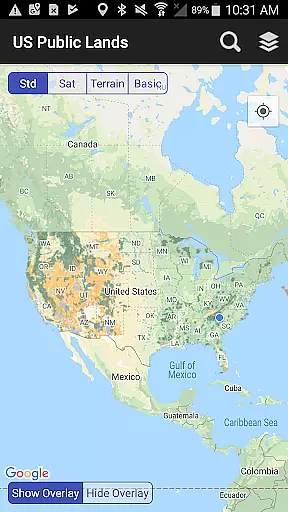
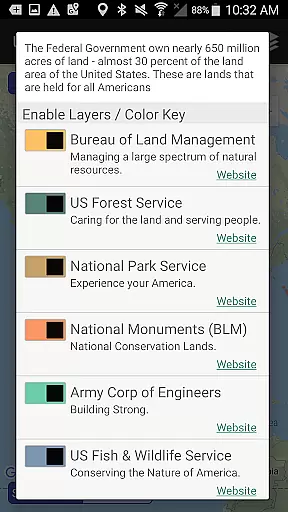
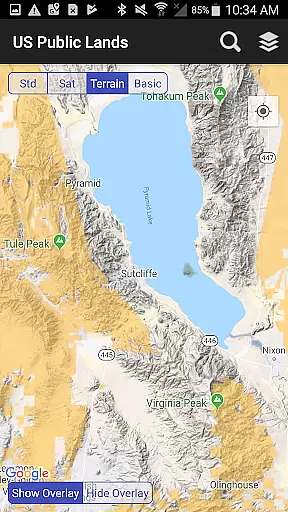
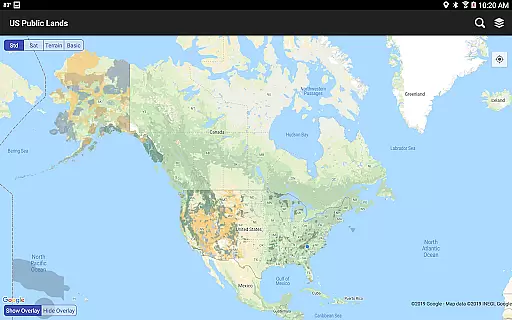
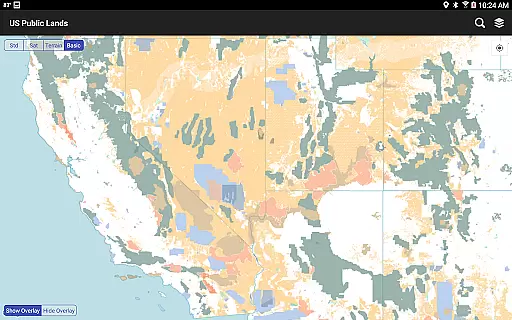
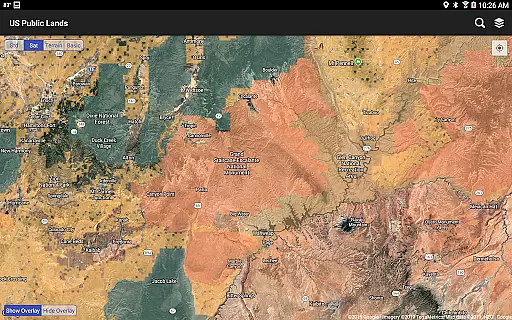
US Public Lands is a comprehensive mapping application that provides users with detailed information about federally owned properties across the United States. With nearly 650 million acres of land under federal ownership, this app offers an easy way to access and understand these vast public resources without needing physical maps or extensive online research.
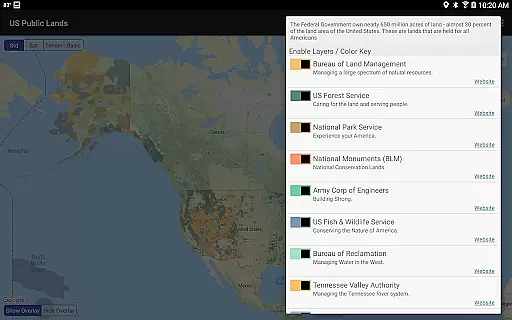
The app features individually selectable layers for various federal agencies including the Bureau of Land Management, US Forest Service, and National Park Service among others. These layers are stored on-device, allowing full functionality even when offline. Users can customize their map views by selecting specific agency layers, making it easier to identify land ownership and usage regulations. Additionally, the app includes links to each agency's website for further research into permits, fees, and activity restrictions.
One of the standout features of US Public Lands is its ability to function entirely offline. The app stores all map layers locally on your device, ensuring you have access to critical information regardless of internet connectivity. This makes it particularly useful for outdoor enthusiasts who venture into areas with limited or no network coverage.
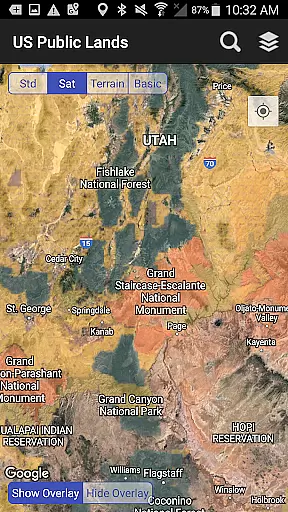
Another key feature is the 'Locate Me' functionality, which uses GPS to pinpoint your current location and determine the type of land you're on. This is complemented by a built-in search tool that locates cities, states, zip codes, addresses, and points of interest, dropping a pin at the searched location. For those interested in dispersed camping or exploring remote areas, the satellite view helps scout out trails and potential camping spots within public lands.
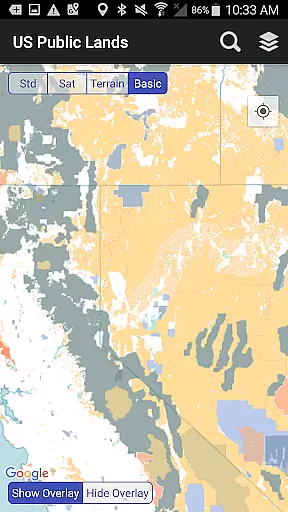
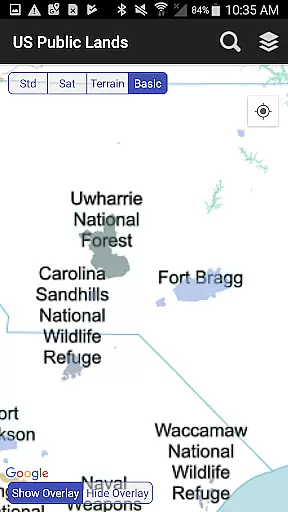
Users can quickly toggle between different map views, including standard, satellite, and a basic base map that labels public land areas. The app also provides links to each agency's website, enabling users to delve deeper into specific land use rules and regulations. This combination of offline capability, real-time location tracking, and detailed mapping layers makes US Public Lands an invaluable tool for anyone navigating America's vast public landscapes.
Booking authenticity is a crucial aspect for any travel-related application, ensuring that the information provided about public lands is accurate and reliable. The US Public Lands app offers users verified data sourced from the Protected Area Database (PAD-US) of the U.S. Geological Survey. This ensures that each location and boundary presented within the app is based on the most up-to-date aggregation of federal lands and waters available.
The app provides links to each agency's website directly within the interface, allowing users to further research land use rules, permits, fees, and activities allowed. This feature enhances the authenticity of bookings or trips planned using the app, as users can cross-check detailed regulations and stay limits set by various public land agencies.
While the database is continually evolving, the app commits to updating its maps in sync with improvements to the PAD-US dataset. This dedication to accuracy means users can trust the details they retrieve for their outdoor adventures, whether it be hiking, camping, or exploring national parks. Always remember, while the app serves as an excellent overview, confirming specifics through local field offices is recommended.
Price transparency in the context of the US Public Lands app refers to the clarity with which costs associated with visiting or using public lands are communicated to users. While the app itself is free to download and use, it provides essential information regarding potential fees or permits required by different federal agencies managing these lands. Users can easily access this financial information via direct links to agency websites included within the appu2019s layers.
This approach empowers travelers to make informed decisions about their trips by understanding all possible expenses beforehand. For instance, if a user plans to visit a National Park managed by the National Park Service (NPS), they can click on the NPS layer and find out about entrance fees, camping costs, or any special permits needed for activities like fishing or boating.
Moreover, since map layers are stored on the device and no internet connection is required to access them, users won't incur data charges when navigating through remote areas. By providing clear insights into potential costs without hidden fees, the US Public Lands app ensures that users have a transparent understanding of what financial commitments might arise during their exploration of America's beautiful landscapes.
User-friendly interface
Offline functionality
Comprehensive agency data
Real-time location tracking
Detailed map layers
No campsite database
Occasional inaccuracies
Limited resolution
Requires updates
Not officially affiliated

View current Idaho road conditions, road cameras, and timelapse videos.
 4.2
4.2
Learn about one of the most famous Victorian cemeteries in the world
2.80
All-in-one delivery and taxi app. Ride, food, & grocery delivery app.
4.80
The official app of Allegiant Travel & Allegiant Airlines
3.30
Travel light with our easy-to-use mobile app, the perfect flying companion.
4.40
Everything you need for your trip in one place with the Volaris app.
3.60
Maximize your cruise vacation with the Royal Caribbean app
4.70
Managing your travel should be easy. With the Amtrak app, it is.
4.30
The United app puts valuable travel information in the palm of your hand.
4.70
Guest how you guest when you book one of our 6,800+ hotels and earn rewards.
4.90
Find the perfect vacation rental. Search from over 2 million properties.
4.80
Stay at Motel 6 for less - book fast, save more with MY6 app!
4.70
Frontier’s Android app makes travelling easier than ever before!
4.70
Book rooms at any of 4.2M properties worldwide. Find flight deals every day!
4.60
Easily rent a car at over 9,500 locations with the Enterprise car rental app.
4.60
Link & locate for real-time child & family safety: GPS tracker for families
4.40
A tool for outdoor activities.
4.30
Get Moving Made Easier® with the official U-Haul® Moving & Storage app.
3.40
Apply for an electronic travel authorisation (ETA) to come to the UK.
3.20


User Reviews