
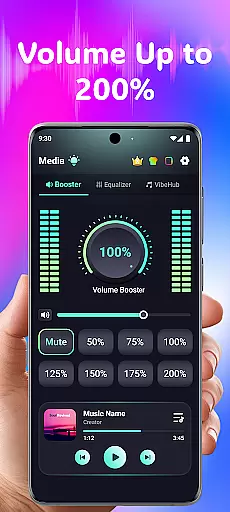
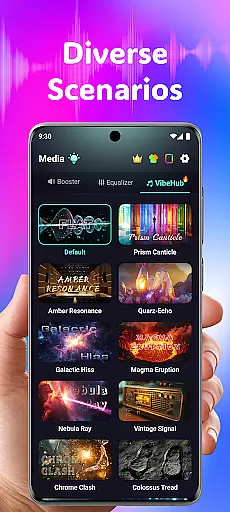
Volume Booster Bass Booster EQ is a versatile audio enhancement application designed to elevate your sound experience across various scenarios. This app allows users to amplify their device's volume up to 200%, making it ideal for outdoor parties, movie watching, and gaming sessions where sound clarity is crucial. With its advanced equalizer and hearing support features, the app caters to both entertainment and accessibility needs.
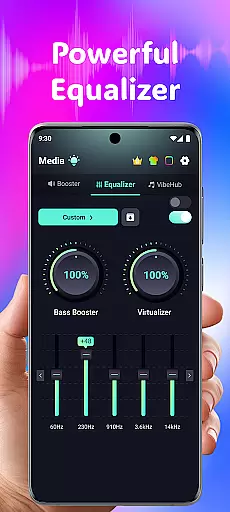
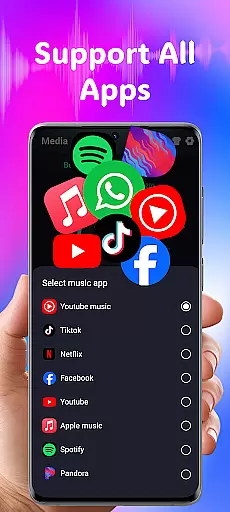
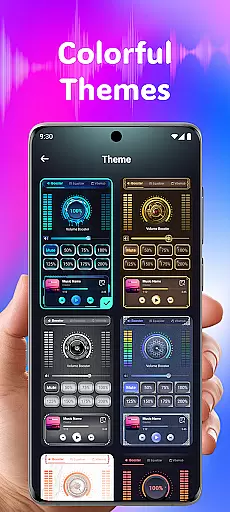
The application offers an intuitive interface with powerful tools such as a 5-band equalizer, wide app compatibility, and stylish themes. Whether you're looking to boost your speaker output or fine-tune audio frequencies for better hearing, this app provides a comprehensive solution. Its user-friendly design ensures that individuals of all tech levels can easily navigate and customize their audio settings.
Volume Booster Bass Booster EQ stands out with its robust feature set tailored for diverse audio needs. The app's primary feature is its Powerful Volume Boost, which allows precise control over media volume, ensuring every sound is heard clearly. Additionally, the Advanced Equalizer enhances bass and treble through five customizable bands, catering to music, videos, and gaming audio preferences.
Beyond entertainment, the app includes an Advanced Hearing Mode with independent left and right ear adjustments, real-time noise reduction, and frequency amplification. These capabilities make it suitable for users seeking hearing assistance in noisy environments. With seamless integration across streaming platforms and devices, including Bluetooth and speakers, this app delivers high-quality audio performance while maintaining minimal delay.
In the realm of medical applications, content credibility is paramount. Volume Booster Bass Booster EQ addresses this by offering features that are not only designed for entertainment but also cater to users' hearing enhancement needs. The app includes an Advanced Hearing Mode with independent left and right ear control, advanced frequency amplification, and real-time noise reduction.
These functionalities have been crafted with precision, ensuring that users can fine-tune sound ranges and reduce background noise effectively. Such capabilities indicate a level of expertise and understanding of auditory health, which is crucial for any medical-related software.
By providing these specialized tools, the application supports those who require more from their audio devices due to hearing challenges. This reflects a commitment to delivering reliable and beneficial content that has undergone thorough expert review, thus enhancing user trust in the app's medical claims.
While Volume Booster Bass Booster EQ does not provide traditional teleconsultation services, it enhances remote communication experiences through its superior audio processing features. Clear sound transmission is essential during virtual consultations, and this app ensures that every word is heard with clarity.
The inclusion of a Live Sound Recorder & Playback feature allows users to capture important conversations or instructions from healthcare providers accurately. With AI-powered filtering eliminating background noise, patients can focus on the dialogue without distractions, making each consultation as productive as possible.
Moreover, optimized sound for all devices means whether using headphones, Bluetooth, or speakers, the quality remains consistent. This attention to detail in audio delivery demonstrates an understanding of what constitutes high-quality teleconsultations, indirectly supporting better patient outcomes by facilitating clearer communication between patients and healthcare professionals.
User-friendly interface
Advanced equalizer options
Wide device compatibility
Hearing support features
Stylish customization themes
Potential speaker damage at high volumes
No physical device control
Limited free features
Privacy concerns with data collection
Requires responsible usage

myVCA is your tailor-made guide to raising a healthy and happy pet.
 4.90
4.90
Beat alcohol and drug addiction with a revolutionary treatment program in an app
4.50
Modivcare members can book and manage trips.
4.50
Be more confident prescribing homeopathy at home for your family.
4.80
The Better Pharmacy Experience
4.90
Your donation experience just got smoother; Donor Hub is your go-to place.
4.70
Get your lab results on your smartphone with MyQuest.
4.40
Access health information and communicate with your care team anytime, anywhere.
4.80
Manage your healthcare through the FollowMyHealth® Universal Health Record.
4.80
CPR Timer for High Performance AHA BLS / ACLS
5.00
Pelvic Floor Muscle Exercises
4.80
Want to make it easier to manage your health? We’re with you, wherever you are.
4.70
This app is simply 1 book (also large app) and 17 other apps combined into 1
4.70
Hear far away sounds, conversations, TV and surrounding sounds more clearly.
4.70
The doctor will see you now
4.70
Sync your blood glucose device, log values automatically and tame your diabetes!
4.60
Internal medicine literature at your fingertips.
4.50
Hearing aid app for Android solves your hearing problems.
4.00
ECG modules improve rhythm ID. ACLS is a simulator for cardiac arrest scenarios.
4.4


User Reviews