
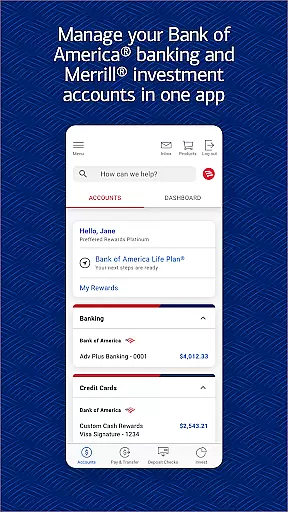

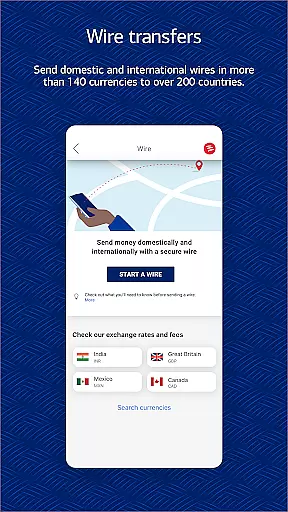
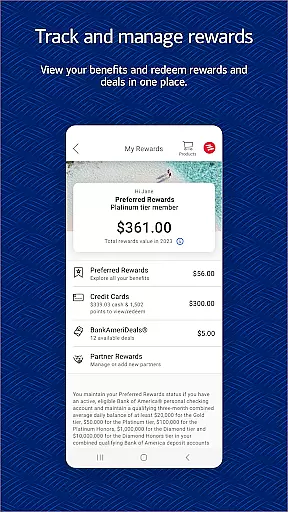
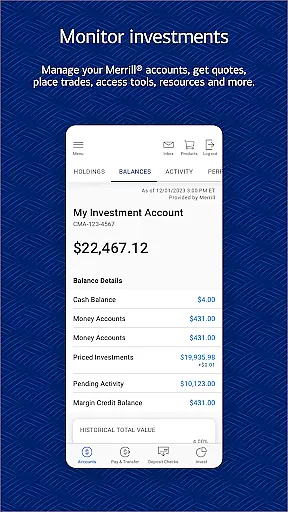
Bank of America Mobile Banking is a comprehensive financial management app designed for U.S.-based customers. It allows users to conveniently and securely manage their checking, savings, credit card, loan, and investment accounts. The app provides robust features such as account management, money transfers, bill payments, check deposits, and access to a virtual financial assistant named Erica.
With functionalities like Touch ID/Face ID security, FICO credit score checks, and investment management through Merrill, the app ensures both safety and ease of use. Users can also take advantage of financial education tools and budgeting features that help them organize spending and set savings goals. Whether you need to pay bills, deposit checks, or manage investments, this app offers a complete suite of banking services tailored to enhance your financial well-being.
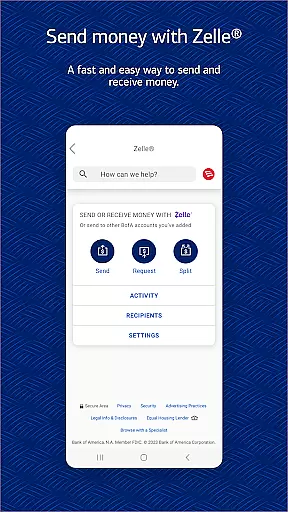
One of the standout features of Bank of America Mobile Banking is its ability to provide detailed account management. Users can view balances, review activities, activate or replace cards, and set important alerts. The app supports secure transactions with Zelle, allowing users to send and receive money using just a mobile number or email address. Additionally, it facilitates seamless fund transfers between Bank of America and linked Merrill accounts.
The app includes Erica, a virtual financial assistant that helps find transactions, pay bills, and offers valuable insights. For investment enthusiasts, the app provides tools to trade stocks, ETFs, and mutual funds while offering up-to-date market data and news. Security features are top-notch, including options for biometric login and immediate notifications for any suspected fraudulent activity. These rich functionalities ensure that users have a powerful tool at their fingertips for managing all aspects of their finances efficiently.
Account and Fund Security is a critical feature for any financial application, ensuring that users' sensitive information and funds are protected from unauthorized access. The Bank of America Mobile Banking app implements this through advanced security measures such as Touch ID and Face ID, which provide biometric authentication to safeguard your accounts.
In addition to biometric security, the app actively monitors for fraudulent activity. If any suspicious behavior is detected on your card, you will be promptly notified. This proactive approach helps mitigate potential risks before they impact you financially.
The app also features a comprehensive Security Center where users can review their security settings and take necessary actions to further protect their accounts. With the Mobile Banking Security Guarantee, customers are not held liable for unauthorized transactions if reported in a timely manner, providing an extra layer of confidence when managing finances digitally.
By integrating these robust security protocols, the Bank of America Mobile Banking app ensures that users can perform banking activities with peace of mind, knowing their personal and financial data remains secure at all times.
A seamless transaction experience is essential for any banking app, allowing users to manage their finances efficiently and effectively. The Bank of America Mobile Banking app excels in this area by offering multiple ways to transfer money and pay bills. Through Zelle, users can send and receive money using just a U.S. mobile number or email address, making peer-to-peer transactions quick and straightforward.
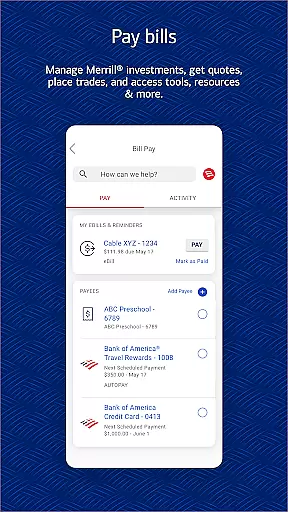
For internal transfers, the app supports moving funds between Bank of America and linked Merrill accounts effortlessly. Users can also pay bills directly through the app, streamlining the process of settling outstanding payments without needing to log into separate platforms.
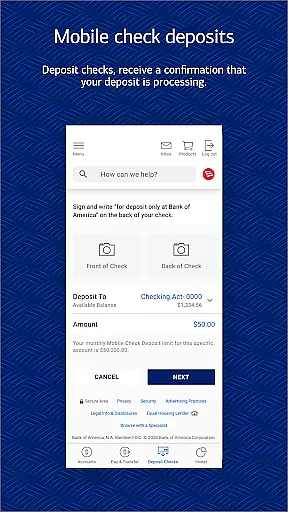
Another standout feature is the Check Deposit functionality, which allows users to deposit checks simply by taking photos of them. This service provides immediate confirmation that the check is being processed, reducing the need for physical branch visits and saving valuable time.
Overall, the Bank of America Mobile Banking app delivers a comprehensive and user-friendly transaction experience, empowering users to handle their financial tasks conveniently and securely from their mobile devices.
User-friendly interface
Comprehensive account management
Secure transactions with Zelle
Virtual financial assistant Erica
Robust security features
Limited to U.S. accounts
Deposits not immediately available
Erica only in English
Investment risks involved
Requires internet connection

Currency Converter supports all currencies of the world.
 5.00
5.00
Manage your Discover account conveniently from anywhere.
4.80
Need help before payday? Get cash advances with no interest or credit checks.
4.60
Early payday & cash advances with no-fee mobile banking!
4.60
Your Big Financial Friend
4.70
Simple & secure international money transfers - for personal & business needs.
4.80
Get up to 500, get paid early, earn interest and find work with no hidden fees.
4.40
NFC mobile payment app Use your phone as a contactless bank card
4.00
Access State Farm accounts, policies, ID cards and more
4.60
Check EBT, SNAP, WIC balances, manage food stamps, and save money with benefits
4.80
Get 250$ Cash Advance to solve emergencies instantly in loan app called LendMe
4.70
Pay rent on your schedule.
4.70
Pay, bank & build credit.
4.70
Over 180 currencies conversion rates with live exchange rates and offline mode.
4.60
Play for fun, earn for real. Collect rent by owning virtual land & get cashback
4.60
Easily invest, save, and plan—all in one app.
4.60
Amazing Financial Calculator. Based on HP 10bII, but easier to use!
4.40
Bank better with our new app
3.80
Retirement plan, IRA, retail and HSA customers serviced by Empower.
3.10


User Reviews