
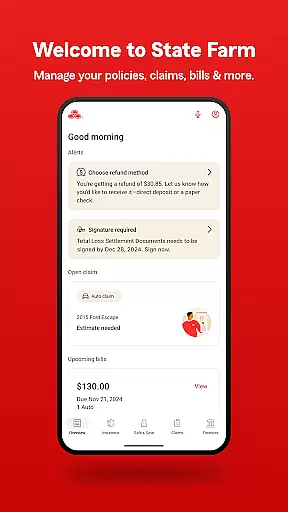
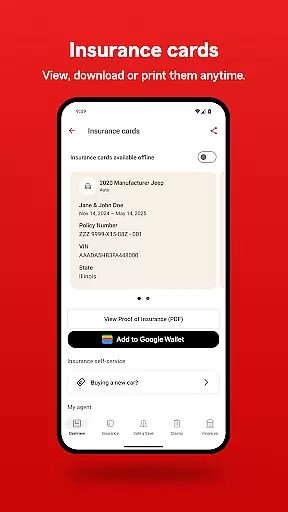
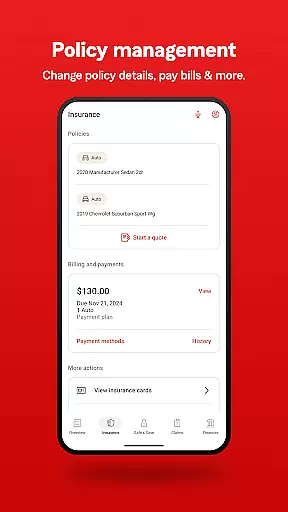
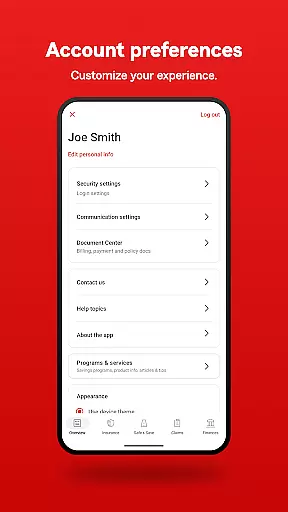
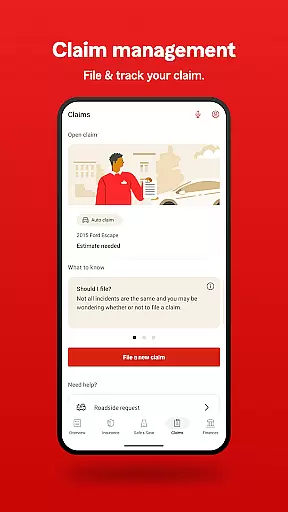
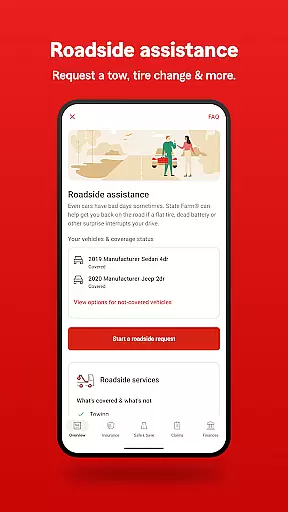
State Farm® offers a comprehensive financial management app that allows users to oversee their insurance policies and other financial products with ease. The app provides essential features such as managing insurance, filing claims, and requesting roadside assistance.
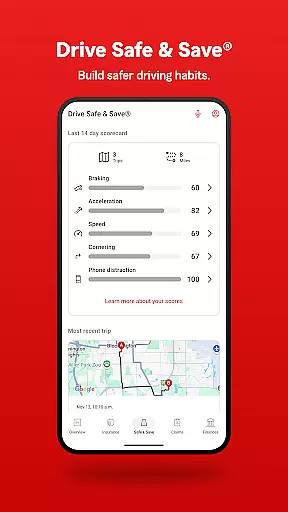
One standout feature is the Drive Safe & Save program, which incentivizes safe driving by offering potential discounts based on driving behavior. This integration simplifies access to crucial details for those enrolled in the program, enhancing user engagement and safety awareness.
Whether you need to quickly pay your insurance bill using Google Pay or require immediate roadside assistance, State Farm's app ensures you have all necessary tools at your fingertips. Its intuitive design and robust functionality make it an indispensable tool for policyholders seeking convenience and reliability.
The State Farm app boasts a variety of features designed to enhance user experience and streamline financial management tasks. Users can easily pay their insurance bills, even utilizing options like Google Pay, and view detailed coverage information directly from their mobile devices.
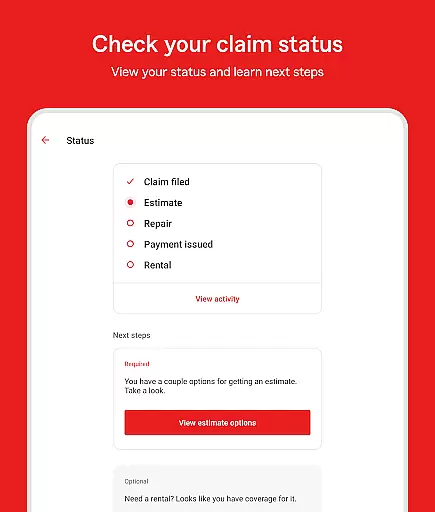
In addition to basic policy management, the app facilitates claim filing and tracking for various types of claims including vehicle, property, and vehicle glass. Real-time notifications keep users informed about the status of their claims, ensuring transparency throughout the process.
For added convenience, the app includes personalized reminders, biometric login capabilities, and messaging support for technical assistance. These features collectively ensure that users have a seamless and secure interaction with their financial products anytime, anywhere.
In the realm of finance applications, security is paramount. The State Farm app ensures account and fund security through advanced encryption protocols and multi-factor authentication. This means that every transaction and personal detail managed within the app is protected against unauthorized access.
Users can manage their insurance policies and financial products with peace of mind, knowing that their data is safeguarded. The app employs precise location data collection only for those enrolled in specific programs like Drive Safe & Save, ensuring that user privacy is maintained without compromising on functionality.
Furthermore, the integration of biometric login options adds an extra layer of security, making sure that access to sensitive information is granted only to the authenticated user. These measures collectively ensure a secure environment for managing all your State Farm accounts.
A seamless transaction experience is crucial for any finance app, and State Farm excels in providing just that. With features such as quick bill payment even through Google Pay, users can effortlessly handle their financial obligations anytime, anywhere.
The app also provides real-time notifications about claim statuses and payments, keeping users informed at every step. Whether it's filing a vehicle or property claim, tracking its progress has never been easier thanks to intuitive design and timely updates.
Additionally, personalized reminders enhance the overall transactional journey by alerting users about important deadlines or actions needed. Such comprehensive support not only simplifies but enriches the entire process of interacting with oneu2019s insurance and financial products via the State Farm app.
User-friendly interface
Comprehensive policy management
Quick claim processing
Secure payment options
Personalized notifications
Limited international support
Occasional bugs reported
Requires frequent updates
Some features are region-specific
Premium services may cost extra

 4.50
4.50
Currency Converter, Exchange Rates, Widgets
4.90
Manage your prepaid cards and add to Google or Samsung Wallet.
4.60
Debt pay off. Build credit history. AI budget tool. Loan offers.
4.60
Get 250$ Cash Advance to solve emergencies instantly in loan app called LendMe
4.70
No credit check, no interest, no worries.
4.70
NFC mobile payment app Use your phone as a contactless bank card
4.00
Currency Converter (200+ currencies) with live exchange rates and offline mode.
4.70
Loan Calculator, Mortgage Calculator, Compound Interest Calculator
4.70
BA Financial Calculator PRO – Perfect for CFA/FRM/CPA and finance professionals
4.90
Companies owe you money.
4.80
Easy budgeting planning on a calendar!
4.80
Money App - Earn Cash back, Fast Cash Advance, Personal Loan Offers, Banking
4.70
Earn cash back. Build credit.
4.60
The simplest way to budget, bank, save and invest.
4.50
Save, spend & get paid faster²
4.50
Make Real Cash by Playing Games! Fetch Playful Rewards, Win & Triumph
4.50
Get up to 500, get paid early, earn interest and find work with no hidden fees.
4.40
StockTiles lets you view prices & charts of your favorite stock assets
2.30


User Reviews