
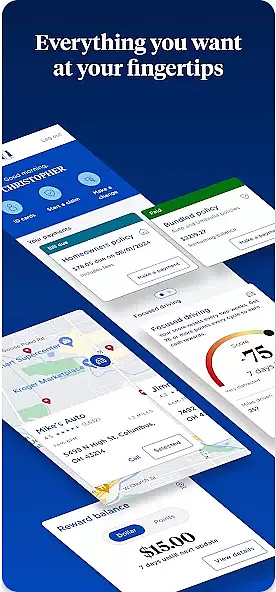

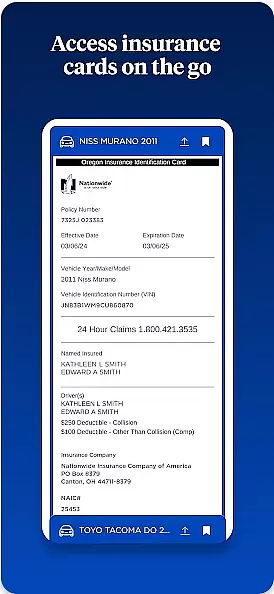
Nationwide Mobile is a finance-focused application designed to provide users with convenient access to their financial information. The app allows Nationwide members to securely view account balances, transaction history, and manage various banking services on the go. With its user-friendly interface, customers can easily monitor their finances and make informed decisions from their mobile devices.
One of the standout features of Nationwide Mobile is its bill payment functionality. Users can schedule payments, set up reminders, and review past transactions directly through the app. Additionally, the app offers budgeting tools that help individuals track spending habits and plan for future expenses. Whether you're at home or traveling, Nationwide Mobile ensures you stay connected to your financial life.
Nationwide Mobile stands out with its comprehensive suite of features tailored for personal finance management. The app provides real-time account updates, enabling users to see their latest transactions and balances instantly. This feature is particularly useful for those who need to keep a close eye on their daily financial activities.
Another notable aspect is the app's security measures. Nationwide Mobile employs advanced encryption protocols to protect sensitive data, ensuring that users' financial information remains safe. Furthermore, the app includes biometric login options such as fingerprint and facial recognition, adding an extra layer of convenience and protection. These robust security features give users peace of mind when accessing their accounts.
In the realm of mobile banking, security is paramount. Nationwide Mobile understands this deeply and implements top-tier encryption protocols to safeguard user data. Every transaction and personal information stored in the app is protected by advanced encryption standards.
Beyond encryption, the app employs multi-factor authentication processes. Users can enable fingerprint or facial recognition for an added layer of security. This ensures that only authorized individuals have access to sensitive financial details.
Furthermore, Nationwide Mobile provides real-time alerts for any suspicious activity detected on your account. These proactive notifications empower users to act swiftly in case of unauthorized access attempts, thereby enhancing overall fund protection.
A seamless transaction experience is crucial for any financial application. Nationwide Mobile excels in providing a smooth and efficient process for all types of transactions, from bill payments to fund transfers. The intuitive interface allows users to complete their financial operations with minimal steps.
The app supports instant notifications for every transaction made, ensuring users are always informed about their financial activities. This feature not only enhances transparency but also builds trust between the user and the service provider.
Additionally, Nationwide Mobile offers a comprehensive transaction history. Users can easily track past transactions, categorize expenses, and manage their finances better. This holistic approach to transaction management significantly improves the overall user experience.
User-friendly interface
Secure transactions
Comprehensive account management
Real-time updates
24/7 customer support
Limited investment tools
No international transfers
Occasional bugs
Basic budgeting features
Ads in free version

Earn cash & save money daily. Access instant cash advances* - no credit check!
 4.50
4.50
Early payday cash advance up to $150 a day with a max of $1,000 per pay period
4.70
Car Insurance Made For You.
4.50
BTC, Crypto, Stocks & Options.
4.20
No credit checked needed.
4.80
Manage your credit card account with the Credit One Bank mobile app.
4.70
Check EBT, SNAP, WIC balances, manage food stamps, and save money with benefits
4.80
SuperQi, Your all-in-one Super App.
1.30
Earn money as a tester with Testerup, get cash testing apps and games
4.20
Currency Converter, Exchange Rates, Widgets
4.90
Secure, simple money transfer app. Send money to Mexico and worldwide fast.
4.80
Manage your Discover account conveniently from anywhere.
4.80
All expenses at a glance.
4.80
Navigate your unique financial path confidently with help from Credit Karma.
4.70
Pay, bank & build credit.
4.70
Access State Farm accounts, policies, ID cards and more
4.60
NFC mobile payment app Use your phone as a contactless bank card
4.00
View BSC Transactions for multiple accounts
3.90
Bill Manager is a simple app to help you keep track of your upcoming bills.
4.2


User Reviews