
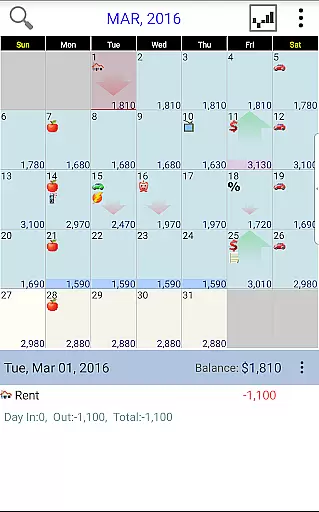
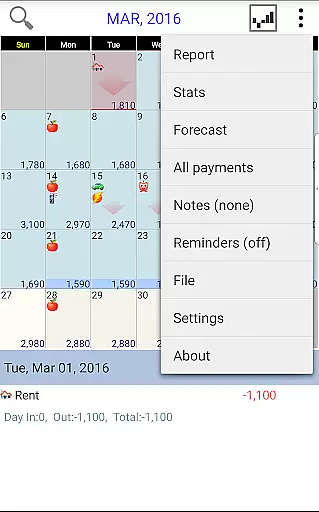
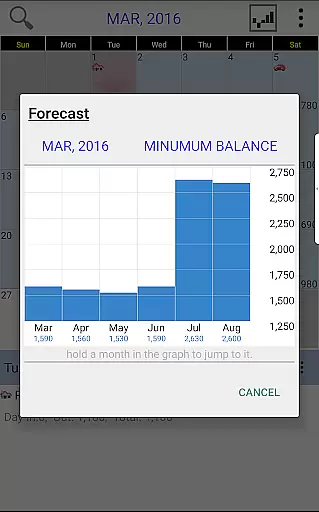
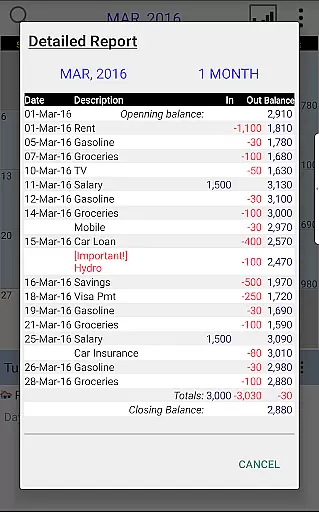
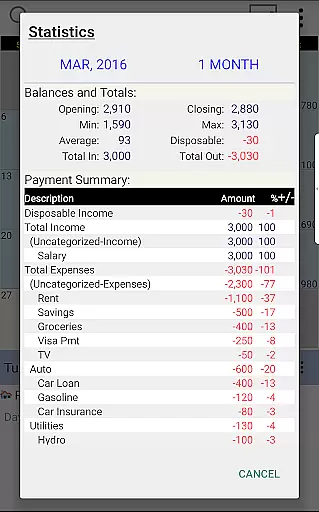
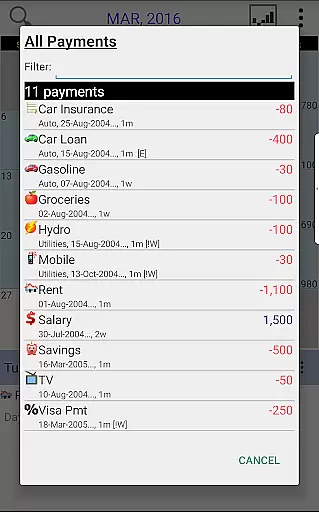
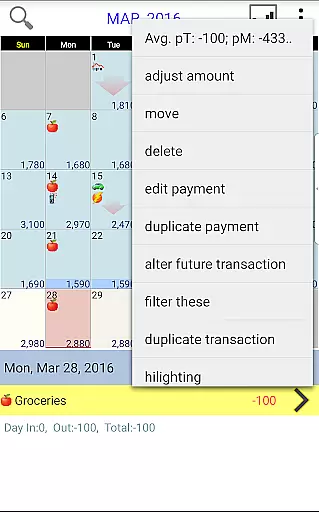
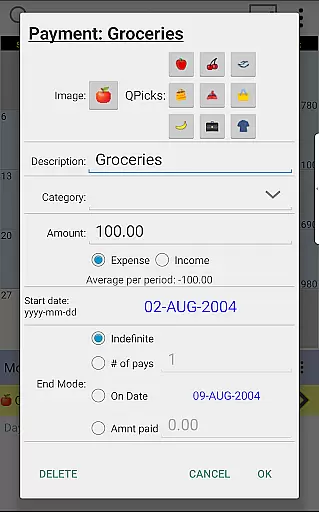
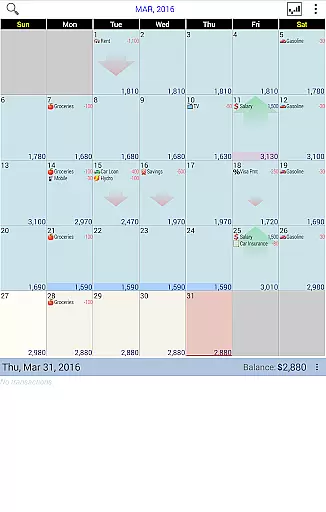
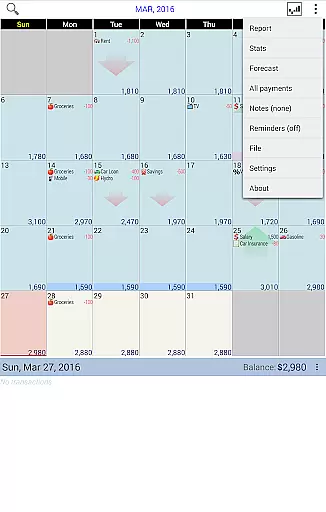
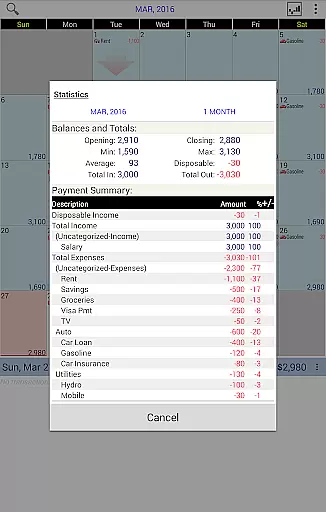
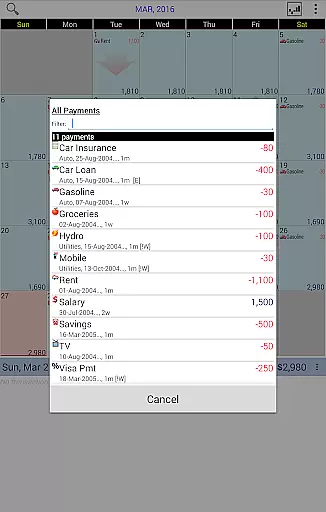
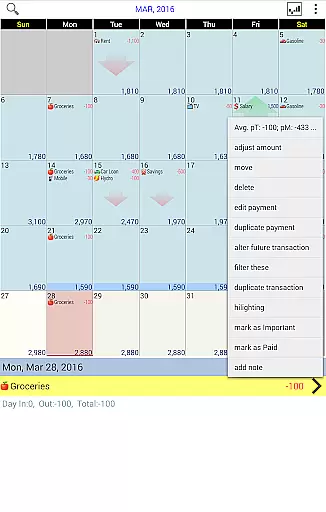
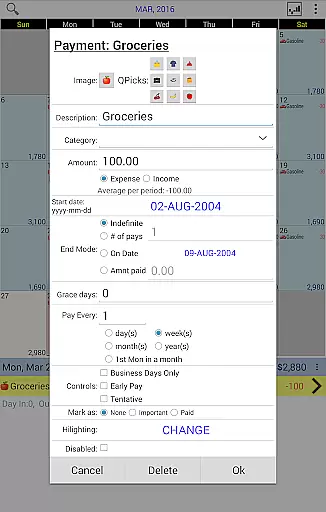
Budget Calendar is a comprehensive financial planning tool designed to simplify budget management through an intuitive calendar-based interface. Unlike traditional ledger systems, this Finance app visualizes all transactions on a calendar, allowing users to effortlessly track and plan their expenses. Each payment entry can be customized with unique icons for easy identification, while the drag-and-drop functionality enables flexible scheduling of transactions.
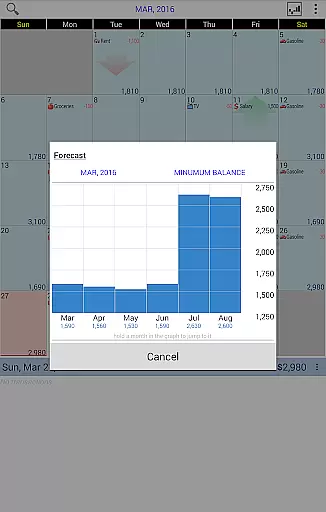
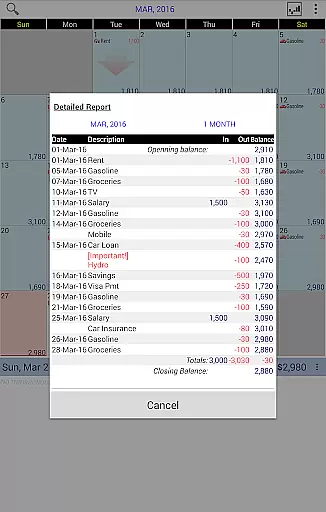
The application provides robust reporting features, generating clear statistics and reports for single or multiple months. Users can synchronize their data across devices using Google Drive, ensuring seamless integration between smartphone and desktop versions (desktop version requires separate purchase). With its user-friendly interface and powerful budgeting capabilities, Budget Calendar helps individuals and households maintain better control over their financial future.
Budget Calendar distinguishes itself through several innovative features that enhance the budgeting experience. The app's core functionality revolves around its calendar-based transaction system, which presents financial data in a visually accessible format. This approach makes it easier to identify spending patterns and plan future expenses compared to conventional budgeting methods.
Advanced customization options allow users to personalize each transaction with unique icons and adjust their budget balance to reflect actual account status. The app supports cross-platform synchronization through Google Drive, enabling real-time updates between mobile devices and desktop computers. Additionally, the TRIAL desktop version provides an excellent opportunity for users to explore the app's full capabilities before committing to the desktop purchase. These features collectively create a powerful yet user-friendly financial management solution.
Budget Calendar ensures robust account and fund security through advanced encryption protocols. This guarantees that all your financial data remains protected from unauthorized access.
The application employs multi-layered security measures including password protection and optional biometric authentication. These features work together to safeguard your sensitive information while providing convenient access.
Users can trust that their transaction details and personal data are kept confidential. The app's security framework is designed to meet industry standards, giving you peace of mind when planning your finances.
Regular security updates further enhance protection, ensuring your budgeting experience remains both secure and reliable over time.
Budget Calendar offers an intuitive transaction experience by displaying all financial activities on a calendar interface. This visual approach makes it easy to track payments and plan future expenses at a glance.
Each transaction can be customized with unique icons, allowing for quick identification of different payment types. The drag-and-drop functionality enables users to effortlessly reschedule transactions to better fit their financial planning needs.
The application provides real-time balance adjustments and clear statistics for any selected period. Users can easily monitor their spending patterns and make informed financial decisions based on accurate reporting.
With seamless synchronization across devices via Google Drive, maintaining consistent and up-to-date financial records has never been more convenient or efficient.
User-friendly interface
Customizable icons
Flexible scheduling
Cross-platform sync
Comprehensive reports
Desktop version extra
Limited free trial
Premium features cost
Learning curve present
Subscription required

Get a cash advance instantly. File taxes & cover unexpected bills in minutes.
 4.60
4.60
PayMe helps you claim money from settlements on companies that harmed you.
4.80
Payday cash advance & Instant cash advance: Borrow money instantly, Get cash now
4.60
The Citi Mobile® App lets you manage your accounts virtually anytime, anywhere
4.80
Money App - Earn Cash back, Fast Cash Advance, Personal Loan Offers, Banking
4.70
Earn cash back. Build credit.
4.60
The US Debt Clock .org App gives you a Real-Time glimpse of US Financial Stats
4.60
Manage budget, save money, or file tax. Build, track & improve your credit score
4.40
Venmo is the fun and easy way to pay and get paid.
4.10
Wells Fargo Mobile allows you to access your investment and bank accounts.
4.80
No credit check, no interest, no worries.
4.70
Pay, bank & build credit.
4.70
Early payday & cash advances with no-fee mobile banking!
4.60
Manage and cancel subscriptions, lower bills, track expenses, create budgets.
4.60
Access State Farm accounts, policies, ID cards and more
4.60
Change the way you money with Credit Genie
4.30
Your insurance, anytime, anywhere
4.00
Invest, bank & save in one app. Trade stocks, earn high APY & budget smarter.
4.00
Secure Amex Account Access: View Balance, Make Payments, Redeem Rewards & more
3.60


User Reviews