
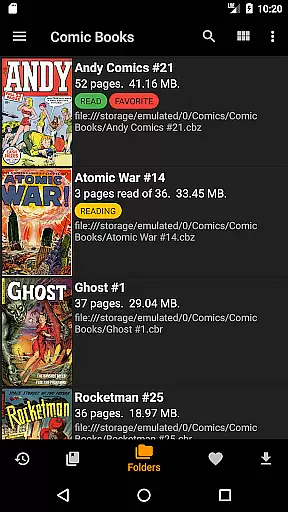
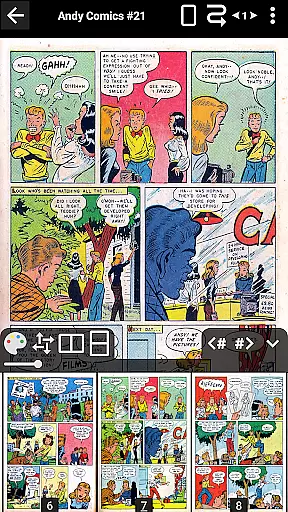
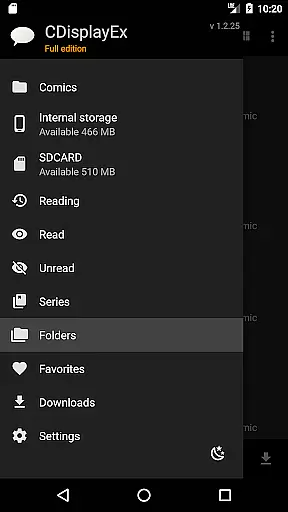
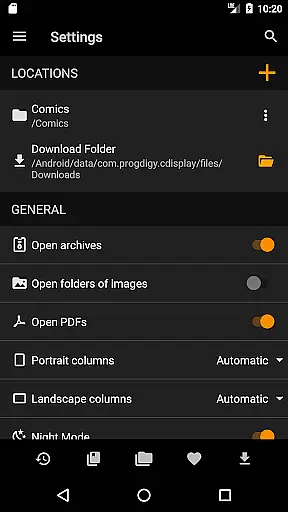
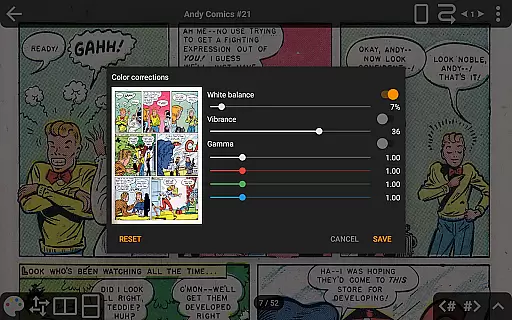
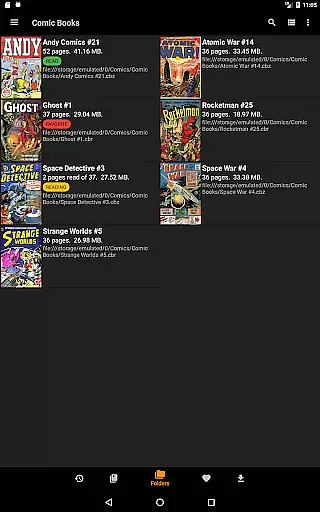
CDisplayEx Comic Reader is a versatile and efficient comic book reader designed for comic enthusiasts. It supports all major comic formats including .cbr, .cbz, and .pdf files, making it easy to access your entire collection. The application offers an exceptional reading experience with its fast loading times and smooth navigation.
Beyond basic reading capabilities, CDisplayEx includes advanced features such as continuous page scrolling, customizable scaling options, and support for bookmarks. Users can also enjoy network file access without full downloads, image export functions, and S-Pen compatibility. With the Pro version, users gain additional benefits like access to cloud services and night mode.
This app is ideal for anyone looking to manage and read their digital comics with ease. Its integrated library management system helps organize collections by series and suggests the next album to read, enhancing the overall user experience.
CDisplayEx Comic Reader stands out with its comprehensive feature set tailored for comic lovers. The app's ability to handle various comic formats ensures that users can open any file type without compatibility issues. Advanced page scaling options allow readers to customize their viewing experience precisely to their liking.
One of the key highlights is the seamless integration with cloud services like OneDrive, Dropbox, and others in the Pro version. This allows users to access their comics from anywhere. Additionally, the app supports network shares and can preload files on mobile devices, ensuring that users can read even without an active internet connection.
The Pro version further enhances the experience with features like continuous horizontal and vertical scrolling, night mode, and multi-language support. These functionalities make CDisplayEx not just a reader but a complete comic management solution.
CDisplayEx Comic Reader offers an extensive and versatile comic library that caters to a wide array of preferences. The application supports all popular comic book formats, including .cbr, .cbz, and .pdf, ensuring that users can access their favorite comics without compatibility issues. This inclusivity extends to Manga, broadening the scope for international content and appealing to diverse reader demographics.
The app's integrated library management system allows users to organize their collections efficiently. By indicating where their comics are stored, users can enjoy features such as grouping comics by series or receiving suggestions for the next album to read. This functionality not only enhances user engagement but also simplifies navigation through vast collections, making it easy to find and manage extensive libraries.
Furthermore, CDisplayEx provides network share connectivity, enabling users to preload files on their devices. This feature ensures that readers have seamless access to their comics, whether they're at home or on the go. With continuous updates and improvements, the app guarantees that its library remains current, offering new content regularly and maintaining reader interest over time.
Authenticity and proper licensing are crucial components of CDisplayEx Comic Reader's offerings. The app assures users of the legitimacy of its content by supporting verified sources such as Onedrive, Dropbox, Komga, Kavita, and Mega in its Pro version. These partnerships ensure that the comics available through the platform are authorized and legal, providing peace of mind for users concerned about copyright compliance.
In addition to licensed content, CDisplayEx emphasizes user-generated libraries. By allowing users to browse through personal folders and add their own files, the app respects individual ownership and acquisition methods. This approach empowers users to curate their collections while maintaining responsibility for the authenticity of their acquired content.
Moreover, the app's commitment to authenticity is reinforced by its advanced features, such as image export functions and bookmark support. These tools enable users to interact with their content responsibly, ensuring that personal use remains within legal boundaries. By combining licensed partnerships with robust personal library management, CDisplayEx upholds high standards of content authenticity and licensing integrity.
User-friendly interface
Fast loading times
Supports multiple formats
Advanced customization options
Integrated library management
Limited free features
No Google Drive support
Pro version is paid
Occasional bugs reported
Interface may feel dated

Follow your favorite manga and get notifications for new chapters!
 4.50
4.50
Scan comics instantly! Find comic value, price, and key collector details fast.
4.50
Hot-blooded / Romance / Science Fiction All themes, Smart Recommendation + HD Reading
3.10
MangaRise - Your Manga and Manhwa Companion
3.90
Manga reader for manga, manhua, manhwa & webtoon, online & offline, update daily
4.50
Read comics, manhwa, manga & novels Official webtoons with daily updates
4.30
Official from Japan
4.80
Read Manga, Comics & Manhwa of Romance, Action, Fantasy, Drama, BL and more!
4.40
Crunchyroll Manga—unlimited, uninterrupted reading with offline access & more!
4.50
Instant access to over 30,000 Marvel comics with new issues added every week.
4.70
See the newest comic book releases and manage your comic collection or pull list
4.70
100k comics, manga & webcomics, including Batman, Invincible, Hellboy & more
4.60
TMOLector is an app to read all kinds of manga and stories!
4.50
SQUARE ENIX's official Manga app!
4.40
Webtoons, comics, web novels, and e-books are all here! RIDI, my own space to enjoy stories
4.30
Become a real PKM Card Maker, create or custom any Poke TCG cards and share them
4.10
Daily updates & FREE chapters
4.00
Toomics is a premium comic service with every genre for all readers to enjoy!
4.00
AsuraScans read manga, manhua, manhwa, and webtoon
3.90


User Reviews