
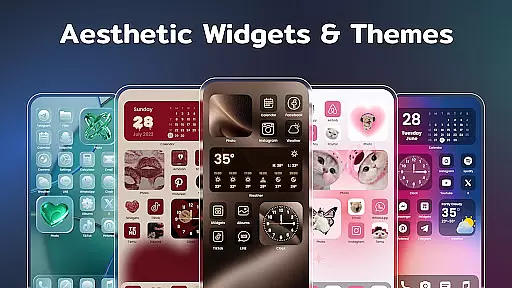
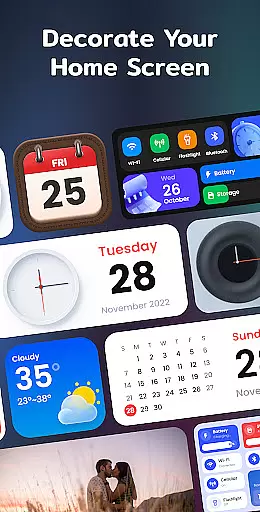
Color Widgets, Theme is a comprehensive lifestyle app designed to enhance your Android device's home screen with customizable widgets and themes. The app offers a wide range of aesthetic options including clock, photo, X-panel, calendar, weather, battery level, Bluetooth status, and event timer widgets in multiple sizes.
With its user-friendly interface, you can easily personalize your phone screen to reflect your unique style. Whether you want to add functional widgets for practicality or stylish themes for aesthetics, this app caters to all your customization needs. It ensures that your device not only looks good but also provides quick access to essential information and controls.
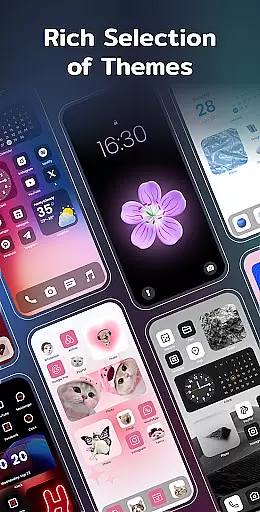
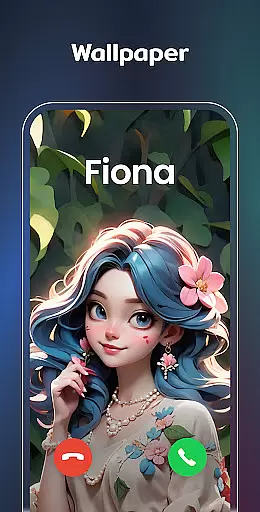
The app's standout feature is its ability to make your screen unique and exclusive through various widget styles and themes. From anime to neon aesthetics, the possibilities are endless. This personalization tool helps keep your life organized while allowing you to express your individuality through your device.
Color Widgets, Theme stands out with its extensive collection of customizable features. One of the key highlights is the X-Panel Widget, which consolidates shortcuts and essential phone statuses like date, time, network connection, Bluetooth, and battery levels onto your home screen. This allows for quick access and control over your device's settings.
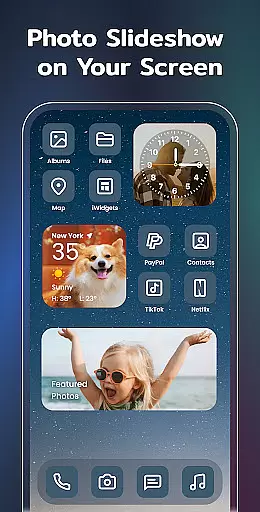
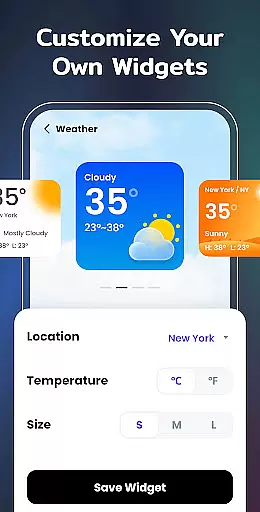
In addition to the X-Panel, the app offers specialized widgets such as Photo, Clock, Weather, Calendar, and Event Timer. Each widget type brings unique functionality; for instance, the Photo Widget decorates your screen with cherished memories, while the Weather Widget provides real-time local weather updates. These widgets come in various styles and sizes, ensuring they fit seamlessly into any home screen layout.
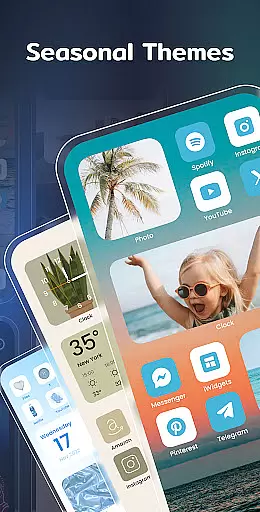
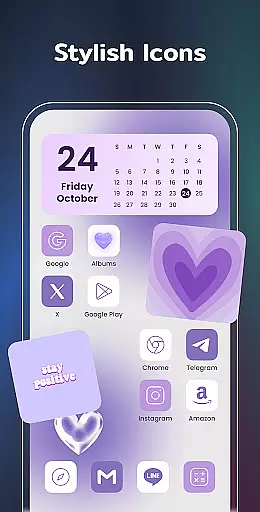
Customization extends beyond widgets to include exquisite themes and custom icons. Users can choose from preset themes in different styles or redesign app icons to create a truly personalized experience. With these features, Color Widgets, Theme empowers users to design a home screen that is both functional and reflective of their personal style.
Color Widgets, Theme offers an extensive range of widgets and themes that cater to various lifestyle needs, ensuring users can find the perfect match for their daily activities.
The app provides a diverse selection including clock, photo, X-panel, calendar, weather, battery level, Bluetooth status, and event timer widgets, each designed to enhance different aspects of your digital life.
With multiple sizes and styles available, users have the flexibility to customize their home screens in a way that truly reflects their personal lifestyle preferences.
This comprehensive approach allows individuals to tailor their device's appearance and functionality according to their unique requirements, making it an invaluable tool for anyone looking to personalize their Android experience.
The content within Color Widgets, Theme is crafted with attention to detail, ensuring that all widgets and themes are not only visually appealing but also reliable and functional.
Each element has been designed by professionals who understand the importance of aesthetic design combined with practical utility, providing users with trustworthy tools they can depend on every day.
From preset themes in different styles such as anime, neon, and vintage, to customizable icons and wallpapers, the app guarantees a level of quality assurance that comes from expert knowledge in both design and technology fields.
Users can trust that when using this app, they're getting access to top-notch features developed through meticulous research and expertise, enhancing both the look and performance of their devices.
User-friendly interface
Wide variety of widgets
Highly customizable themes
Quick access to essential controls
Regular updates with new features
Requires multiple permissions
Some features may feel redundant
Premium themes cost extra
Occasional performance lags
Limited iOS compatibility

Countdown to Christmas 2025 with festive games & activities in a virtual village
 4.80
4.80
Pay your rent, submit work orders and much more with the RentCafe Resident App.
4.70
BILT interactive 3D instructions help you get the job done right
3.50
Tap to the beat with interactive videos — warm up your reflexes & have fun
4.70
Smart & Healthy Living
4.60
Your home in your hand
3.80
Crochet made easy: step-by-step tutorials, beginner patterns & projects
4.60
Futuristic watchface inspired by Back to the Future: sleek, retro, timeless
4.3
A unique and customizable watch face which rotates its layout every minute.
4.80
Get roadside help, discounts, travel tools & more — AAA is with you everywhere.
4.80
The App can control Roborock vacuum cleaners from anywhere with rich features.
4.60
SmartHQ: Your Connected Home Command Center
4.10
Digital watch face design. Modern looking, hi-res & battery friendly.
4.00
Spirit Communicator is a real paranormal ghost hunting app with many fun modes.
3.90
Connect to your Shark ROBOT™ from anywhere using the SharkClean™ App.
3.60
Communicate with your vehicles and Powerwalls anytime, anywhere
3.60
Healthy eating timer app to track meal pace, improve habits, and eat slowly.
4.4
Big bold hybrid watch face with 30 colors, 5 fonts & 5 complications.
4.0
Celebrate the holidays with Advent Calendar: daily surprises and festive fun!
4.1


User Reviews