
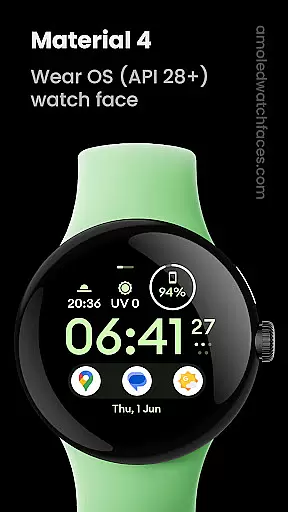
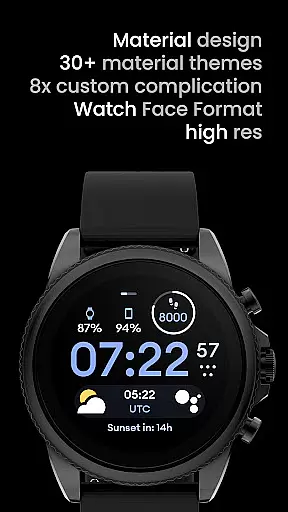
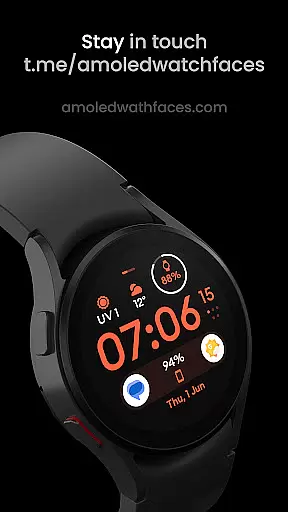
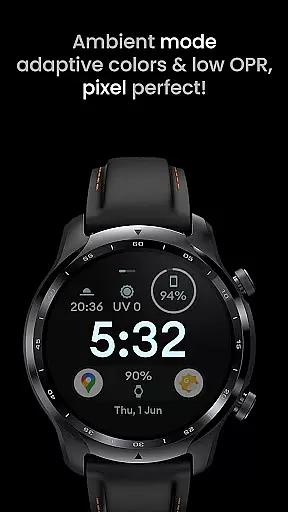
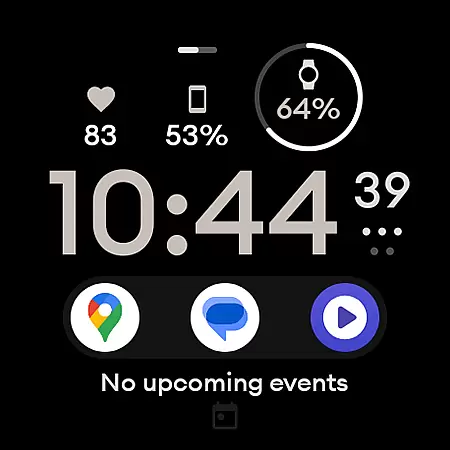
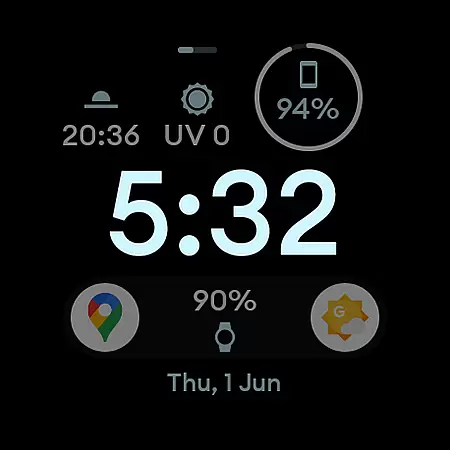
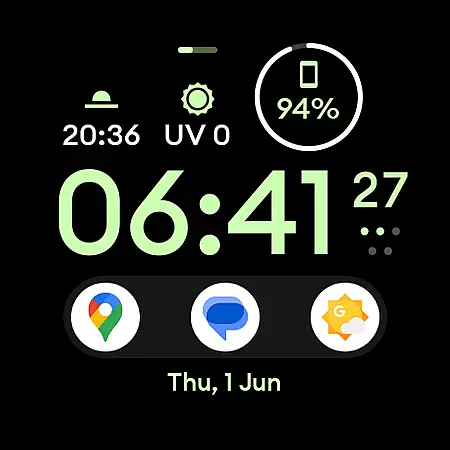
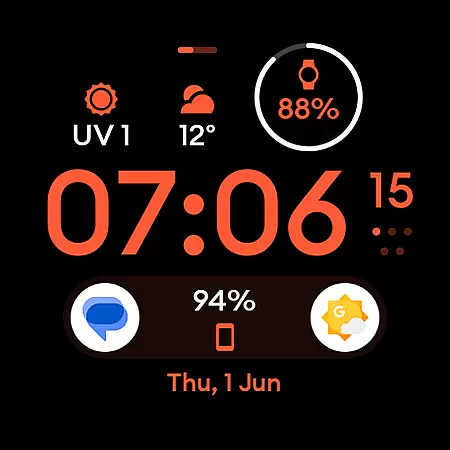
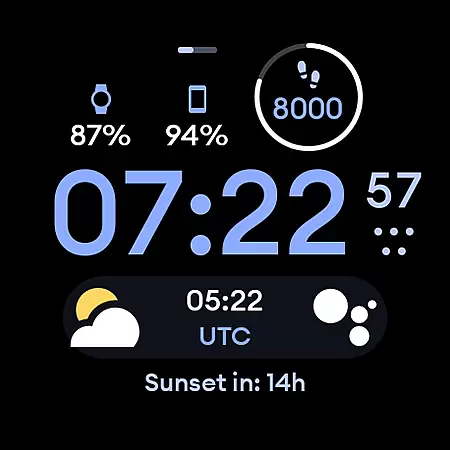
Material 4: Watch face is a feature-rich watch face app designed exclusively for Wear OS API 28+ devices. It offers a sleek material design with Euclid font and supports true black backgrounds, making it ideal for AMOLED displays. The app provides hi-res graphics and battery-friendly performance while enabling users to customize their watch faces extensively.
With support for up to eight custom complications, Material 4 allows users to personalize their watch faces with various data points. Its unique ambient mode ensures low power consumption and adaptive color schemes. Additional user configurations include options like Am-Pm Indicator, Thin Time toggle, Always-On Display settings, and a wide range of color choices. This app is perfect for tech-savvy individuals who want both style and functionality on their smartwatches.
Material 4: Watch face stands out with its advanced customization capabilities. Users can choose from multiple configurations such as Am-Pm Indicator in three styles, Thin Time toggle, two types of Always-On Display modes, and an extensive palette of 35 colors. These features ensure that each user can tailor the watch face to match their personal preferences.
The app also supports up to eight custom complications, allowing users to display various data points directly on their watch face. While some complications may require additional installation from third-party apps, this flexibility enhances the overall utility of the watch face. Furthermore, the app's unique ambient mode minimizes power usage while maintaining visibility through adaptive colors and low refresh rates.
Installation and troubleshooting are made easy with comprehensive guides available on the developer’s website. Users can access live support via Telegram or email for any issues they encounter. With regular updates and a vibrant community, Material 4: Watch face continues to evolve, offering new features and improvements to enhance user experience.
In the realm of wearable technology, lifestyle applications play a pivotal role in enhancing user experience. Material 4: Watch face is designed exclusively for Wear OS API 28+ devices, ensuring it meets the needs of users seeking both functionality and style. This app provides a comprehensive suite of features that cater to various aspects of daily life, making it an essential tool for those who value convenience and personalization on their smartwatches.
The application boasts a material design with Euclid font, true black background, and hi-res display, which together deliver a visually appealing and battery-friendly experience. With support for eight custom complications, users can tailor their watch faces to show the information most relevant to them. These features collectively ensure that the app covers a broad spectrum of lifestyle categories, from health monitoring to productivity enhancement.
Moreover, Material 4 offers unique ambient mode with low OPR and adaptive color, alongside user configurations such as Am-Pm Indicator, Thin Time toggle, AOD settings, and a wide range of color options. Such diversity in customization empowers users to adapt the watch face according to their preferences and needs, thereby enriching their overall lifestyle management capabilities.
When it comes to lifestyle applications, content authenticity and expert credibility are paramount. Material 4: Watch face stands out by providing genuine and reliable content curated by experts in the field. The app's association with amoledwatchfaces.com not only underscores its commitment to quality but also ensures that users receive accurate and trustworthy information regarding their smartwatch usage.
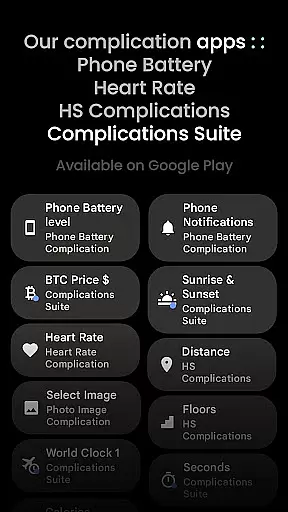
Every feature and configuration option within Material 4 has been meticulously crafted to offer real value to its users. For instance, the app supports third-party complications like Complications Suite, which must be installed separately. This integration highlights the app's dedication to offering authentic and versatile content that extends beyond basic functionalities. Furthermore, the app provides extensive resources including installation guides, troubleshooting tips, and live support through its Telegram group, reinforcing its reliability.
Users can confidently rely on Material 4 for their smartwatch needs, knowing that any issues or inquiries will be promptly addressed by the support team at support@amoledwatchfaces.com. By subscribing to the newsletter and engaging with the community, users gain access to continuous updates and expert advice, solidifying the app's position as a credible source for enhancing oneu2019s lifestyle through wearable technology.
User-friendly interface
Highly customizable
Battery efficient
Unique ambient mode
Comprehensive support
Not for rectangular watches
Complications not included
API 33+ required
Limited free options
Complex setup

Pay your rent, submit work orders and much more with the RentCafe Resident App.
 4.70
4.70
Premium floor cleaning robots
4.50
Get your life organized with My Agenda!
4.30
Spirit Communicator is a real paranormal ghost hunting app with many fun modes.
3.90
Get the news, events and savings that matter to you with AARP Now.
4.80
Mixing Colors for Menswear
4.20
Wear your favorite memories, loved ones, pets or travel photos on your watch
4.5
The App can control Roborock vacuum cleaners from anywhere with rich features.
4.60
Control your Tapo smart devices from anywhere.
4.60
My Diary - Daily Journal with lock: Diary journal app and secret diary with lock
4.80
Colorful selection floral watch face with gyro for Wear OS
4.60
Colorful minimal digital watch face for Wear OS
4.60
Earn money & gift cards when you take surveys, play games, scan receipts & more.
4.50
This minimalist yet classic board design brings a futuristic twist to your wrist
4.20
This is a simple and highly functional alarm clock "Smart Alarm" paid version.
4.20
Communicate with your vehicles and Powerwalls anytime, anywhere
3.60
Going above and beyond known spirit communication
3.60
A daily quote for success
4.0
Celebrate the holidays with Advent Calendar: daily surprises and festive fun!
4.3


User Reviews