
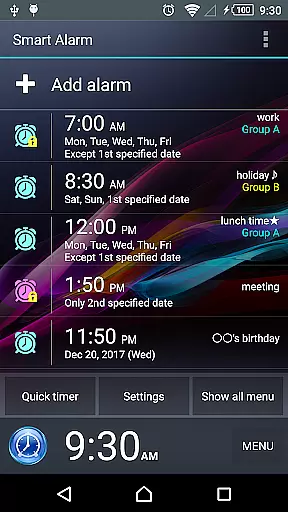
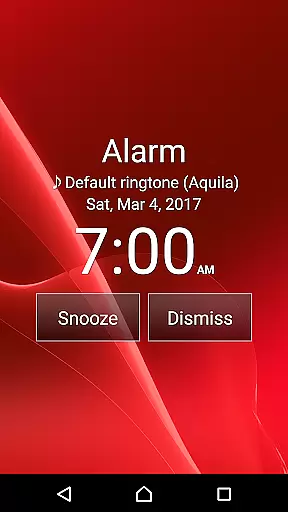
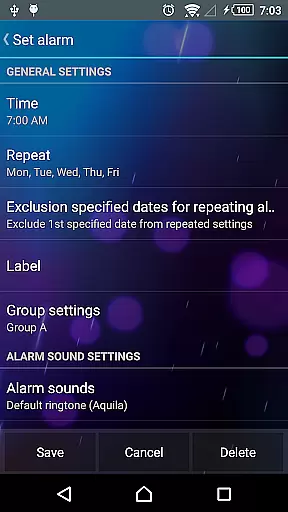
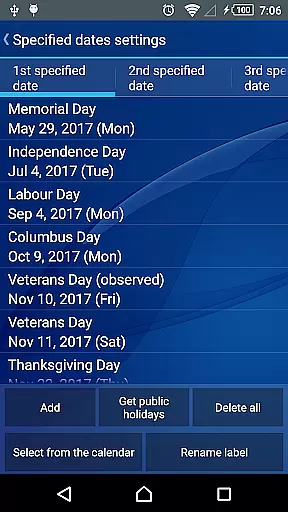
Smart Alarm is a premium alarm clock application designed for users seeking advanced functionality with simplicity. This app offers a highly customizable and user-friendly interface, allowing users to tailor their alarm experience to individual preferences. Key features include snooze functionality, weekly repeat settings, and holiday exclusions specific to the United States.
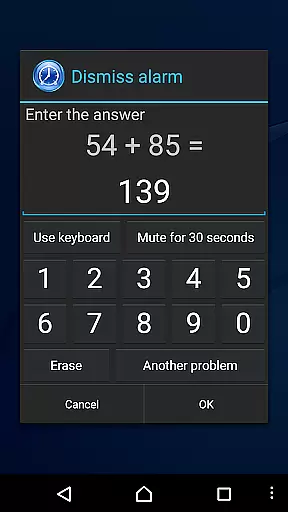
The app stands out with its transparency setting that displays the device's wallpaper as the background, creating a personalized look. Additionally, it provides practical solutions such as gradually increasing alarm volume, two-stage vibration strength, and intricate alarm stop operations like solving math problems. These features ensure users wake up effectively while preventing accidental alarm dismissals.
Smart Alarm is ideal for individuals who need a reliable and flexible alarm system that adapts to various lifestyles and schedules. Its comprehensive feature set makes it suitable for both personal and professional use, ensuring users never miss an important event or meeting.
Smart Alarm boasts an array of sophisticated features that enhance the traditional alarm clock experience. One notable function is the ability to set alarms that repeat on specific days of the week, excluding public holidays, which is particularly useful for maintaining a consistent wake-up schedule without manual adjustments.
Another standout feature is the customizable alarm sound options. Users can select music stored on their SD card as the alarm tone, providing a personalized and pleasant wake-up experience. The app also includes a dual-stage vibration setting and a gradual volume increase option, minimizing the shock of sudden loud noises in the morning.
Furthermore, Smart Alarm offers extensive customization options for hardware buttons, enabling users to define functions for side, back, and menu keys. This flexibility allows for streamlined control over alarm operations, enhancing usability and convenience. With these robust features, Smart Alarm delivers a superior user experience tailored to diverse needs.
Smart Alarm offers comprehensive lifestyle functionality that goes beyond basic alarm features. This application is designed to cater to various user needs, making it suitable for different daily routines and schedules.
The app includes practical features such as holiday settings, which allow users to exclude public holidays from their weekly alarm repetitions. Additionally, the ability to use music from an SD card as an alarm sound provides a personalized wake-up experience that can make mornings more enjoyable.
With options like gradual alarm volume increase, two-stage vibration strength settings, and customizable buttons, Smart Alarm ensures users are not startled awake and have control over their alarm interactions. These customization options contribute to a smoother and more pleasant start to the day.
Furthermore, the app's compatibility with silent mode and headphone usage demonstrates its adaptability to different lifestyle preferences and environments. Users can trust that their alarms will function correctly whether they are at home, commuting, or traveling.
Smart Alarm stands out due to its commitment to content authenticity and reliability. The developers have ensured that all features within the app are thoroughly tested and verified, providing users with confidence in the app's performance.
One notable aspect is the transparency regarding the app's limitations and operational notes. For instance, clear disclaimers inform users about potential scenarios where alarms might not trigger, such as device power-off situations or conflicts with task killer apps. This honesty builds trust between the developers and the users.
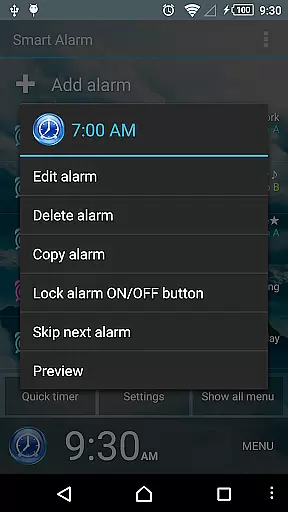
In addition, the app provides detailed instructions on using preview features before setting alarms, ensuring users understand how each function works. Such guidance helps prevent misuse and enhances overall user satisfaction by promoting informed usage.
Finally, the permissions required by Smart Alarm are justified with explanations of their purposes, such as preventing the device from sleeping during alerts or managing vibrations. This openness about data usage and system interactions reinforces the credibility of the application among its users.
User-friendly interface
Highly customizable settings
Gradual alarm sound increase
Two-stage vibration strength
Intricate alarm stop mechanisms
Paid version only
Requires device power-on
Compatibility issues possible
No guaranteed functionality
Limited liability for damages

Big bold digital watch face with 30 colors, 6 complications and AOD.
 4.5
4.5
Turn your watch into a key fob for your Tesla
2.90
A daily quote for success
4.4
Unique Dual Colors with 6 Custom Complications for Wear OS watches!
3.40
Paranormal Spirit Bell Trigger Device
4.30
Digital smart watch face made for Wear OS.
4.70
A unique and customizable watch face which rotates its layout every minute.
4.80
Going above and beyond known spirit communication
3.60
No more juggling multiple apps, now you can control everything in one place!
4.60
Daily lessons from A Course in Miracles with scheduled reminders
4.80
Get the news, events and savings that matter to you with AARP Now.
4.80
Make money, get paid cash rewards & gift cards for every survey. Earn today!
4.60
Colorful minimal digital watch face for Wear OS
4.60
Vehicle ownership simplified. Get the myChevrolet® app today.
4.60
Communicate with your vehicles and Powerwalls anytime, anywhere
3.60
BILT interactive 3D instructions help you get the job done right
3.50
An Eerie Musical Trigger Toy for Spirits to Play with!
3.50
View over 160,000 line dance stepsheets from the CopperKnob website.
3.30
Unique Dark Analog style for Wear OS watches.
4.0


User Reviews