
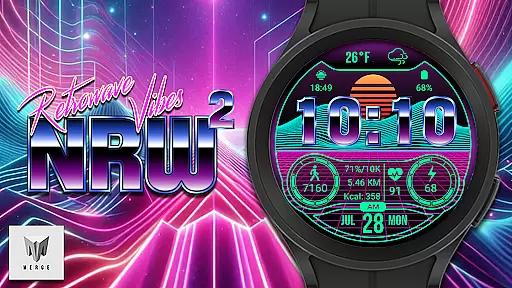
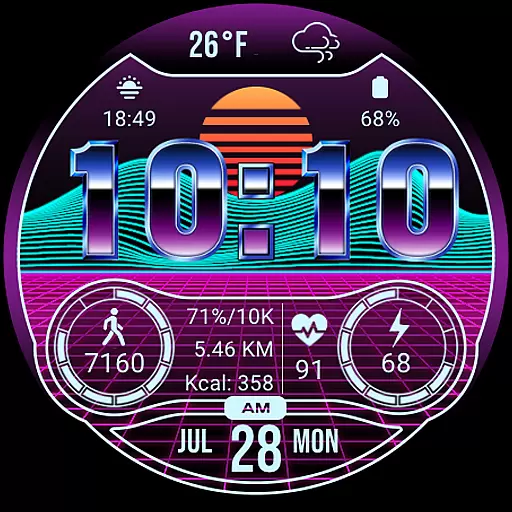
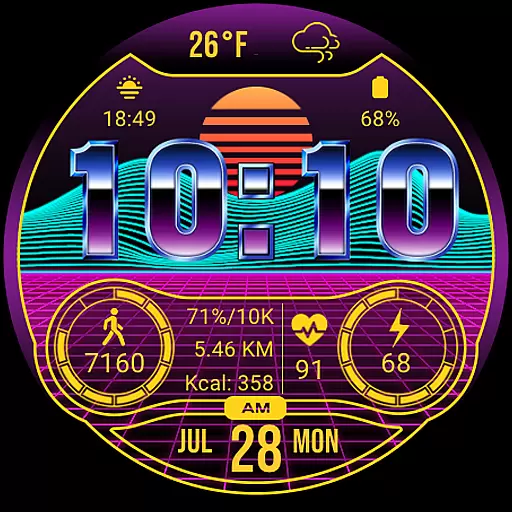
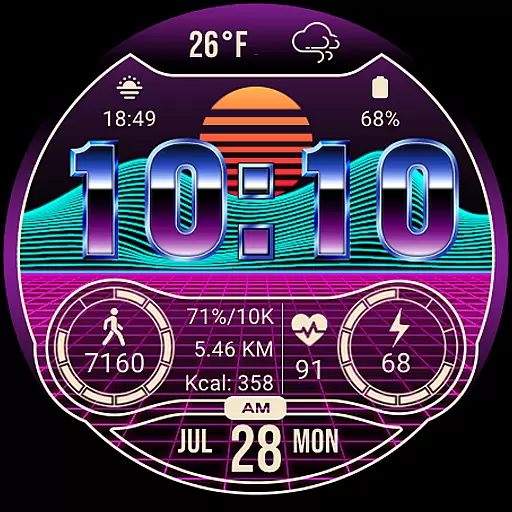
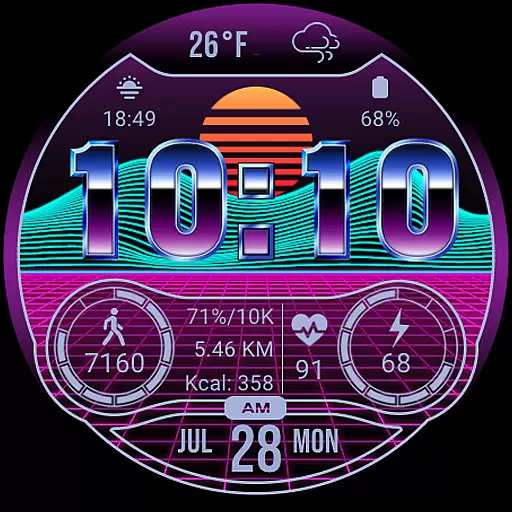
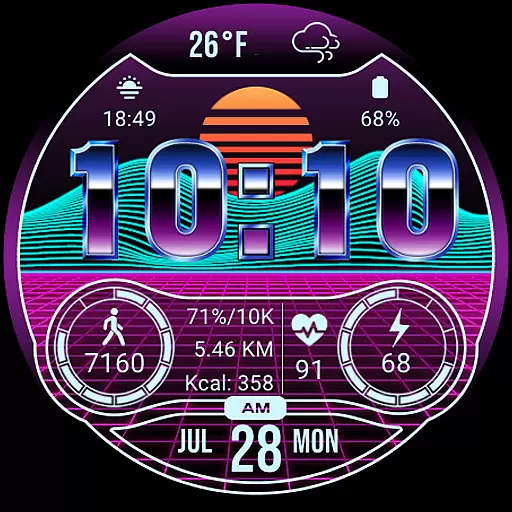
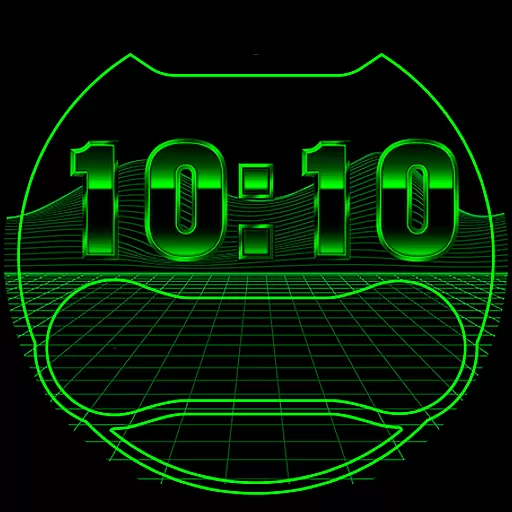
Merge Labs NRW2 is a digital smartwatch face designed for fans of the Retro wave and Synth wave genres. It offers a unique aesthetic combined with practical functionality, making it an ideal choice for those who appreciate both style and utility on their Wear OS devices. The watch face features a custom-made 'chromed' font by Merge Labs, giving it a distinctive look that stands out from other options available in the market.
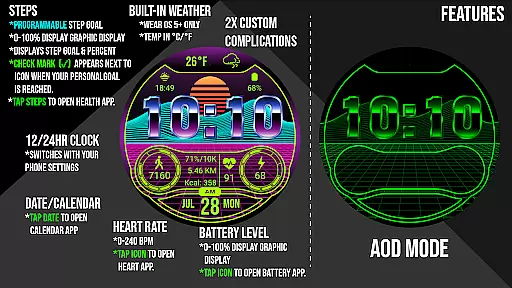
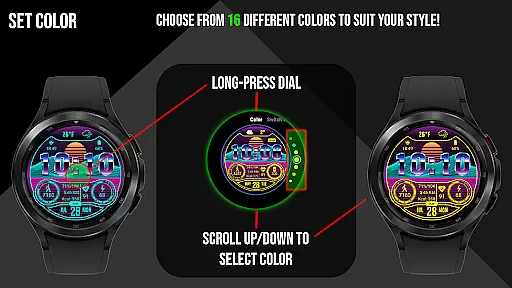
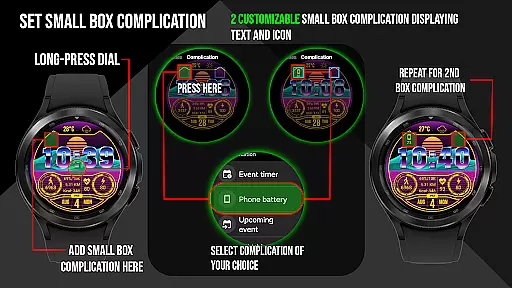
One of the key highlights of this app is its comprehensive set of features that cater to various user needs. It includes built-in weather temperature and icons, customizable complications, and displays crucial information such as battery level, daily step counter, heart rate, and more. Users can choose from 17 different color options and customize two small box complications (text and icon). Additionally, the watch face syncs with health apps like Samsung Health to provide accurate step goals, calorie tracking, and distance traveled in either kilometers or miles.
The Merge Labs NRW2 boasts a wide array of features that enhance its usability and appeal. One notable feature is the ability to tap on specific areas of the watch face to open related apps, such as the Weather App, Steps/Health App, Heart Rate App, and Calendar App. This seamless integration allows users to access important information quickly and efficiently without navigating through multiple menus.
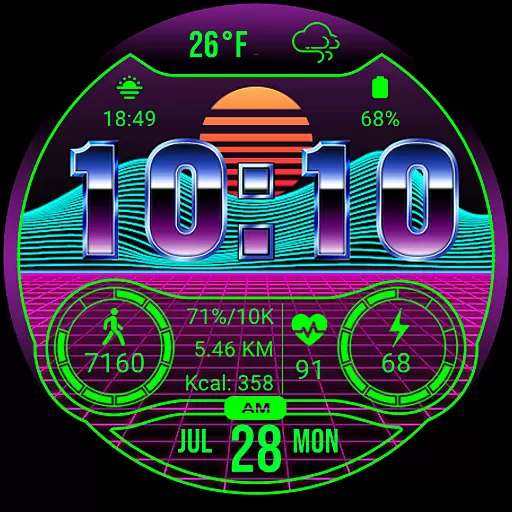
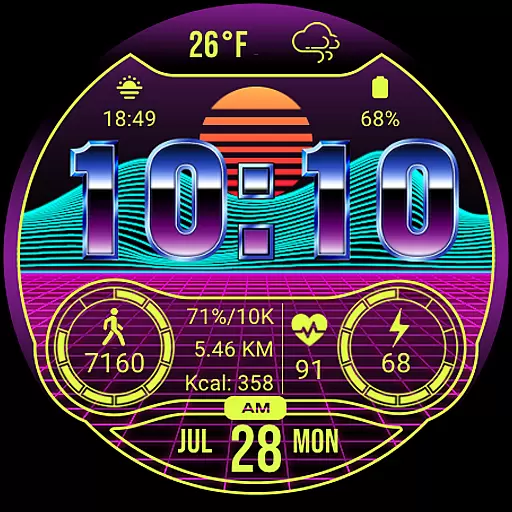
Another standout feature is the highly customizable nature of the watch face. Users can select from 17 different colors and adjust settings such as blinking colon on/off via the 'Customize' Watch Menu. Furthermore, the display shows numerical battery levels alongside a graphic indicator, ensuring users are always aware of their device's power status. The inclusion of a 12/24-hour clock format based on the device’s settings adds another layer of personalization, while the KM/Miles function can be easily toggled according to preference.
Merge Labs NRW2 offers a comprehensive lifestyle experience by integrating essential daily features into a single smartwatch face. The app provides users with a unique Retro wave/Synth wave aesthetic that appeals to fans of this music and fashion genre, making it a distinctive choice for Wear OS devices.
With 17 different color options and customizable complications, users can tailor the watch face to match their personal style. It includes built-in weather temperature and icons, allowing users to quickly access weather information. By tapping on specific areas, users can open dedicated apps such as Weather, Steps/Health, Heart Rate, and Calendar, enhancing the overall utility of the smartwatch.
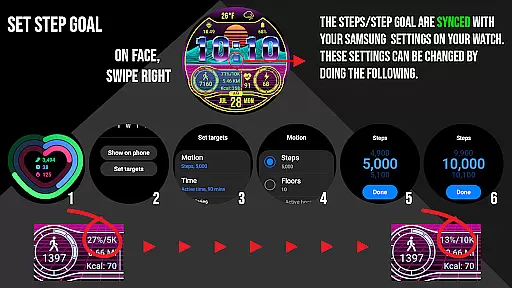
The app also displays crucial health metrics like daily step counters, heart rate (BPM), calories burned, and distance traveled in either kilometers or miles. These features are synced with health apps like Samsung Health, ensuring accurate tracking and goal setting. Users can conveniently monitor their progress towards fitness goals directly from their watch face.
Including additional functionalities such as displaying a 12/24-hour clock according to device settings, numerical battery levels, and KM/Miles functions that can be set via the u201cCustomizeu201d Watch Menu, Merge Labs NRW2 ensures extensive lifestyle category coverage. This makes it an all-encompassing solution for users seeking both style and functionality on their smartwatches.
The authenticity of content provided by Merge Labs NRW2 is evident through its custom-made elements and detailed feature set. The app boasts a unique u201cchromedu201d font created by Merge Labs, adding an exclusive touch to the watch face design. This attention to detail underscores the app's commitment to delivering genuine and high-quality user experiences.
All displayed information, including weather updates, step counts, heart rate readings, and battery levels, is sourced from reliable device settings and integrated apps. For instance, step goals are synced with Samsung Health or default health apps, ensuring that users receive accurate and trustworthy data. Such synchronization highlights the appu2019s dedication to maintaining content accuracy.
Furthermore, Merge Labs NRW2 allows users to interact with various aspects of the watch face. Tapping on designated areas opens relevant apps, providing seamless access to more detailed information. This interactive feature not only enhances user engagement but also reinforces the credibility of the content presented on the watch face.
By offering extensive customization options and practical features, Merge Labs NRW2 establishes itself as a credible and authoritative app in the Lifestyle category. Its ability to combine aesthetic appeal with functional utility ensures that users receive authentic and valuable content tailored to their needs.
User-friendly interface
Highly customizable design
Comprehensive health tracking
Seamless app integrations
Vibrant color options
Limited to Wear OS devices
No advanced fitness metrics
Potential battery drain
Requires third-party apps
Complex setup process

Earn points with every purchase with Moe Rewards.
 4.20
4.20
Tap to the beat with interactive videos — warm up your reflexes & have fun
4.70
Bring the warm colors of fall directly to your wrist with Autumn Leaves!
4.5
The go to app for taking unlimited notes!
4.50
Discover your Nationality, Family Origin, and Ancestry from one selfie
4.50
The cutest Autumn watchface featuring the adorable Mr. Squirrel
4.5
Celebrate the holidays with Advent Calendar: daily surprises and festive fun!
4.5
Wear your favorite memories, loved ones, pets or travel photos on your watch
4.2
A unique and customizable watch face which rotates its layout every minute.
4.80
Get the news, events and savings that matter to you with AARP Now.
4.80
Your store’s deals, where you are.
4.80
Redecor your home with Home AI interior design, room planner and home designer.
4.50
Smart controls for your Ember Smart Mugs
4.10
Unique Dual Colors with 6 Custom Complications for Wear OS watches!
3.40
The Miracle Box includes methods used by Steve Huff of Huff Paranormal.
3.20
Discover how to help puppies stay calm around noise with this helpful app.
4.2
Designed to delight, impress and energize your festive spirit every single day
4.4
Cute animated Thanksgiving watchface for your WearOS smartwatch
4.4
Big bold hybrid watch face with 30 colors, 5 fonts & 5 complications.
4.3


User Reviews