
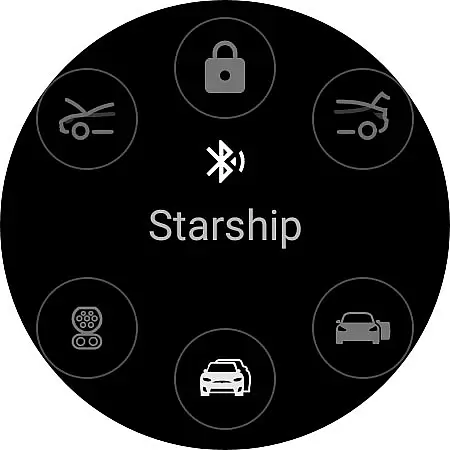
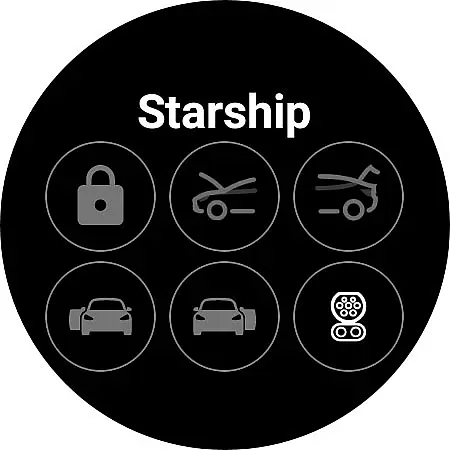
Watt Key is a cutting-edge Wear OS application that transforms your smartwatch into a key fob for Tesla vehicles. Designed specifically for Tesla models with Bluetooth key functionality, this app allows users to perform essential vehicle operations directly from their wrist.
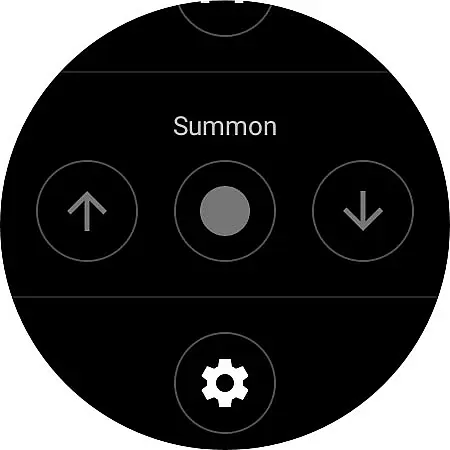
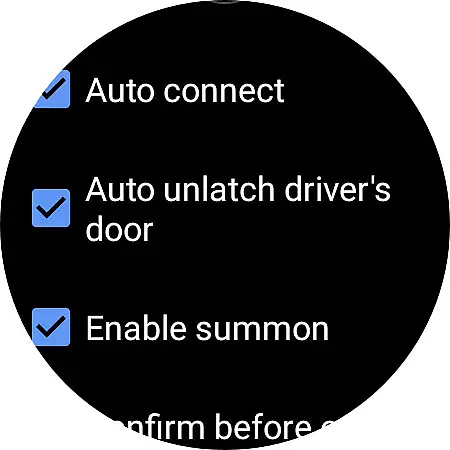
The app's core features include automatic locking and unlocking as you approach or leave your Tesla, unlatching doors, opening the frunk and trunk, and managing the charge port. It also supports advanced summon functions for vehicles equipped with Enhanced Autopilot or Full Self-Driving capabilities. The immediate response time and secure authentication make it an indispensable tool for Tesla owners.
Perfect for tech-savvy Tesla drivers who value convenience and security, Watt Key works seamlessly with Wear OS watches, particularly Samsung Galaxy Watch 4 and newer models, along with Google Pixel watches. Its intuitive interface and robust security measures ensure both ease of use and peace of mind.
Watt Key offers an impressive array of features designed to enhance the Tesla ownership experience. The app utilizes Bluetooth technology to maintain a constant connection with your vehicle, enabling hands-free operation of various car functions.
Key features include proximity-based locking and unlocking, manual lock control, door unlatching options, and comprehensive management of vehicle access points including frunk, trunk, and charge port. The inclusion of summon functionality (for EAP/FSD-equipped vehicles) adds another layer of convenience. The app's tile-based interface provides quick access to these commands, while its offline capability ensures reliable performance without internet dependency.
Security is paramount, with end-to-end encrypted commands and secure cryptographic key storage. Users can manage their authentication keys through both the app's settings and Tesla's native interface. The app's compatibility with multiple languages and its optimized performance on modern Wear OS devices make it a versatile solution for international Tesla owners.
Watt Key offers comprehensive lifestyle functionality by transforming your Wear OS watch into a convenient key fob for Tesla vehicles. This app covers various aspects of vehicle interaction, making daily life smoother and more efficient.
The app supports multiple commands including automatic locking and unlocking as you approach or leave your Tesla, unlatching doors, opening the frunk and trunk, and managing the charge port. These features ensure that users can handle most vehicle-related tasks directly from their smartwatch.
Additionally, Watt Key enhances user experience with quick-access tiles and summon functionalities for compatible Teslas. The inclusion of multiple language supportu2014English, Korean, French, and Germanu2014further broadens its appeal across different regions and user preferences.
By integrating seamlessly with Tesla's Bluetooth key functionality, Watt Key provides an intuitive and efficient way to manage your vehicle, enhancing convenience and offering a modern lifestyle solution.
Watt Key ensures content authenticity and expert credibility through its secure and reliable connection to Tesla vehicles. The app generates a cryptographic key for each vehicle, which is securely stored on the user's watch, ensuring that only authorized devices can interact with the car.
All functionalities are designed to work directly via Bluetooth, eliminating the need for an internet connection and providing immediate responses to commands. This direct communication guarantees that actions such as locking, unlocking, and opening the charge port are executed without delay.
Furthermore, Watt Key supports Teslau2019s new end-to-end encrypted commands, adding an extra layer of security and privacy. Users can manage their cryptographic keys through the appu2019s settings, giving them full control over their data and vehicle access.
Although not officially endorsed by Tesla, Watt Key's meticulous design and attention to security protocols reflect a high level of expertise, ensuring users can trust the app for their vehicle management needs.
Instant vehicle access
Secure authentication
Comprehensive feature set
Offline functionality
Multi-language support
Limited device compatibility
Tesla-specific only
Requires Wear OS 2+
No iOS support
Bluetooth dependency

Pay your rent, submit work orders and much more with the RentCafe Resident App.
 4.70
4.70
View over 160,000 line dance stepsheets from the CopperKnob website.
3.30
The go to app for taking unlimited notes!
4.50
Good magnifier app to see tiny things bigger and more clearly!
4.80
My Diary - Daily Journal with lock: Diary journal app and secret diary with lock
4.80
Kasa Smart is your portal to your TP-LINK Smart Home.
4.70
Simple, stylish & fresh watch face. Customize colors, gradients & complications.
4.70
Futuristic watchface inspired by Back to the Future: sleek, retro, timeless
4.2
DailyGift can help you record your habits and get rewards along the way!
4.60
Make money, get paid cash rewards & gift cards for every survey. Earn today!
4.60
This app is intended to support professional EMDR therapy.
4.50
Redecor your home with Home AI interior design, room planner and home designer.
4.50
Unique BIG BOLD TIME with amazing colors and customisations.
3.70
Paranormal EVP, Ghost Box, Spirit box, ITC, Haunted, Spirit communication device
3.70
Easily manage your child's playtime, spending messaging and more.
3.50
Unique Dual Colors with 6 Custom Complications for Wear OS watches!
3.40
Duo Watch Face (animated)
4.1
A daily quote for success
4.1
A uniquely designed isometric digital watch face made for Wear OS
4.3


User Reviews