

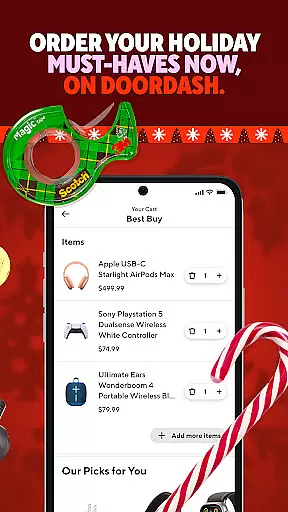
DoorDash is a leading food and grocery delivery platform that connects users with their favorite local restaurants, grocery stores, and retail outlets. With over 310,000 restaurant menus and 55,000+ stores across the U.S., Canada, Australia, and New Zealand, DoorDash offers unparalleled convenience for same-day delivery or takeout. Whether you're craving a meal from McDonald's or need to stock up on groceries from Safeway, DoorDash provides a seamless experience.
The app stands out with features like real-time order tracking, no-contact delivery, flexible payment options including Google Pay and PayPal, and scheduled deliveries. Its subscription service, DashPass, offers unlimited $0 delivery fees and exclusive discounts, making it an attractive option for frequent users. DoorDash is ideal for busy professionals, families, and anyone seeking reliable delivery services.
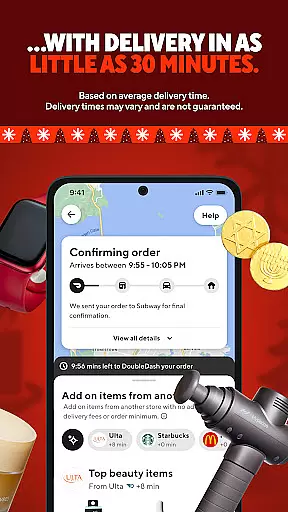
DoorDash offers a comprehensive suite of features designed to enhance user experience. One standout feature is real-time order tracking, which allows customers to monitor their deliveries from preparation to arrival. This transparency builds trust and helps users plan their schedules effectively. Additionally, the app supports scheduled deliveries, enabling users to place orders in advance for maximum convenience.
Payment flexibility is another key advantage, with support for multiple payment methods such as Google Pay, Venmo, PayPal, credit cards, and even SNAP/EBT at participating merchants. The no-contact delivery option ensures safety by leaving orders at designated safe spots. Furthermore, DashPass subscribers enjoy perks like unlimited free deliveries and exclusive deals, adding significant value for regular users who want to save time and money.
DoorDash's store locator functionality is a crucial feature that enables users to find restaurants, grocery stores, and retail outlets in their vicinity. This function leverages advanced geolocation technology to provide accurate location data, ensuring that customers can easily discover places that deliver to their current location.
The app showcases an extensive network of over 310,000 restaurant menus and more than 55,000 grocery and retail stores across 4,000 cities in multiple countries. Users can browse through this vast selection to locate their favorite eateries or nearby stores offering essentials, prepared foods, and specialty items.
For the user, this means unparalleled convenience. Whether you're at home or traveling, DoorDash's store locator provides instant access to local businesses, complete with details on available products and services. This empowers users to make informed decisions about where to order from based on proximity, menu variety, or specific cravings.
Ultimately, the store locator feature enhances the overall customer experience by simplifying the search process. It saves time and effort while expanding dining and shopping options beyond traditional boundaries, making it easier than ever to enjoy meals and goods from a diverse range of local vendors.
DoorDash offers comprehensive delivery and pickup options, setting itself apart as a versatile platform for acquiring food, groceries, and other essentials. The service facilitates not only immediate deliveries but also scheduled ones, allowing patrons to plan their orders around busy schedules or anticipate future needs.
With real-time tracking capabilities, customers can monitor their orders every step of the way. This transparency builds trust and keeps users informed about when exactly their items will arrive. Additionally, DoorDash supports various payment methods including Google Pay, Venmo, PayPal, credit cards, and even SNAP/EBT at participating merchants, ensuring a seamless transaction process.
No-contact delivery further elevates safety and convenience standards. By opting for this service, customers can have peace of mind knowing their orders will be left securely at their doorsteps without any direct interaction required. For those preferring self-pickup, DoorDash provides easy solutions for collecting orders directly from restaurants or stores.
This combination of flexible delivery times, transparent tracking, secure payment options, and innovative no-contact features makes DoorDash a reliable choice for modern consumers seeking efficient ways to obtain goods and services while maintaining high levels of personal safety and satisfaction.
User-friendly interface
Wide merchant selection
Real-time tracking
Flexible payment options
No-contact delivery
Occasional delivery delays
Subscription cost
Limited international reach
Variable service quality
Extra fees for small orders

Save at the pump AND in store with deals on gas, snacks & drinks at Murphy USA.
 4.80
4.80
Get 20% Back at thousands of 4+ star restaurants when you pay using inKind
4.90
Fix bad slushies with SlushIQ tools for Ninja Slushi, Iceman, and home mixers.
4.1
Skip the line, get delivery + exclusive treats
3.90
Get groceries delivered today
4.50
Order Beer, Snacks & More 24/7
4.20
Mobile Ordering - Order your favorite burgers, chicken, breakfast, and desserts
4.60
Find the perfect restaurant for any occasion on OpenTable.
4.60
Quickly order, pay, reload your Starbucks Card and earn free drinks or food.
4.80
Restaurant Reservations
4.90
Monthly Perks. Fuel Discounts. App Exclusive Deals.
4.90
Easily Order, Earn Crumbs & Unlock Rewards!
4.80
Papa Johns Pizza, delivering an awesome pizza ordering experience for Android!
4.80
Conveniently order food ahead and avoid the wait at your favorite Jersey Mike's.
4.80
Delivery. Pickup. Rewards.
4.70
The fast and practical app to help you make the best cocktails at home!
4.60
Discover restaurants, reservations, food delivery, reviews & services near me
4.60
Stashcook: Keep healthy food recipes, cooklist & weekly meal plans for any diet.
4.50
Order ahead, receive points with qualifying purchase & redeem available rewards.
4.50


User Reviews