
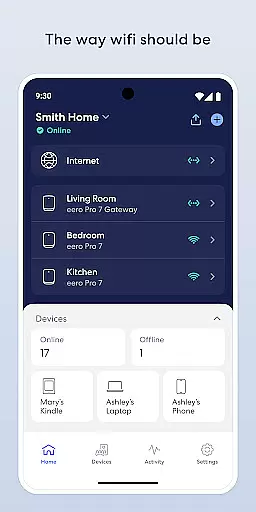
eero wifi system is a comprehensive home networking solution that provides fast and reliable internet coverage throughout your home. The eero app allows users to easily set up and manage their eero devices, ensuring optimal performance and security.
With features like automatic updates, remote network management, and advanced parental controls through eero Plus subscription, this app ensures your network stays up-to-date and secure. Whether you're streaming, working, or playing, eero guarantees uninterrupted connectivity in every corner of your home.
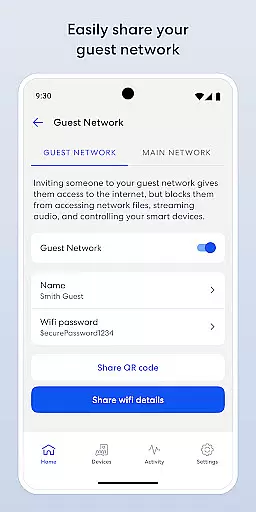
The app also enables users to share their network securely with guests, schedule internet access, and block specific devices. These capabilities make it an ideal solution for modern households looking to optimize their wifi experience.
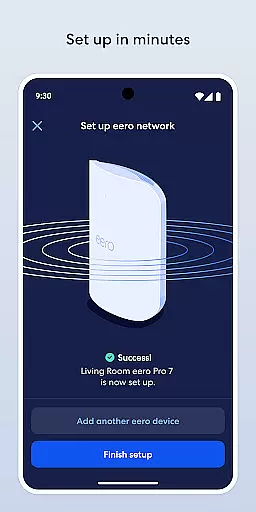
The eero app offers a range of features designed to simplify wifi management. Setting up the system is quick and easy, typically taking only minutes. Once installed, users benefit from automatic updates that bring new features, performance improvements, and enhanced security standards.
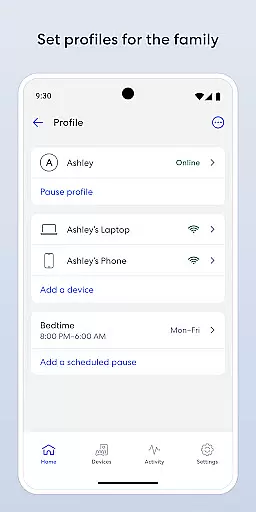
One standout feature is the ability to manage your network remotely from anywhere. This includes viewing network status, sharing your network with guests securely, and controlling device access. Users can schedule or pause internet access to manage screen time effectively.
For those seeking advanced protection, eero Plus subscription offers additional security features, including a password manager, antivirus software, and a VPN powered by Guardian. These comprehensive tools ensure maximum protection and control over your home network.
The eero app offers comprehensive coverage of essential lifestyle categories, making it an indispensable tool for modern smart homes. With its focus on network management, the app addresses key aspects of daily living, including entertainment, work, and security.
Users can easily manage their home wifi network, ensuring reliable connectivity for streaming, working, and playing from any corner of their home. The app's scheduling features help families maintain healthy screen time habits, while advanced security options provide peace of mind through enhanced protection.
The inclusion of eero Plus subscription services expands the lifestyle offerings with advanced parental controls, a password manager, antivirus software, and a secure VPN powered by Guardian. These features create a holistic approach to modern living, combining convenience with robust security measures.
By covering various aspects of home networking and digital safety, the eero app demonstrates its commitment to enhancing users' lifestyles through innovative technology solutions that adapt to evolving needs.
The eero app maintains high standards of content authenticity and expert credibility, ensuring users receive accurate and reliable information about their home network. All features and functionalities are developed based on professional networking expertise and industry best practices.
Through frequent automatic updates, the app delivers new features, performance improvements, and the latest security standards, demonstrating its commitment to staying current with technological advancements. These updates are carefully crafted by networking professionals and security experts to enhance user experience while maintaining system integrity.
For additional support, users can access VIP assistance from eero's team of wifi experts, guaranteeing professional guidance when needed. The company also welcomes feedback and suggestions at support@eero.com, showing their dedication to continuous improvement based on user input.
Furthermore, the app's adherence to eero's Terms of Service and Privacy Policy ensures that all content and features meet strict legal and ethical standards, providing users with confidence in the app's authenticity and reliability.
Easy setup process
Automatic security updates
Remote network management
Advanced parental controls
Comprehensive security suite
Premium features require subscription
Limited customization options
Occasional connectivity issues
Higher price point
Dependent on cloud services

Unique BIG BOLD TIME with amazing colors and customisations.
 3.70
3.70
Healthy eating timer app to track meal pace, improve habits, and eat slowly.
4.2
Immerse yourself in the serenity of lavender fields and white butterflies
4.1
Good magnifier app to see tiny things bigger and more clearly!
4.80
Smart home security protection
3.20
Play fun games, complete quick surveys, and earn money. It's fun and easy!
4.40
Mixing Colors for Menswear
4.20
The Miracle Box includes methods used by Steve Huff of Huff Paranormal.
3.20
The App can control Roborock vacuum cleaners from anywhere with rich features.
4.60
Simple, stylish & fresh watch face. Customize colors, gradients & complications.
4.70
Have your Tehillim with you at all times
4.70
PARAVOX 4 is a professional ITC paranormal research application.
4.50
Earn points with every purchase with Moe Rewards.
4.20
Material You inspired colors with BIG and Bold looks for Wear OS watches.
4.20
Connect to your Shark ROBOT™ from anywhere using the SharkClean™ App.
3.60
Going above and beyond known spirit communication
3.60
BILT interactive 3D instructions help you get the job done right
3.50
Take Hobby Lobby with you wherever you go!
3.40
View over 160,000 line dance stepsheets from the CopperKnob website.
3.30


User Reviews