
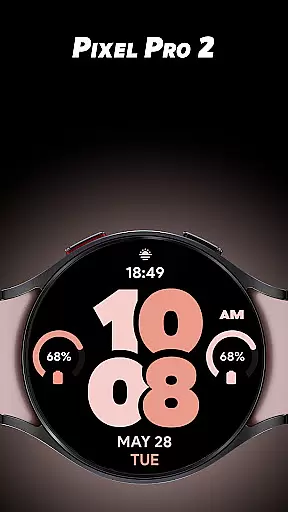
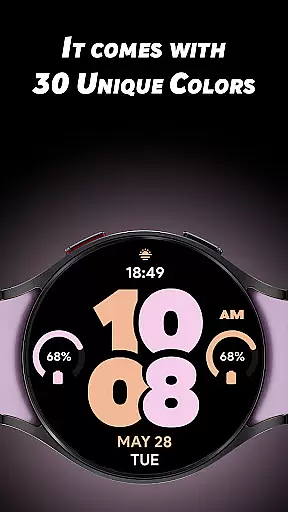
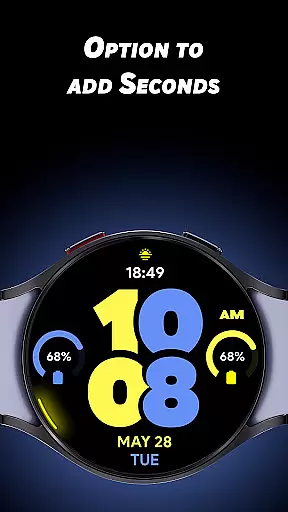
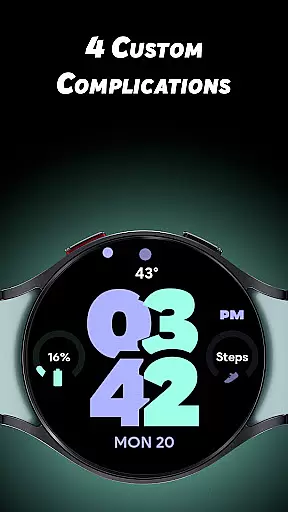
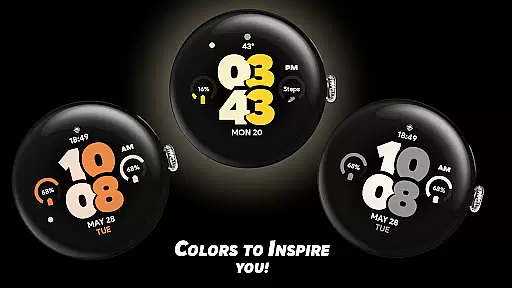
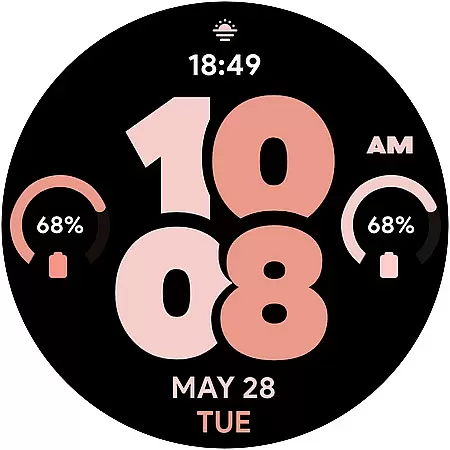
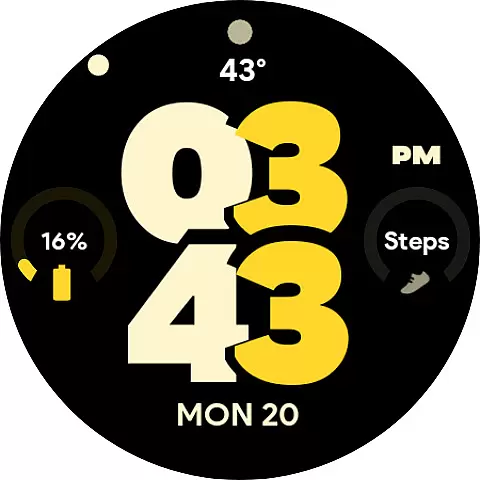
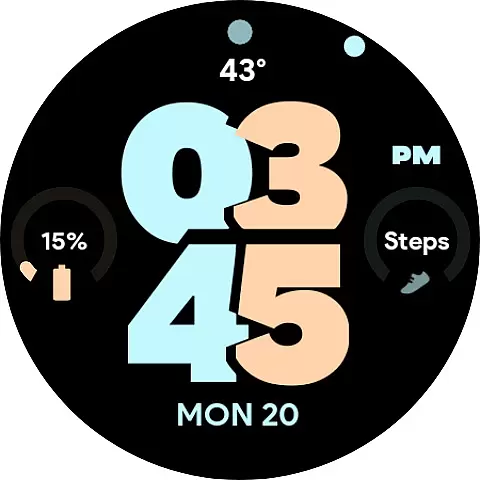
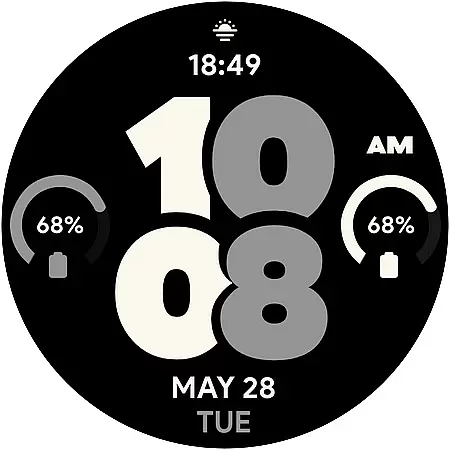
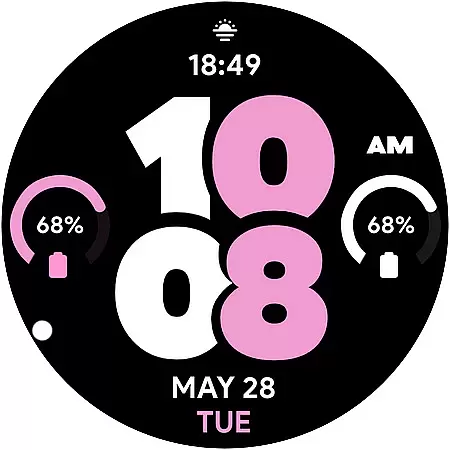
Pixel Pro 2 is a feature-rich watch face designed specifically for Wear OS devices. This app transforms your smartwatch experience by offering 30 unique color options and customizable complications, allowing users to personalize their watch interface according to their preferences. With its innovative design elements like the rotating seconds indicator and Always-On Display (AOD) customization, Pixel Pro 2 ensures both functionality and style.
The watch face supports both 12-hour and 24-hour time formats and provides four customizable complications, including an invisible app shortcut on the TIME section. These features make it easy for users to access essential information at a glance while enjoying a sleek and modern appearance. Whether you want to match your watch face with your outfit or prioritize specific data points, Pixel Pro 2 delivers a personalized and efficient user experience.
Pixel Pro 2 stands out with its extensive customization options. Users can choose from 30 distinctive colors, ensuring that their watch face perfectly matches their personal style. The inclusion of four custom complications allows for tailored data display, such as weather updates, fitness stats, or notifications, enhancing the practicality of the watch face.
One notable feature is the ability to turn on seconds with a unique rotating animation along the edge of the watch. This adds a dynamic visual element without compromising readability. Additionally, the Just Time AOD mode offers users the flexibility to enable or disable the Always-On Display, conserving battery life while maintaining accessibility. These thoughtful design choices underscore Pixel Pro 2's commitment to providing both aesthetic appeal and functional versatility.
Pixel Pro 2 offers a comprehensive lifestyle experience by providing users with customizable watch faces that suit various personal styles and preferences. The app includes 30 unique color options, allowing users to tailor their Wear OS watch to match their mood or outfit.
In addition to the aesthetic customization, the watch face features four custom complications. These enable users to display the data most relevant to their daily lives, such as weather updates or step counts, directly on their watch face for quick access.
The inclusion of an invisible app shortcut on the TIME feature adds another layer of utility, offering seamless interaction with frequently used apps without cluttering the visual design of the watch face.
Pixel Pro 2 ensures content authenticity by designing its watch face inspired by real user feedback and trends within the lifestyle sector. Each of the 30 colors has been carefully selected to resonate with current fashion and design sensibilities.
Expertise in wearable technology is demonstrated through advanced features like the optional always-on display (AOD) and the unique rotating seconds indicator. These elements are crafted not only to enhance usability but also to maintain the integrity of the watch's design.
Furthermore, the app supports both 12 and 24-hour time formats, catering to a global audience and reinforcing the credibility of Pixel Pro 2 as a versatile and user-centric lifestyle product.
Highly customizable
Vibrant color options
Unique rotating seconds
Efficient AOD modes
User-friendly interface
Limited to Wear OS
No advanced widgets
Requires manual updates
Basic time format
Single layout design

Daily lessons from A Course in Miracles with scheduled reminders
 4.80
4.80
Premium floor cleaning robots
4.50
A watch face with transparency and fluid visuals inspired by liquid glass design
4.3
Bring the warm colors of fall directly to your wrist with Autumn Leaves!
4.4
Play. Earn. Repeat. Get rewarded for playing mobile games. Welcome to Mobius!
4.80
Get the news, events and savings that matter to you with AARP Now.
4.80
Have your Tehillim with you at all times
4.70
Share opinions, get paid cash
4.30
Just play, earn rewards, fetch gift cards, and turn gaming into real payouts!
4.80
Simple, stylish & fresh watch face. Customize colors, gradients & complications.
4.70
Play fun games, complete quick surveys, and earn money. It's fun and easy!
4.40
Get your life organized with My Agenda!
4.30
This is a simple and highly functional alarm clock "Smart Alarm" paid version.
4.20
Discounts, savings, and rewards
4.20
Fly your Solo like a boss.
4.10
Easily manage your child's playtime, spending messaging and more.
3.50
Falling Fruit is a massive collaborative map of food in our cities.
3.20
A daily quote for success
4.4
A uniquely designed isometric digital watch face made for Wear OS
4.4


User Reviews